Supervisors and agency admins can pick up the phone too: place a quick outbound call, cover a busy queue, or work a shift alongside the team. There are two ways to do it. This article is for supervisors and agency admins.
| You want to | Use |
|---|---|
| Place an occasional call or text while you keep your admin pages | The dialer page |
| Take queue calls for a while, with the agent layout | Agent View Mode |
Use the dialer page
Open the dialer page at /dialer (for example https://dialer.agenttech.io/dialer). It is the same softphone agents use, with your admin sidebar still on the left.
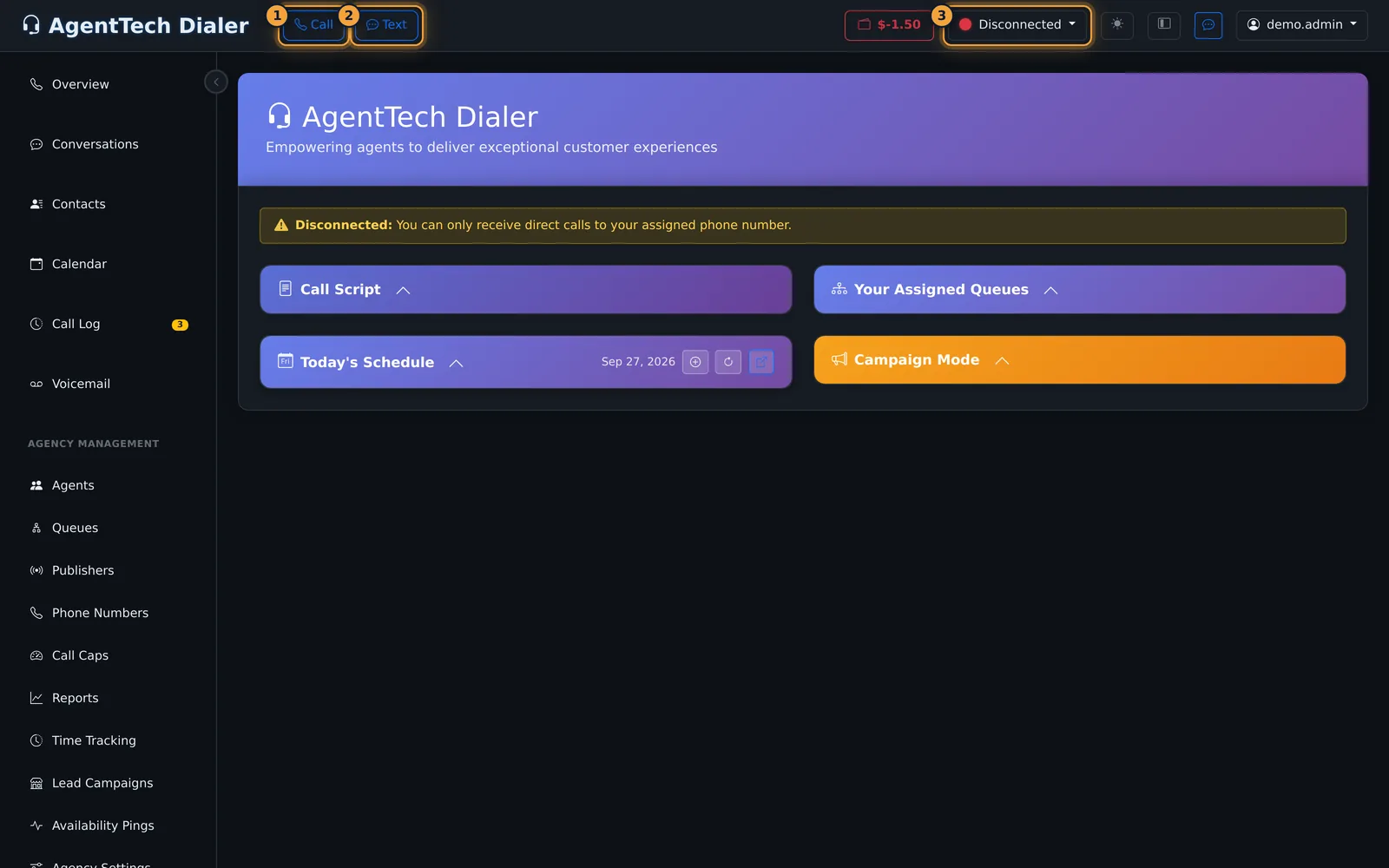
- Set your status in the top bar. While Disconnected you can only receive direct calls to your assigned phone number, and the dial pad does not open.
- Select Call to dial a number or search contacts and agents, or Text to send an SMS.
- Use the call bar and the disposition form exactly as agents do. See Making & Receiving Calls.
Work queue calls with Agent View Mode
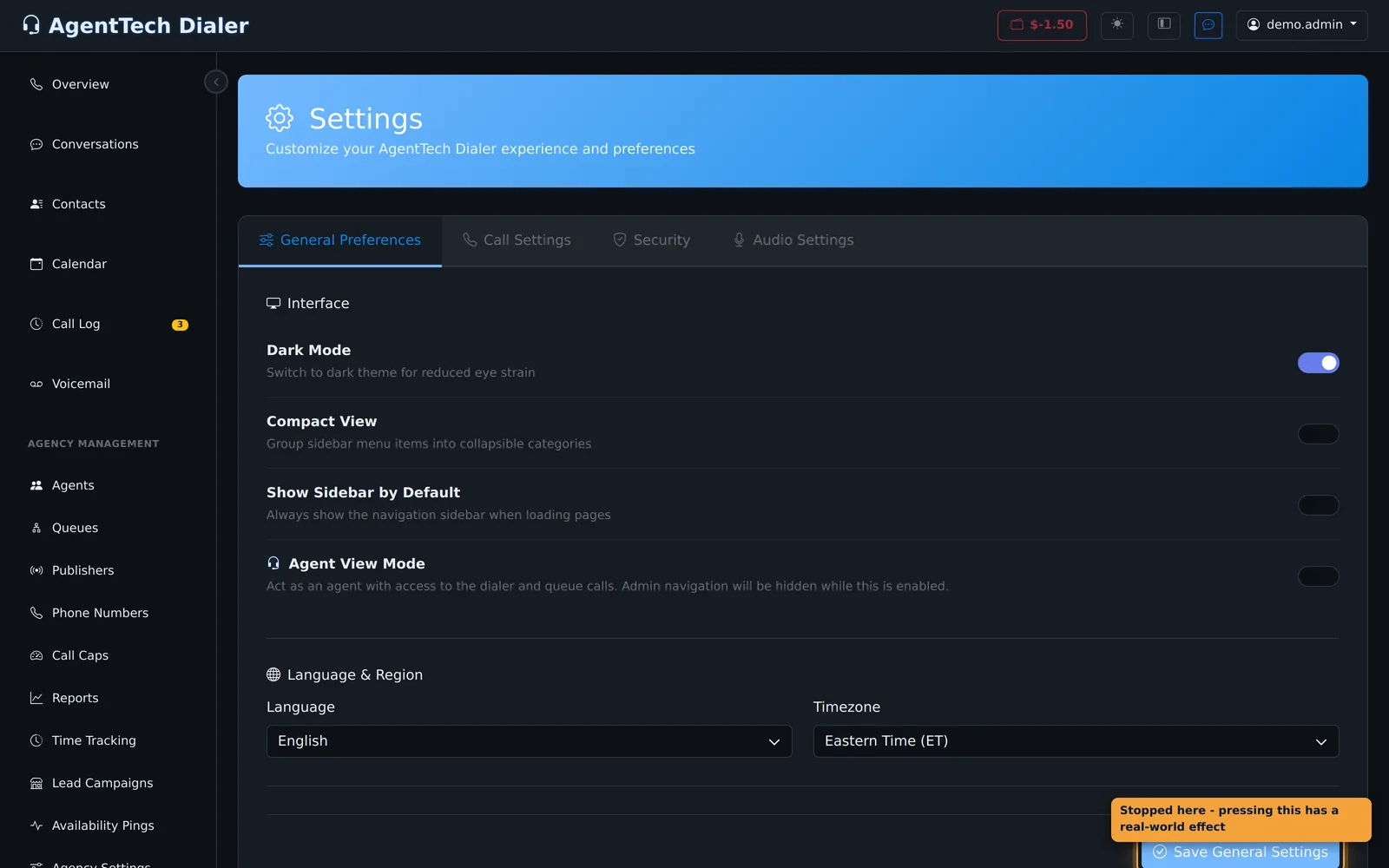
Agent View Mode lets you "act as an agent with access to the dialer and queue calls". Admin navigation is hidden while it is on, so the screen looks like an agent's.
- Open Settings from the user menu (your username, top right).
- On General Preferences, turn on Agent View Mode. It saves straight away: "Agent View enabled! Redirecting to dialer..." and the dialer home page opens.
- Set your status to Available to receive queue calls.
Queue calls reach you only from queues you are assigned to, and only for the states and skills you hold, just like agents. Ask an admin to add you on the queue's Agents tab; see Queue Management and Skills and State Licensing.
Leave Agent View
Finish or end your call first; you cannot leave Agent View during a call ("Please end your current call before exiting Agent View."). Then open Settings > General Preferences and turn Agent View Mode off. You see "Agent View disabled. Admin navigation restored." and your admin pages come back.
Tips
- Set a status such as Busy when you only want to dial out, so queue calls don't reach you in the middle of admin work.
- Agent View is a per-user setting: it changes only your own screen, not other supervisors'.
- To help an agent on a call rather than take it yourself, use monitoring instead. See Listen, Whisper & Barge In.
Related articles
Was this article helpful?
Can't find what you are looking for? Our support team can help.
Submit a support ticket