Transcript
Your agency's compliance questions are asked about every analysed call. Here is how to add them, keep your carrier list current, and set the AI context.
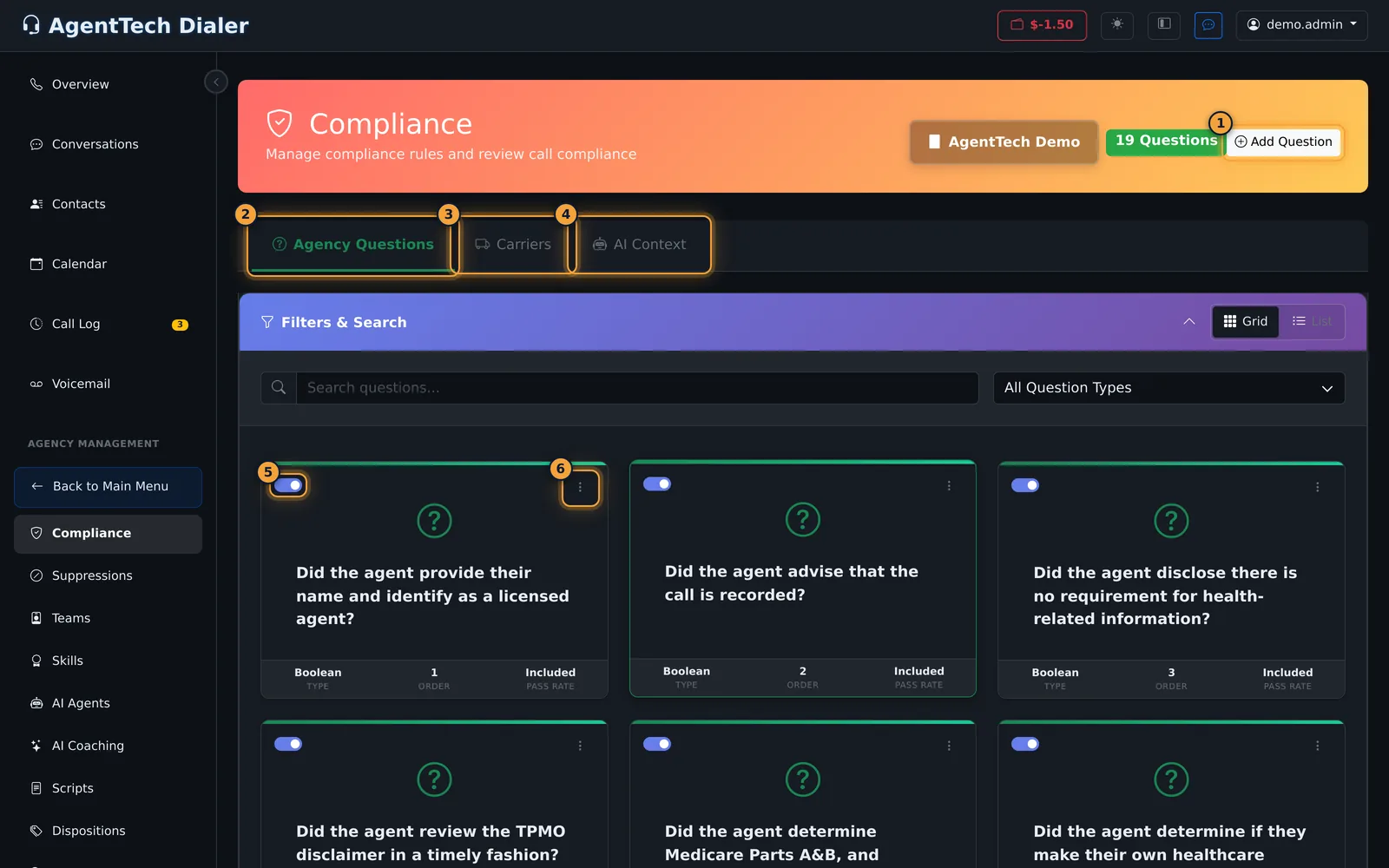
Open Agency Management, then Compliance. On Agency Questions, select Add Question, and write the question the way AI should judge the transcript.
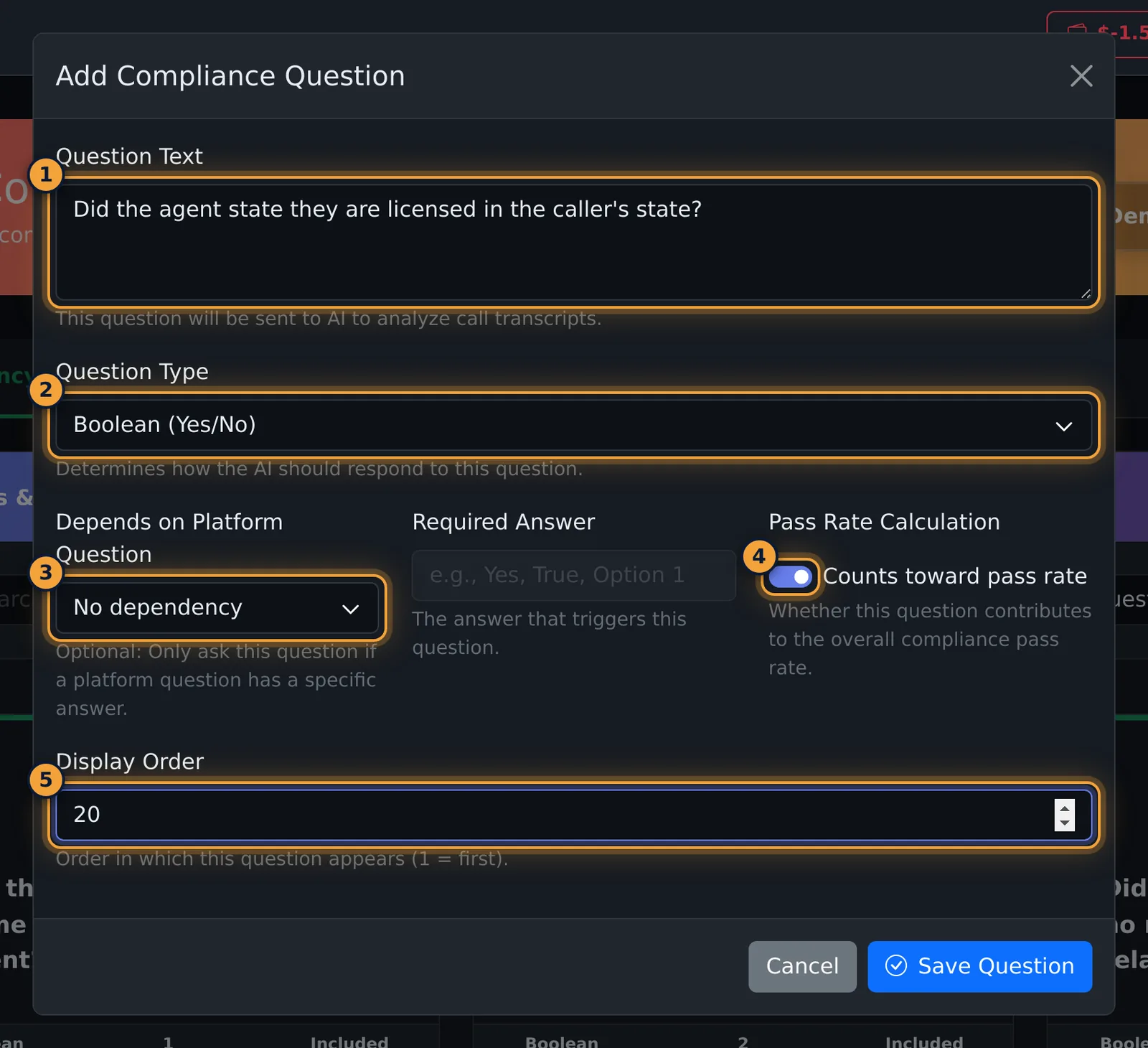
Pick the Question Type. Boolean, Yes or No, suits a required disclosure. Leave Counts toward pass rate on, and select Save Question.
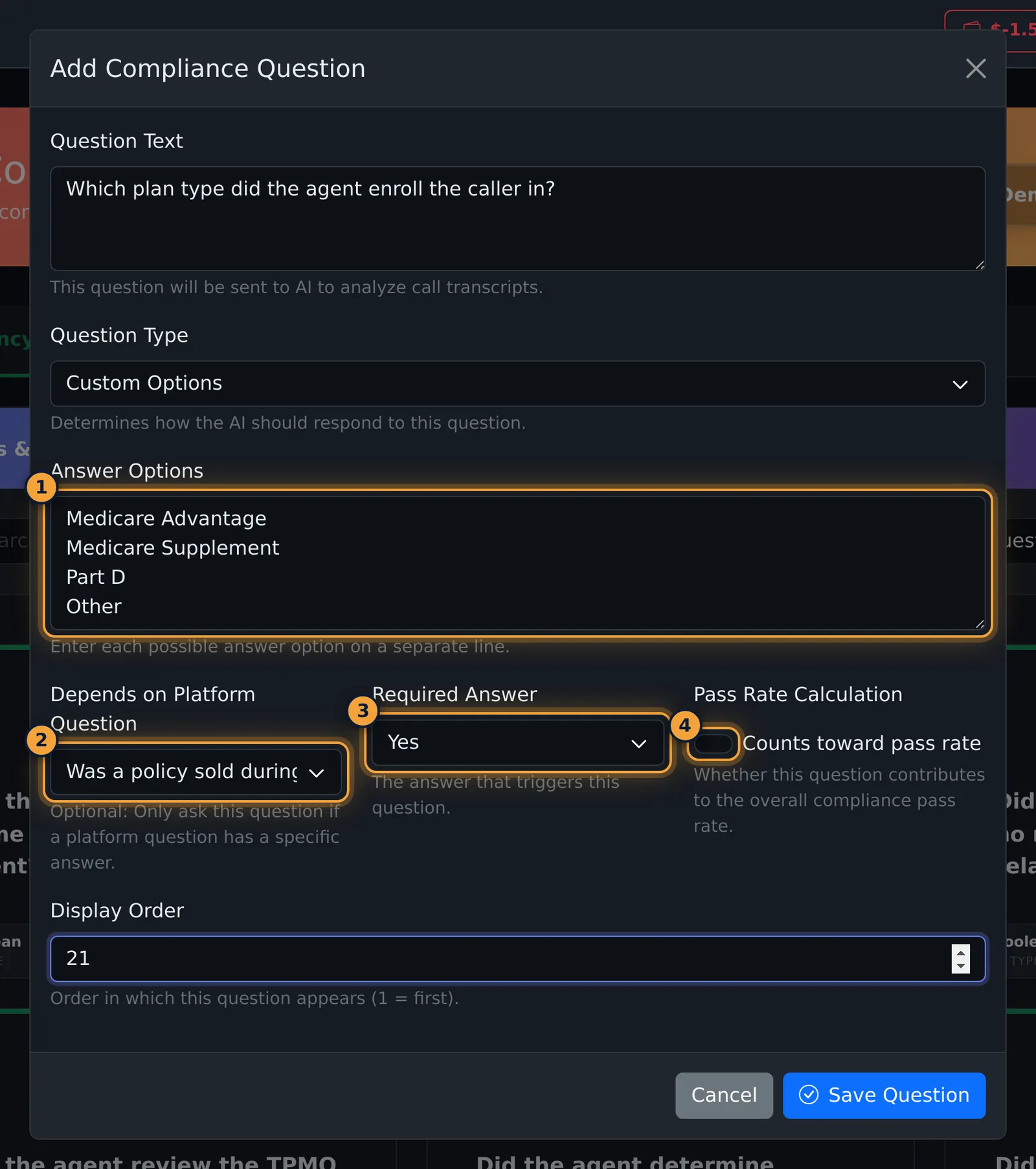
For facts such as the plan sold, choose Custom Options, and type one answer per line.
Depends on Platform Question asks it only when, for example, a policy was sold. Turn off Counts toward pass rate, because it only collects information.
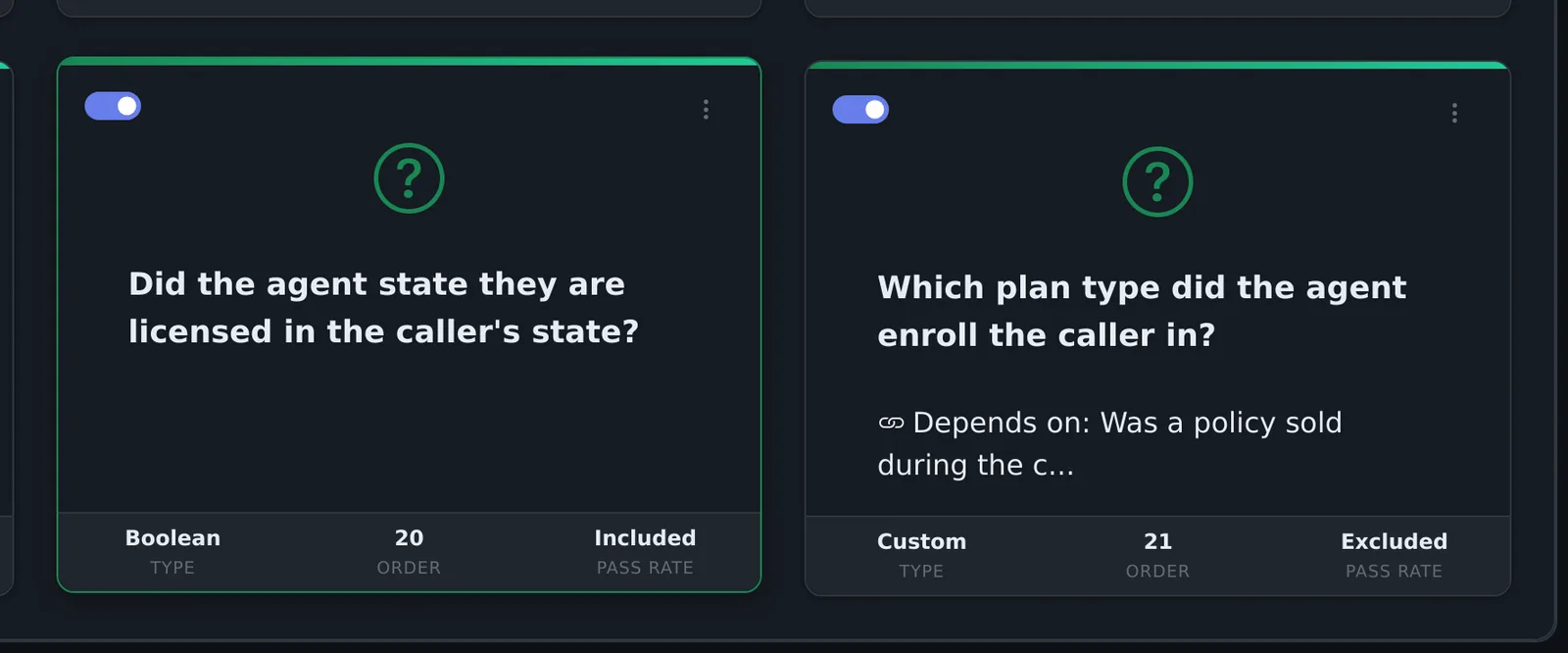
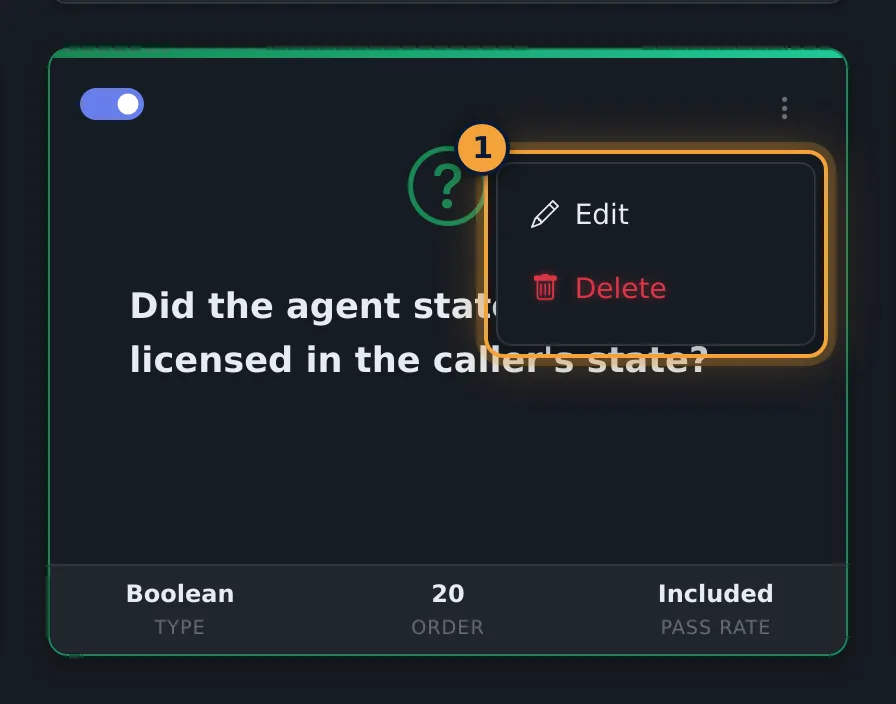
Each card shows the question, its type, its order, and whether it counts toward the pass rate. The switch stops a question from being asked, and the menu edits or deletes it.
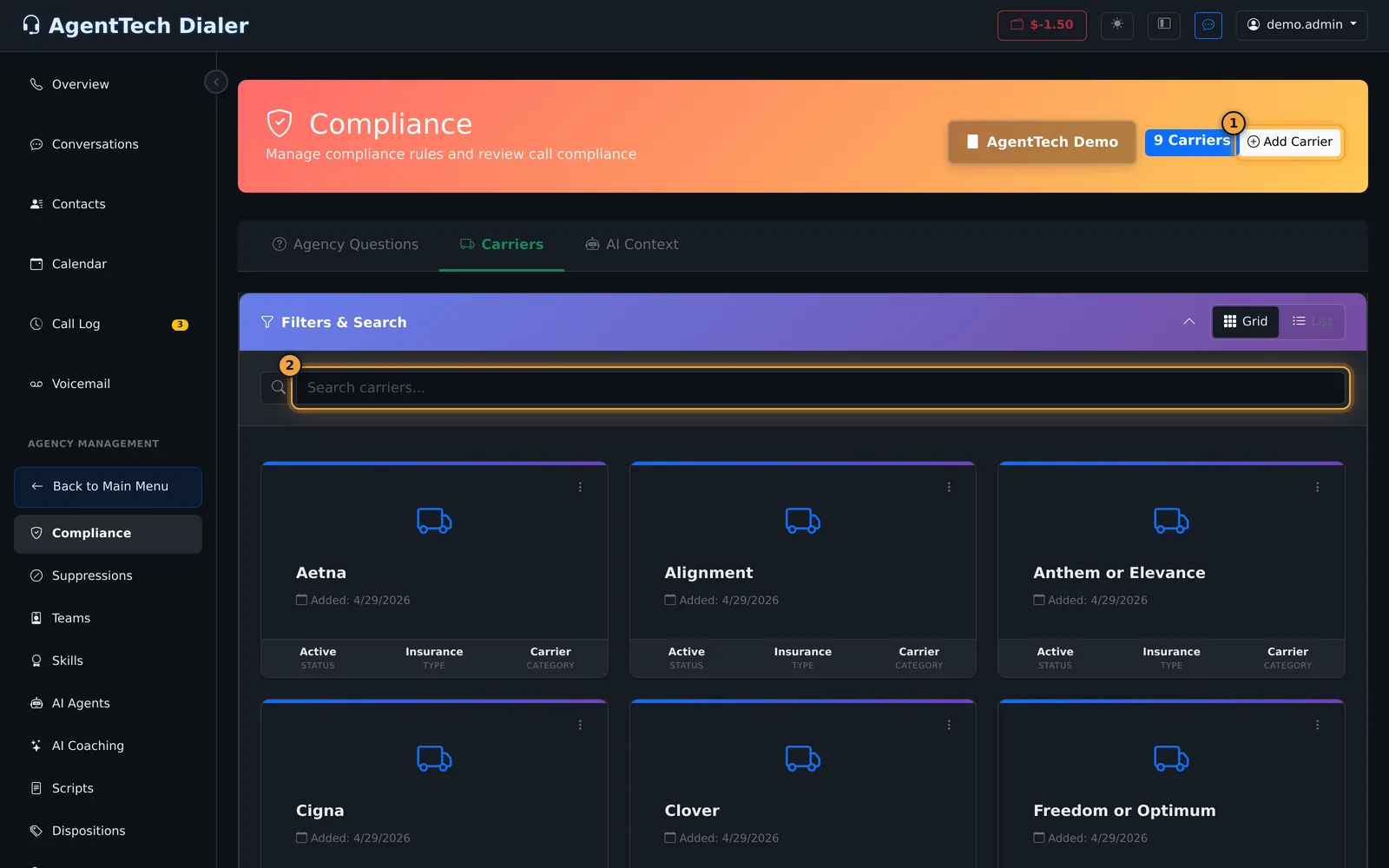
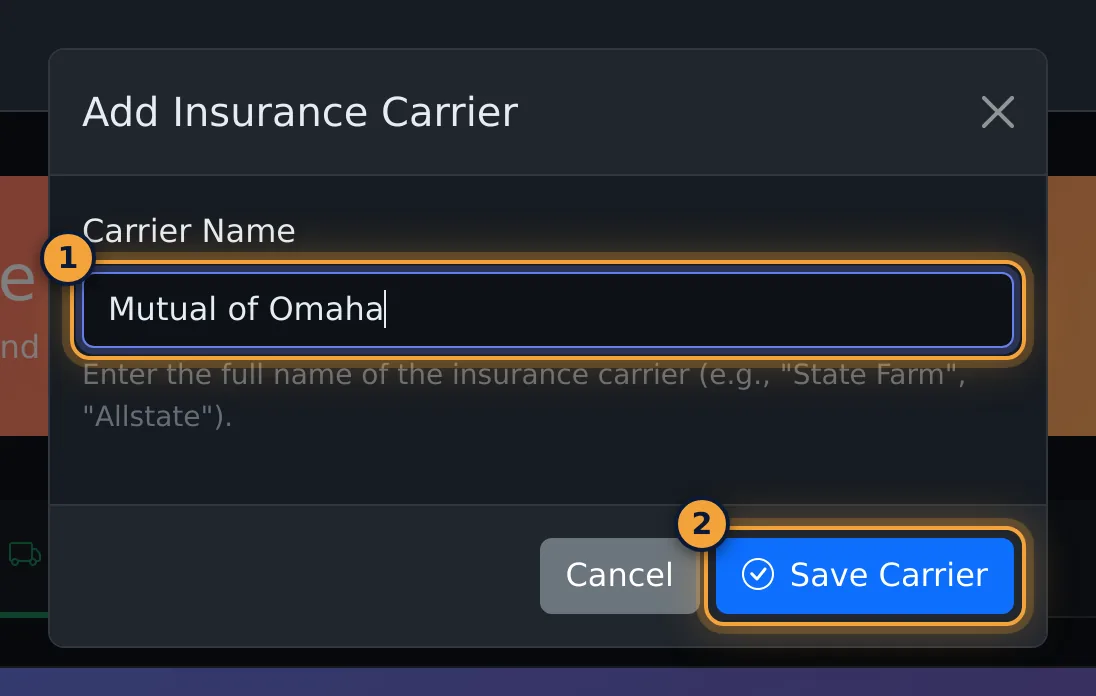
The Carriers tab lists the carriers AI can name when a policy is sold. Select Add Carrier, enter the name, and select Save Carrier.
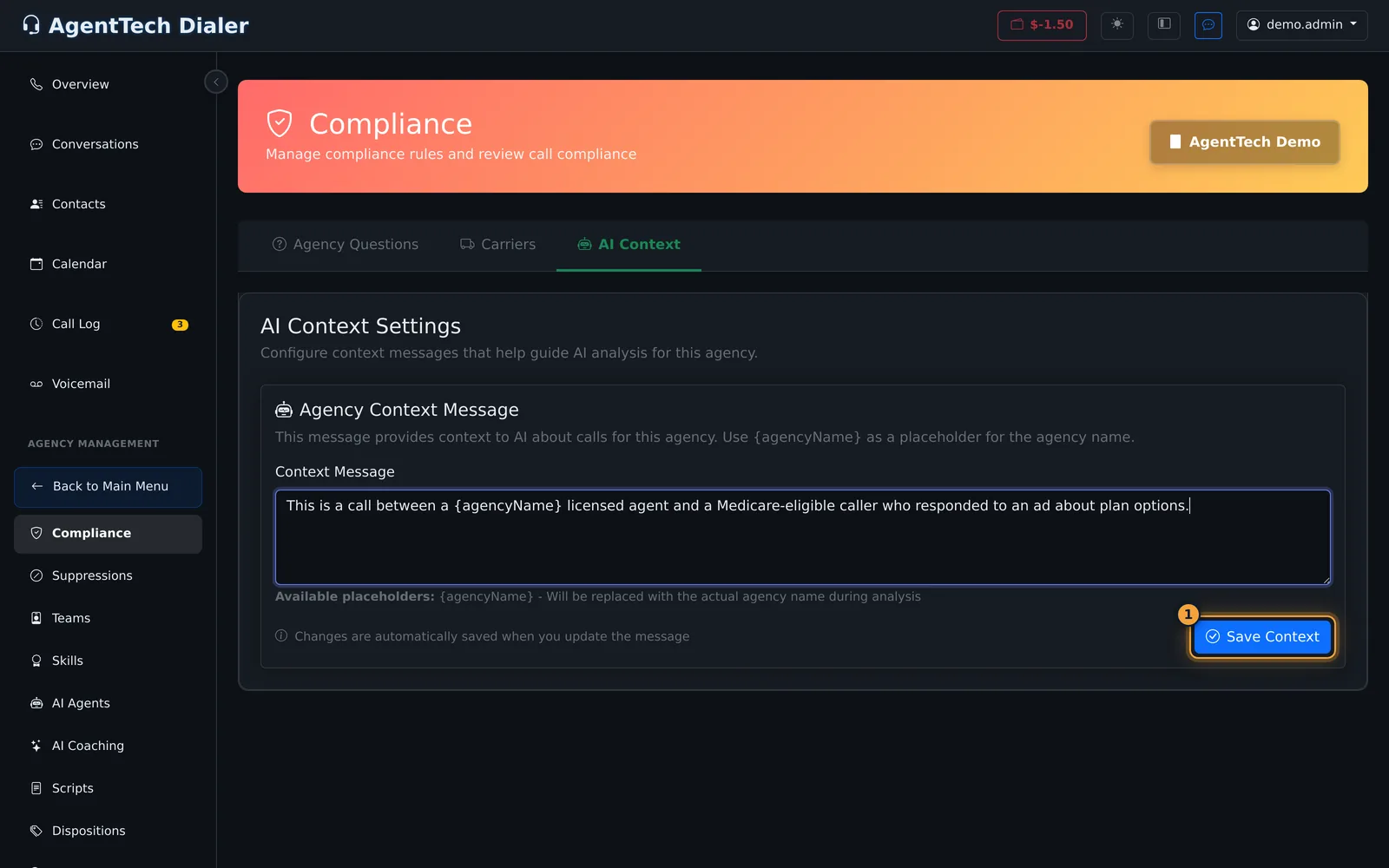
AI Context tells AI who is on your calls. Edit the Context Message, then select Save Context.
Next, see how to read each call's answers in AI Compliance Analysis.
Your agency's compliance questions are asked about every analysed call, alongside the platform questions set by AgentTech. This article shows how to write and manage them, keep the carrier list current, and set the AI context. For how scoring works and where results appear, see Compliance Overview.
This article is for agency admins. Open Agency Management > Compliance. The page has three tabs: Agency Questions, Carriers and AI Context.
Add a question
- On Agency Questions, select Add Question.
- Write the Question Text the way you want AI to judge the transcript, for example "Did the agent state they are licensed in the caller's state?".
- Pick the Question Type:
- Boolean (Yes/No) or True/False for pass/fail checks.
- Custom Options when the answer is one of a list. Type one option per line under Answer Options.
- Optionally choose Depends on Platform Question and the Required Answer, so the question is only asked when that platform question has that answer.
- Leave Counts toward pass rate on for pass/fail checks; turn it off for questions that only collect information.
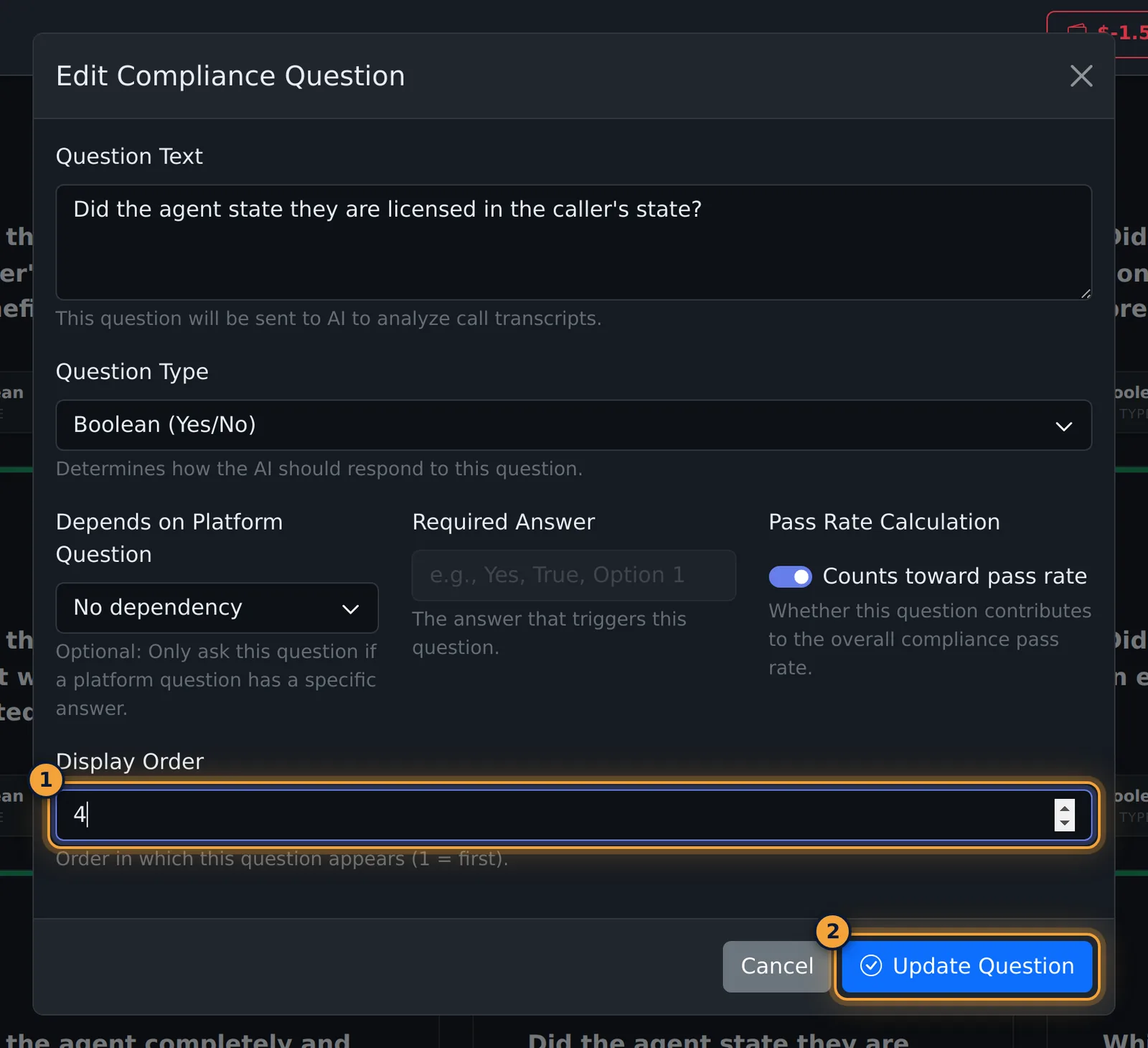
- Set the Display Order (1 = first) and select Save Question.
| Field | What it does |
|---|---|
| Question Text | Required. Sent to AI with the call transcript. |
| Question Type | Required. Boolean (Yes/No), True/False or Custom Options. |
| Answer Options | Custom Options only. One answer per line. |
| Depends on Platform Question | Optional. Only ask this question when a platform question has a given answer. |
| Required Answer | The platform answer that triggers the question: Yes/No, one of your carriers, or free text, depending on the platform question. |
| Counts toward pass rate | On by default. Off means the answer is recorded but not scored. |
| Display Order | Position in the list and on the results page. Two questions can share a number. |
After saving
Each card shows the question, its type, its order and whether it is included in the pass rate. A dependent question also shows what it depends on.
- Switch off a question you no longer want asked with the switch on its card. It stays on the list, so you can switch it back on later.
- Edit or Delete it from the three-dot menu on the card. Edit opens the same form; save with Update Question. Delete asks for confirmation.
- List shows the questions as a table with the same switch, edit and delete buttons.
Carriers
The carrier list is what AI can answer to the platform question "If a policy was sold, what insurance carrier was it sold to?". It also fills the Required Answer list for questions that depend on that answer.
- Open the Carriers tab and select Add Carrier.
- Enter the Carrier Name and select Save Carrier.
- To rename or remove a carrier, use Edit or Delete in its card's menu.
AI Context
The AI Context tab holds one Context Message that tells AI who is on the call. {agencyName} is replaced with your agency's name. For example: "This is a call between a {agencyName} licensed agent and a Medicare-eligible caller who responded to an ad about plan options."
Change the message, then select Save Context.
Tips for questions that score well
- Ask about one thing per question, in words that can be heard on the call.
- Use Yes/No for required disclosures and Custom Options for facts like the plan type.
- Turn off Counts toward pass rate for questions that don't apply to every call, or make them depend on a platform answer.
Common problems
- "Please fill in all required fields.": the question text or type is missing.
- Required Answer is greyed out: choose a platform question under Depends on Platform Question first.
- A carrier is missing from Required Answer: add it on the Carriers tab.
- The context message didn't change: edit it and select Save Context.
Related articles
Was this article helpful?
Can't find what you are looking for? Our support team can help.
Submit a support ticket