Transcript
AgentTech Dialer is a call center that runs in your browser. Here is a quick tour of what agents work with.
Agents work from the dialer home: your status and direct phone number at the top, with your call script, your queues, and today's schedule below.
Call and Text, in the top bar, place calls and send texts to clients, and Team Chat messages your colleagues.
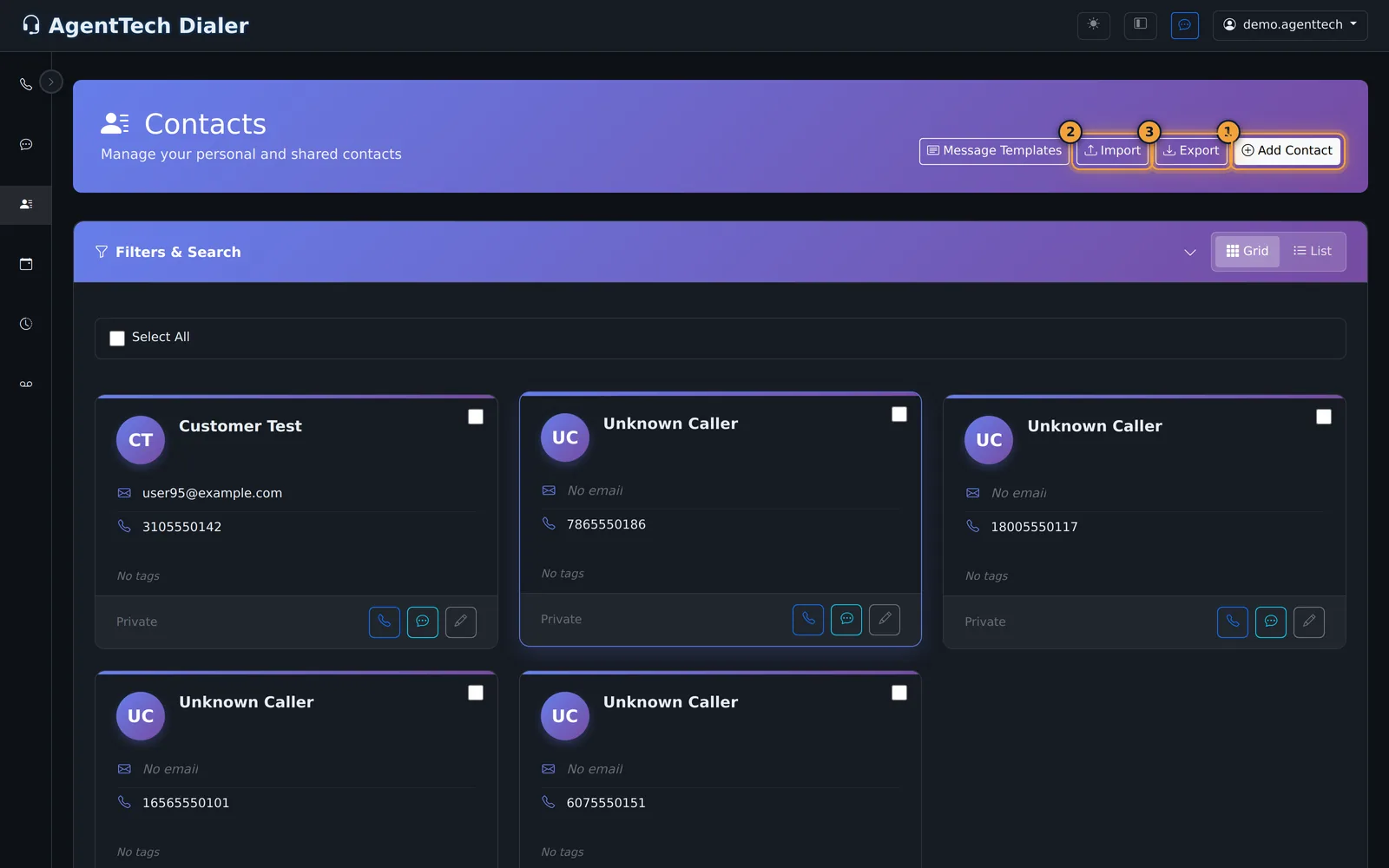
The sidebar holds the rest: Conversations for texts, Contacts for client records, the Calendar, the Call Log, and Voicemail.
Every call is logged in the Call Log, with its recording and the outcome the agent chose.
Callers dial one of your agency's numbers. Each number routes to a queue or to one agent, and a queue offers the call to an Available agent who matches its rules.
When nobody answers, the queue's overflow takes over, for example voicemail or another queue.
All you need is Google Chrome or Microsoft Edge, with microphone access allowed, a headset, and a login from your agency admin.
Agents, start with the Agent Quick Start. Supervisors, with the Supervisor Quick Start Guide.
AgentTech Dialer is a browser-based call center for insurance agencies. Agents take and place calls in the browser, keep contacts, text and email clients, and book follow-ups. Supervisors watch the floor live, set up queues and routing, and review calls, recordings and reports. There is nothing to install; you need Google Chrome or Microsoft Edge and a headset.
What agents see
Agents work from the dialer home: their status, direct phone number, assigned queues, call script and today's schedule, with Call and Text buttons and Team Chat in the top bar.
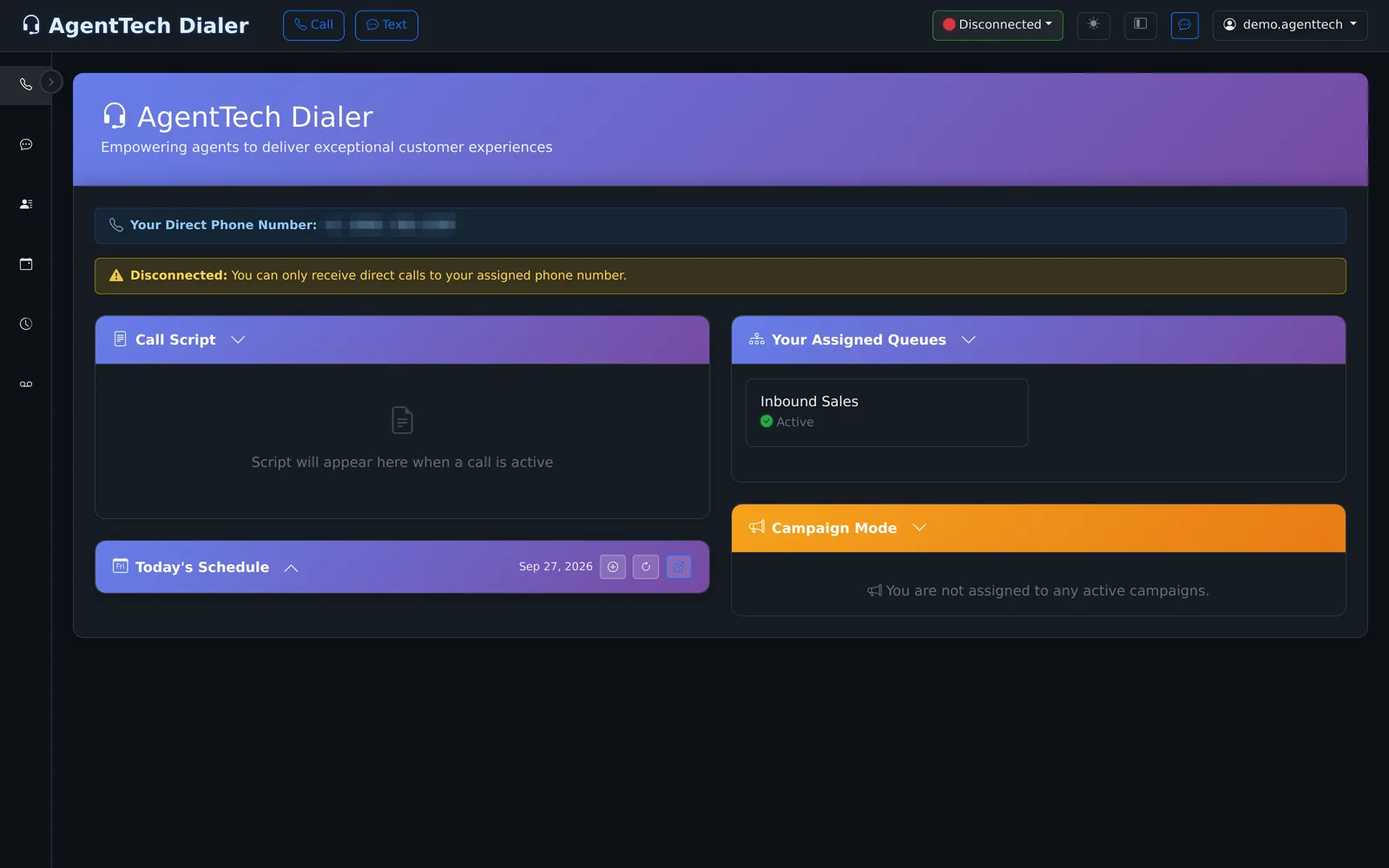
| Area | What it is for |
|---|---|
| Dialer home | Go Available, take queue calls, place calls, transfer and conference. See Making & Receiving Calls. |
| Conversations | Text threads with clients. See SMS Messaging. |
| Contacts | Client records with notes, tags and sharing. See Contact Management. |
| Calendar | Appointments, callbacks and reminders. See Calendar & Scheduling. |
| Call Log | Every call with recordings, transcripts and dispositions. See Call Logs. |
| Voicemail | Your and your queues' messages and your greeting. See Voicemail. |
| Team Chat | Messages with colleagues. See Team Chat. |
What supervisors and admins see
Supervisors land on the Agency Dashboard: agents online, available and on a call, today's calls, cost and sales, and a card per agent with live monitoring buttons during calls.
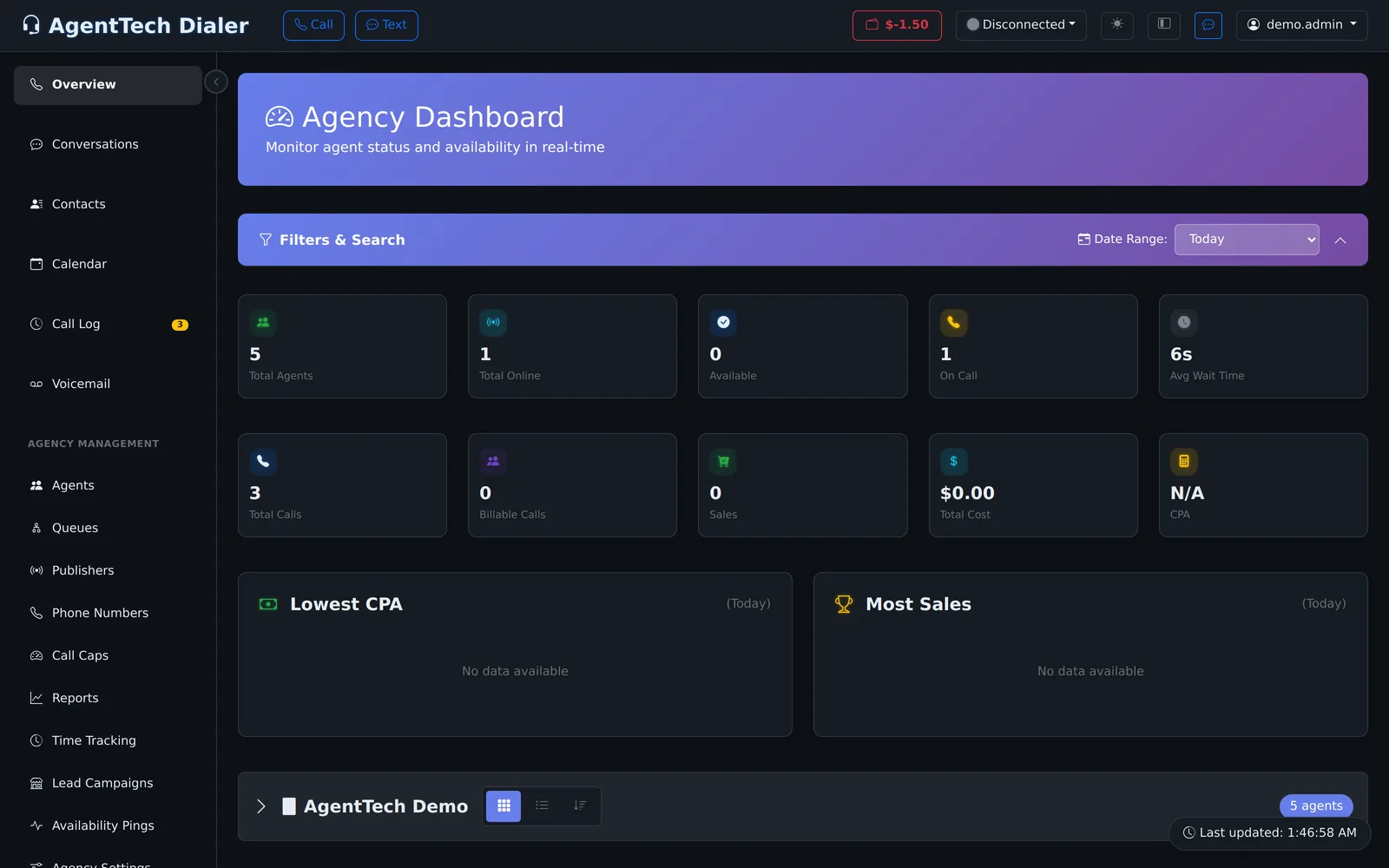
Their sidebar adds Agency Management:
| Area | Articles |
|---|---|
| People | Managing Agents, Teams, Skills and State Licensing, Managing Agent Statuses |
| Call routing | Queue Management, Phone Numbers, Call Caps |
| Call handling | Dispositions & Custom Fields, Call Scripts, Automation Builder |
| Compliance and AI | Compliance Overview, AI Agents, AI Sales Coach, AI Call Transcription |
| Supervision and reports | Supervisor Dashboard, Listen, Whisper & Barge In, Reports, Agent Analytics, Time Tracking |
| Leads network | Lead Campaigns |
| Money and settings | Billing & Your Wallet, Agency Settings |
Supervisors can also take calls: Settings > General Preferences > Agent View Mode gives them the dialer and queue calls and hides the admin menus while it is on. See Taking Calls as a Supervisor.
How calls reach agents
Callers dial one of the agency's phone numbers. Each number routes to a queue or straight to one agent. A queue offers the call to an available agent that matches its rules (for example skills and state licenses), and when nobody answers, its overflow action takes over: voicemail, disconnect, another queue, a waiting room or an outside number. Every call is logged, and recorded when the agency's policy says so.
What you need
- Google Chrome or Microsoft Edge, with microphone access allowed for the dialer.
- A headset with a microphone.
- A login from your agency admin, or a new agency from the sign-up page. See Creating Your Account & First Login.
Where to start
- Agents: Agent Quick Start
- Supervisors: Supervisor Quick Start Guide
- Agency owners: Agency Admin Quick Start
- Questions: Frequently Asked Questions, Glossary of AgentTech Terms and Getting Help & Contacting Support
Was this article helpful?
Can't find what you are looking for? Our support team can help.
Submit a support ticket