A publisher is a company that sends you calls, such as a lead vendor or a media partner. A publisher queue gives that publisher its own SIP address to send calls to, routes those calls to your queues, and records what the publisher charges per call. Publishers can also ping AgentTech Dialer to check that agents are available before they send a call.
This article is for agency admins. Open Publishers in the sidebar (the page is called Publisher Queue Management).
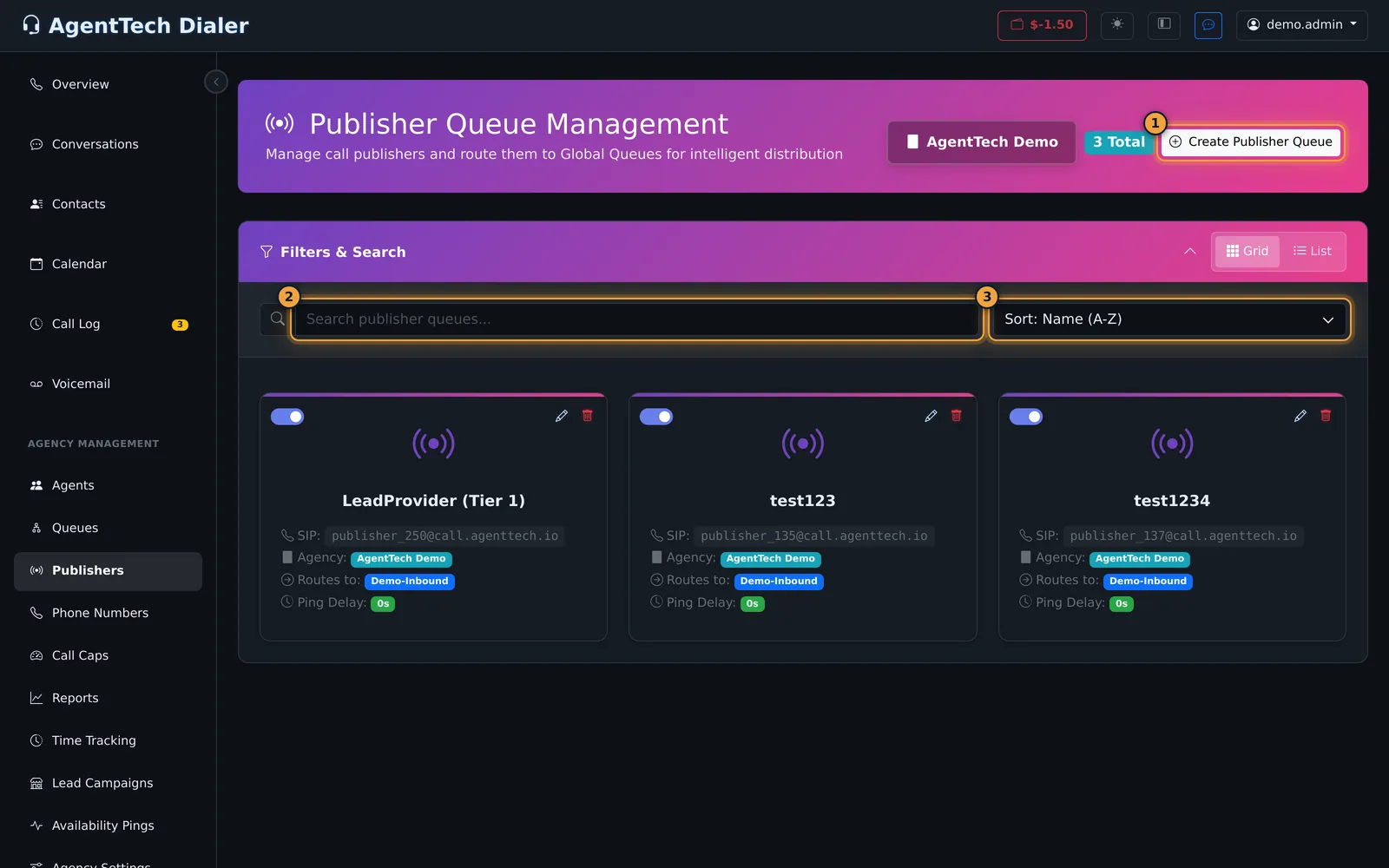
Use Sort to order publishers by name or by ping delay, and search to find one by name.
Create a publisher queue
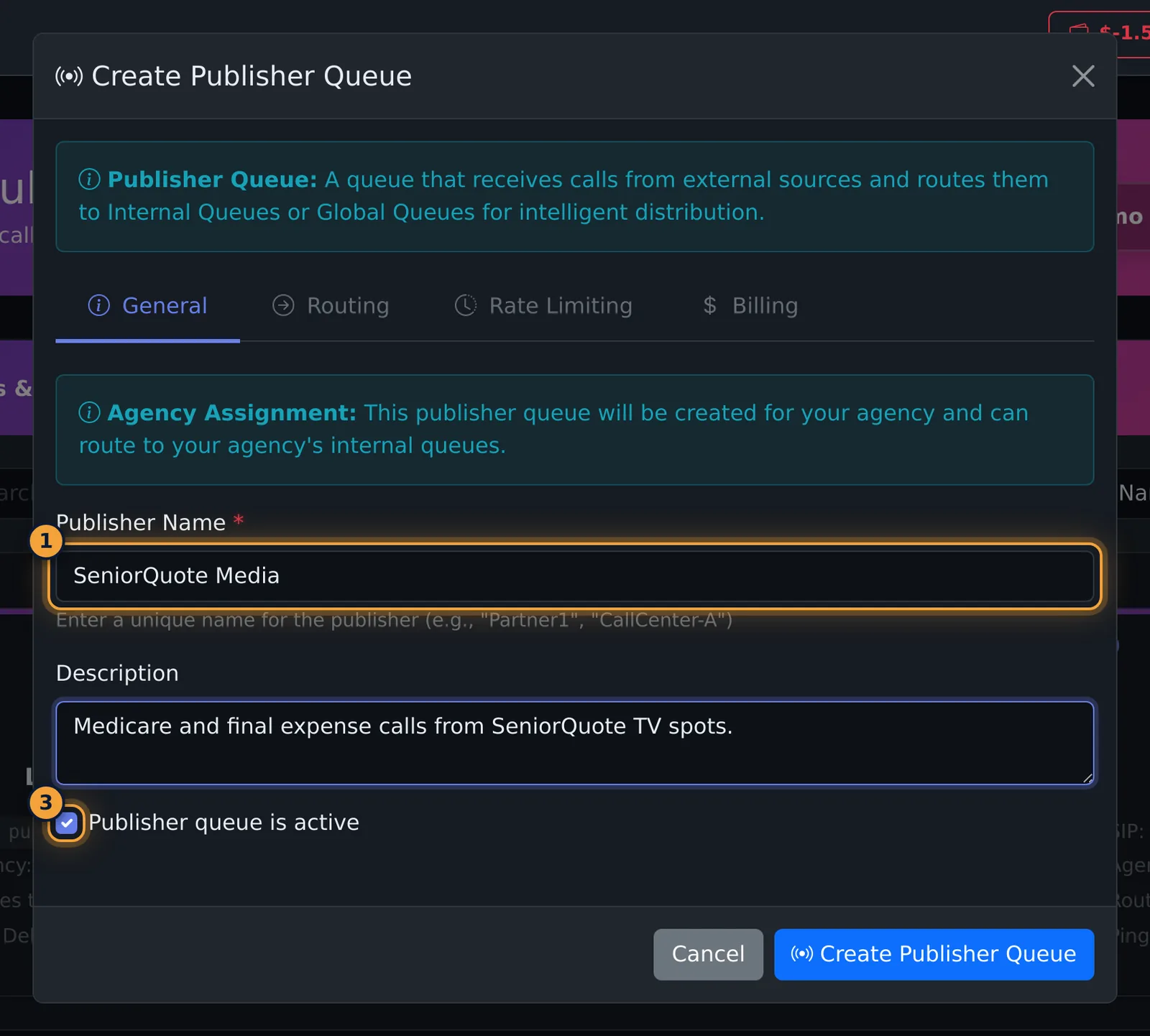
- Select Create Publisher Queue. The window has four tabs; fill them in order.
- General: enter the Publisher Name (for example SeniorQuote Media) and a Description. Leave Publisher queue is active ticked.
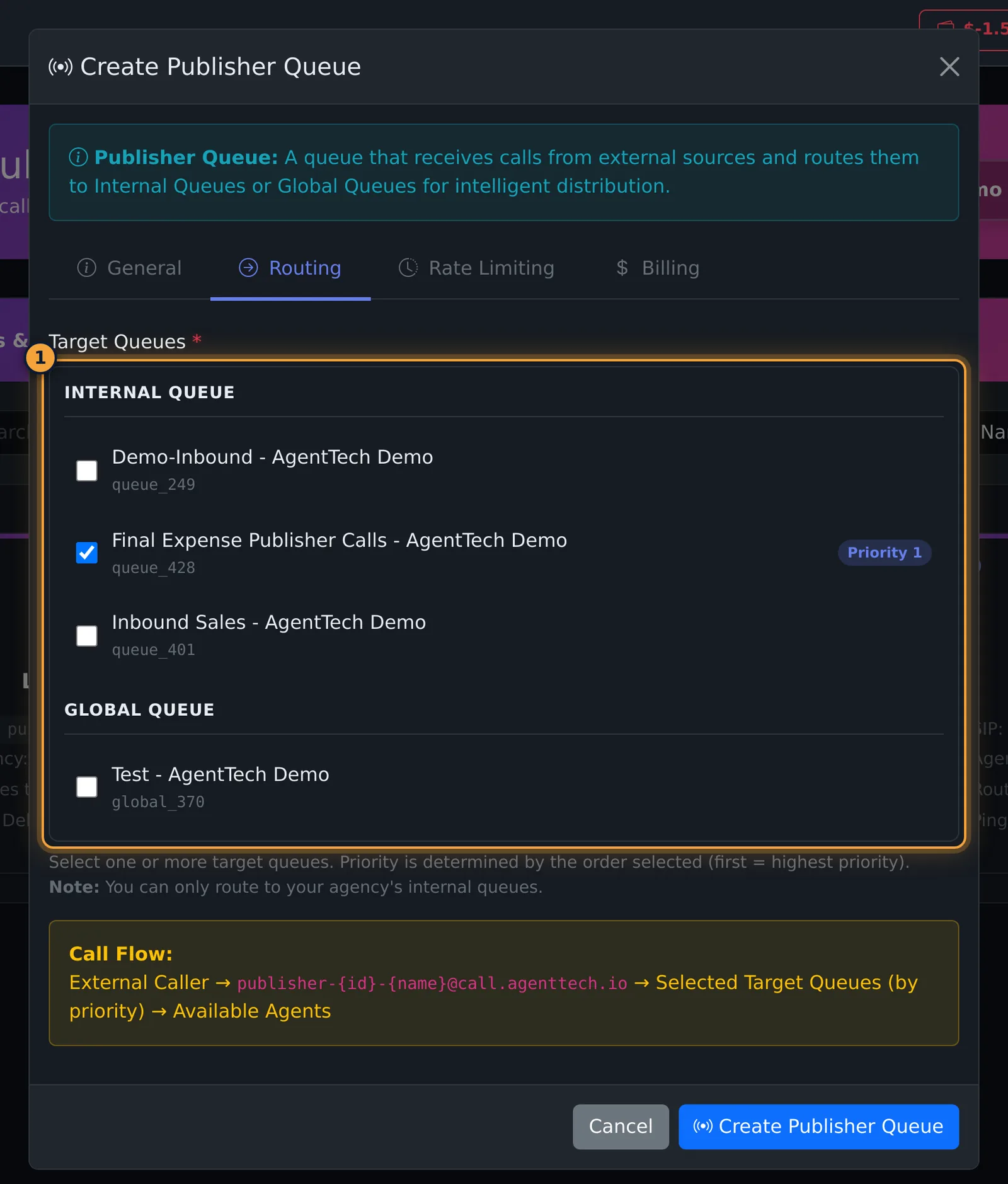
- Routing: tick the Target Queues the calls go to. Your own queues are listed under Internal Queue and global queues under Global Queue. Priority follows the order you tick them: first ticked, highest priority.
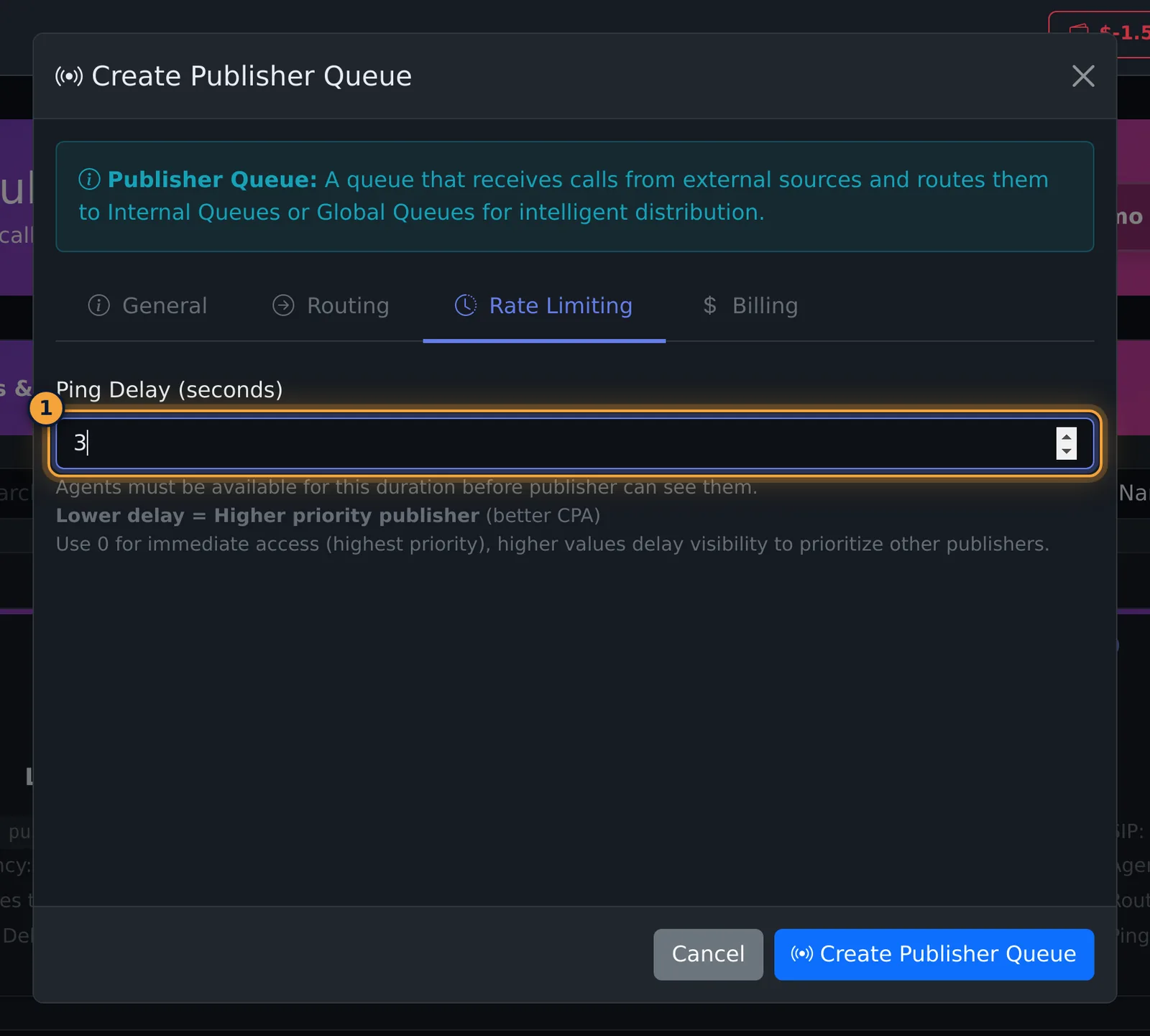
- Rate Limiting: set the Ping Delay (see below).
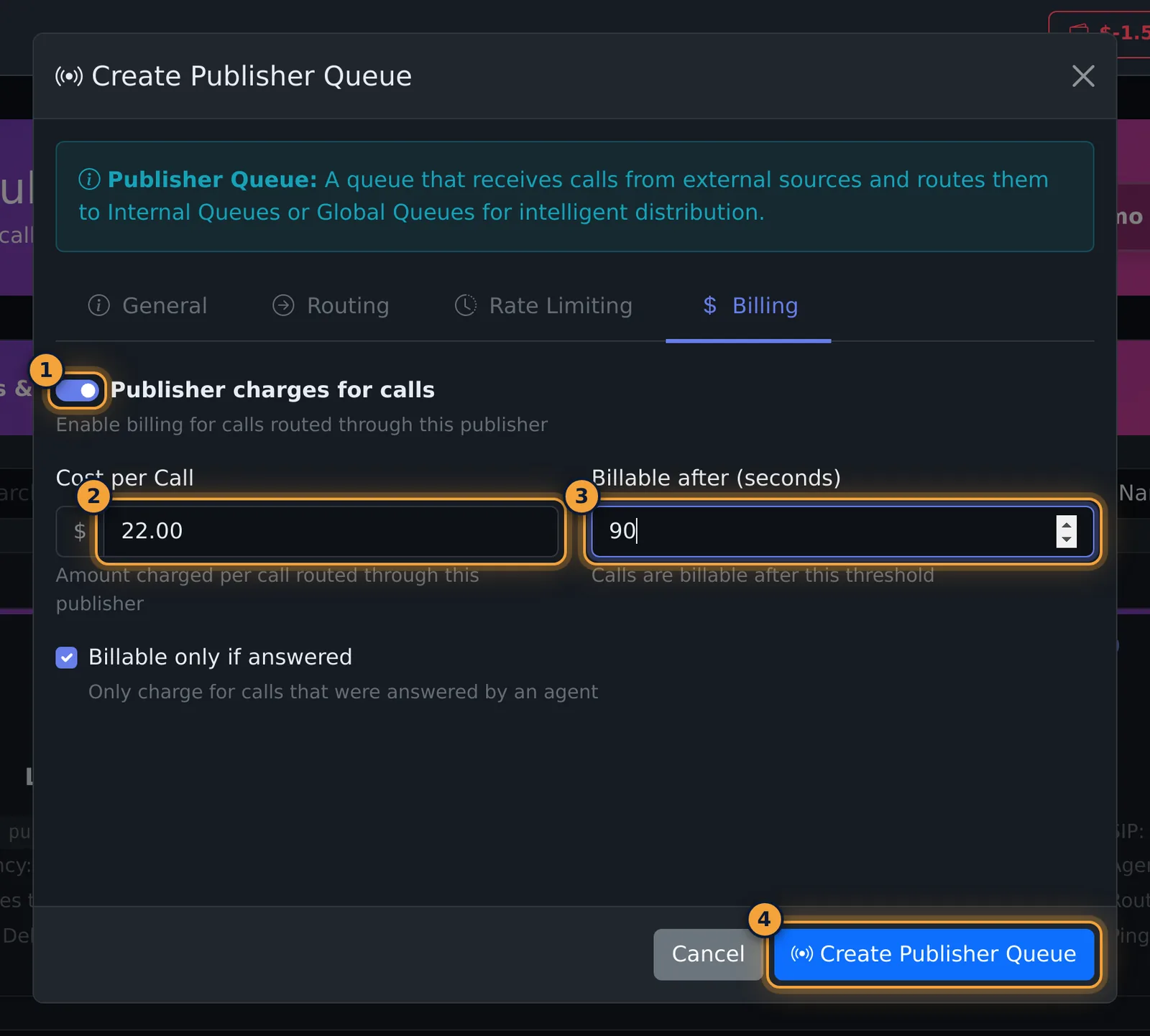
- Billing: if the publisher charges you, switch on Publisher charges for calls and fill in the cost.
- Select Create Publisher Queue.
| Field | What it does |
|---|---|
| Publisher Name | Required and unique, for example "Partner1" or "CallCenter-A". |
| Target Queues | Required. Where the publisher's calls go, highest priority first. You can only route to your agency's queues and global queues. |
| Ping Delay (seconds) | How long agents must be available before this publisher can see them. 0 (the default) gives immediate access and the highest priority; a higher value holds agents back for other publishers. |
| Publisher charges for calls | Turns on the cost fields below. |
| Cost per Call | Amount charged per call routed through this publisher. |
| Billable after (seconds) | A call is billable once it lasts this long. |
| Billable only if answered | Only calls answered by an agent are charged. On by default. |
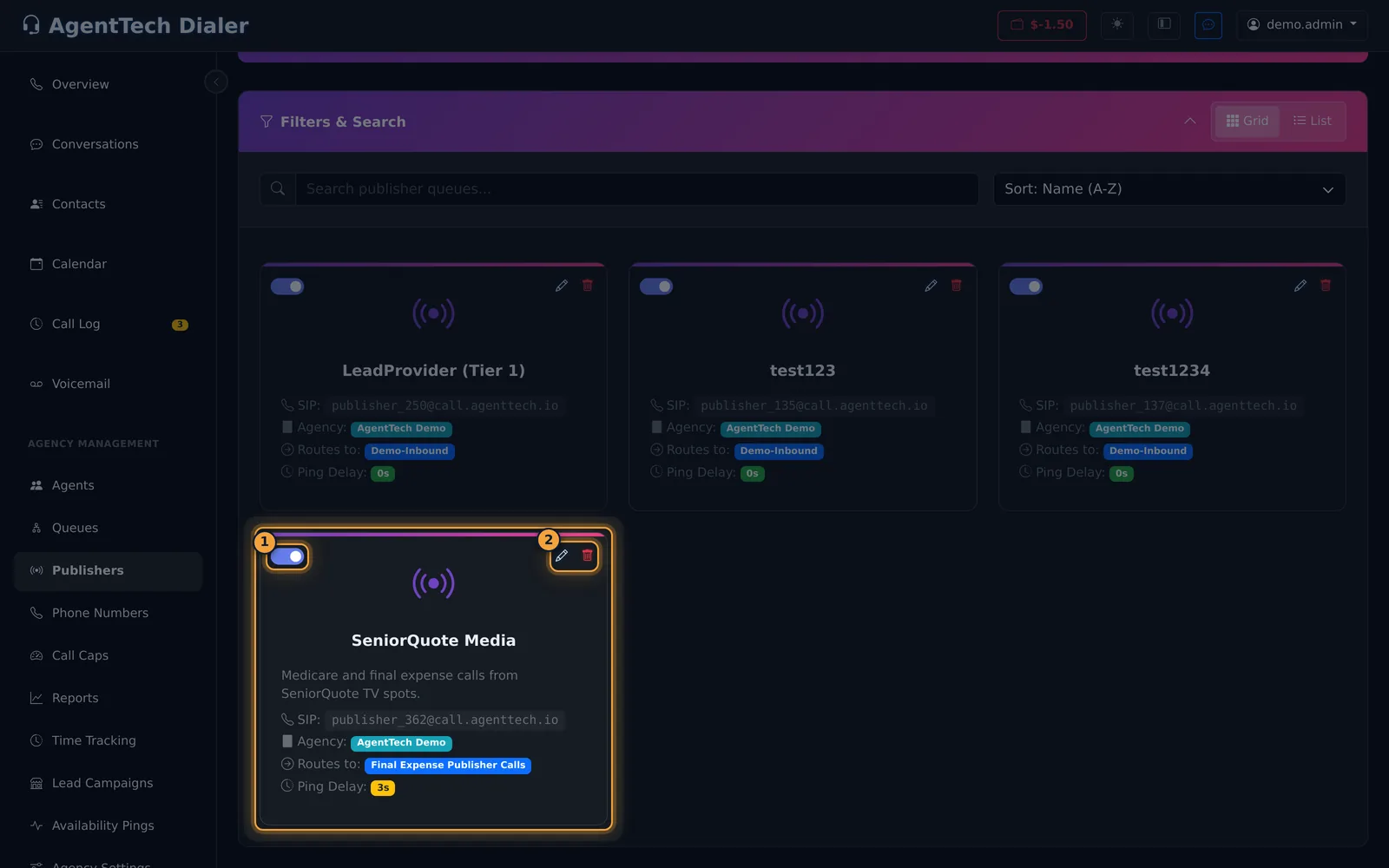
The new publisher appears as a card with its SIP address, for example publisher_362@call.agenttech.io. This is the address the publisher sends calls to.
Give the publisher its integration details
- Select the pencil on the publisher's card.
- Open the Ping Template tab.
- Copy the details with each Copy button, or select Export to PDF and send the file to the publisher.
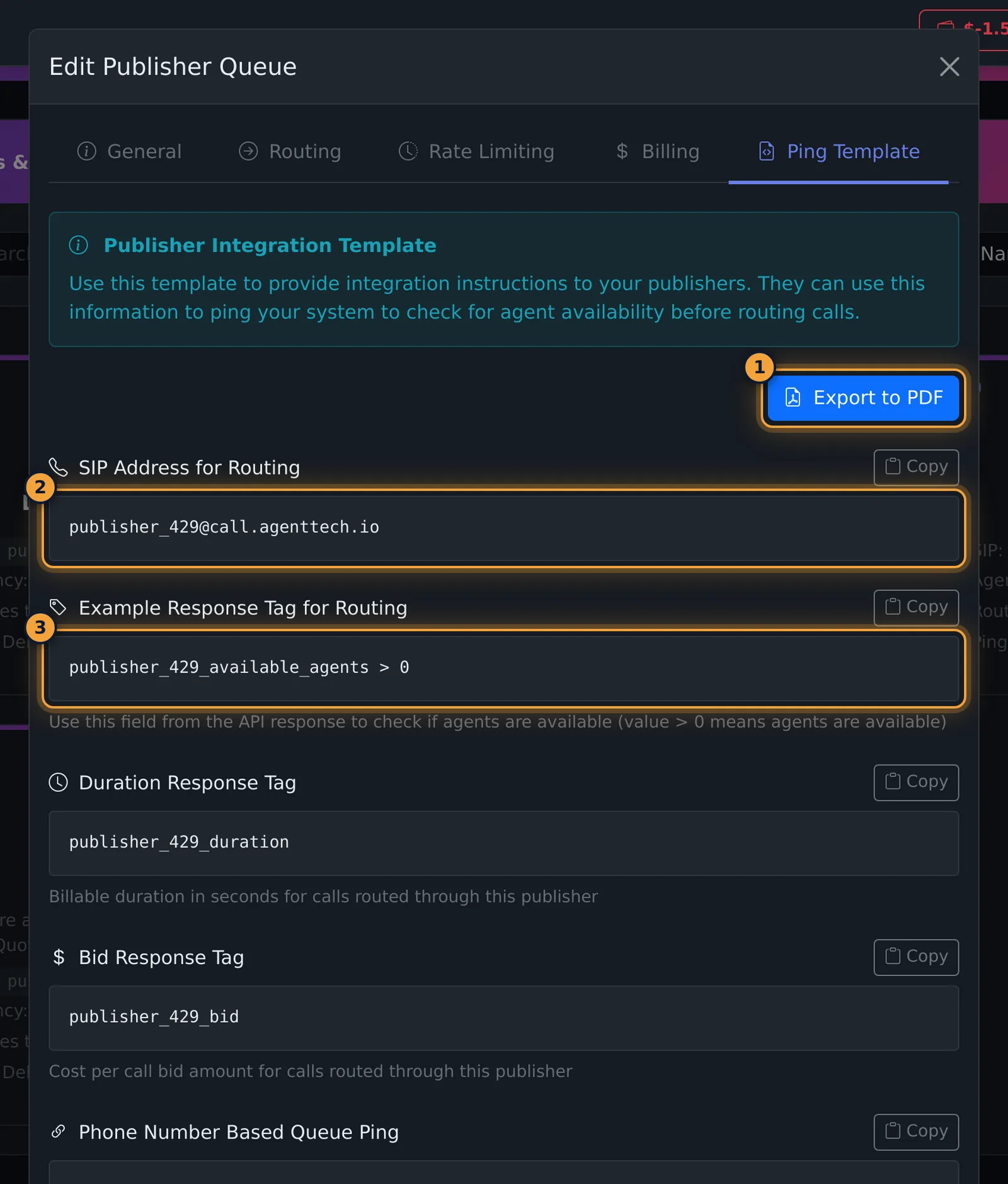
The template contains:
- SIP Address for Routing: where to send calls.
- Example Response Tag for Routing: the field in the ping reply to check, for example
publisher_362_available_agents > 0(more than 0 means agents are available). - Duration Response Tag and Bid Response Tag: the billable duration and the cost per call.
- Phone Number Based Queue Ping: the URL the publisher calls with the caller's phone number in place of
[caller_phone_number_here]. - Full Example Response: a sample JSON reply.
Edit, switch off or delete
- Edit has the same tabs as Create, plus Ping Template. Select Save Changes when done.
- The switch on the card turns the publisher off and on. Its settings are kept.
- In List view you can change Ping Delay, Bid and Duration directly in the table.
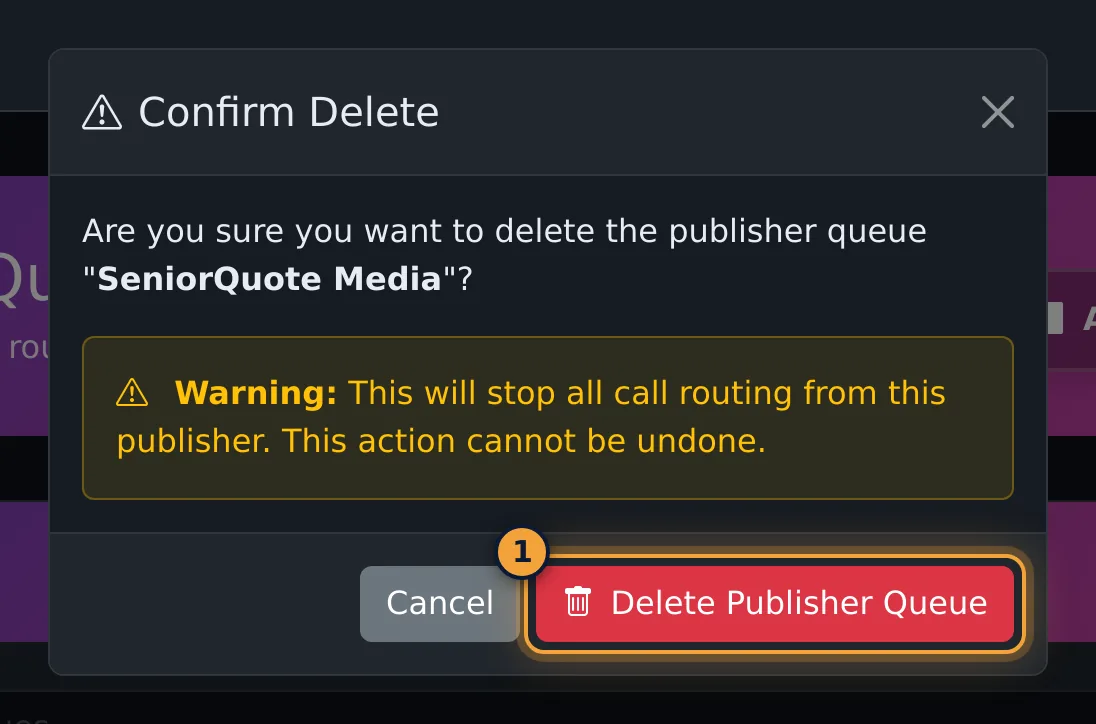
- Delete asks for confirmation and stops all call routing from the publisher.
Common problems
- "At least one target queue is required." Tick a queue on the Routing tab.
- "This queue name already exists." Publisher names must be unique; add a suffix such as the campaign or tier.
- The publisher's calls don't arrive. Confirm they are sending to the SIP address on the card (see the warning above), that the publisher is switched on, and that its target queues are active.
- One publisher gets fewer calls than another. Compare their ping delays: a higher delay means lower priority.
Related articles
Was this article helpful?
Can't find what you are looking for? Our support team can help.
Submit a support ticket