Insurance calls carry health information and personal details. This article explains who in your agency can see and hear call data, which privacy settings you control, and the security measures AgentTech states on its Security page.
This article is for agency admins.
Who can see and hear calls
| Who | What they can see |
|---|---|
| Agents | Their own calls in the Call Log, with the recordings and transcripts of those calls. |
| Supervisors and agency admins | Every call in the agency, with recordings and transcripts. |
Recordings can be played in the Call Log or downloaded. Transcripts open from View Transcription, and compliance results from Compliance Check. See Call Recording, AI Call Transcription and Call Logs.
Live monitoring is visible to the agent
Supervisors can monitor an agent's live call from the supervisor dashboard; the buttons appear on the agent's card while they are on a call. Listen lets the supervisor hear the call, Whisper lets them speak to the agent, and Barge In joins them to the call. The agent sees an indicator that they are being coached by that supervisor. See Listen, Whisper & Barge In.
Recording
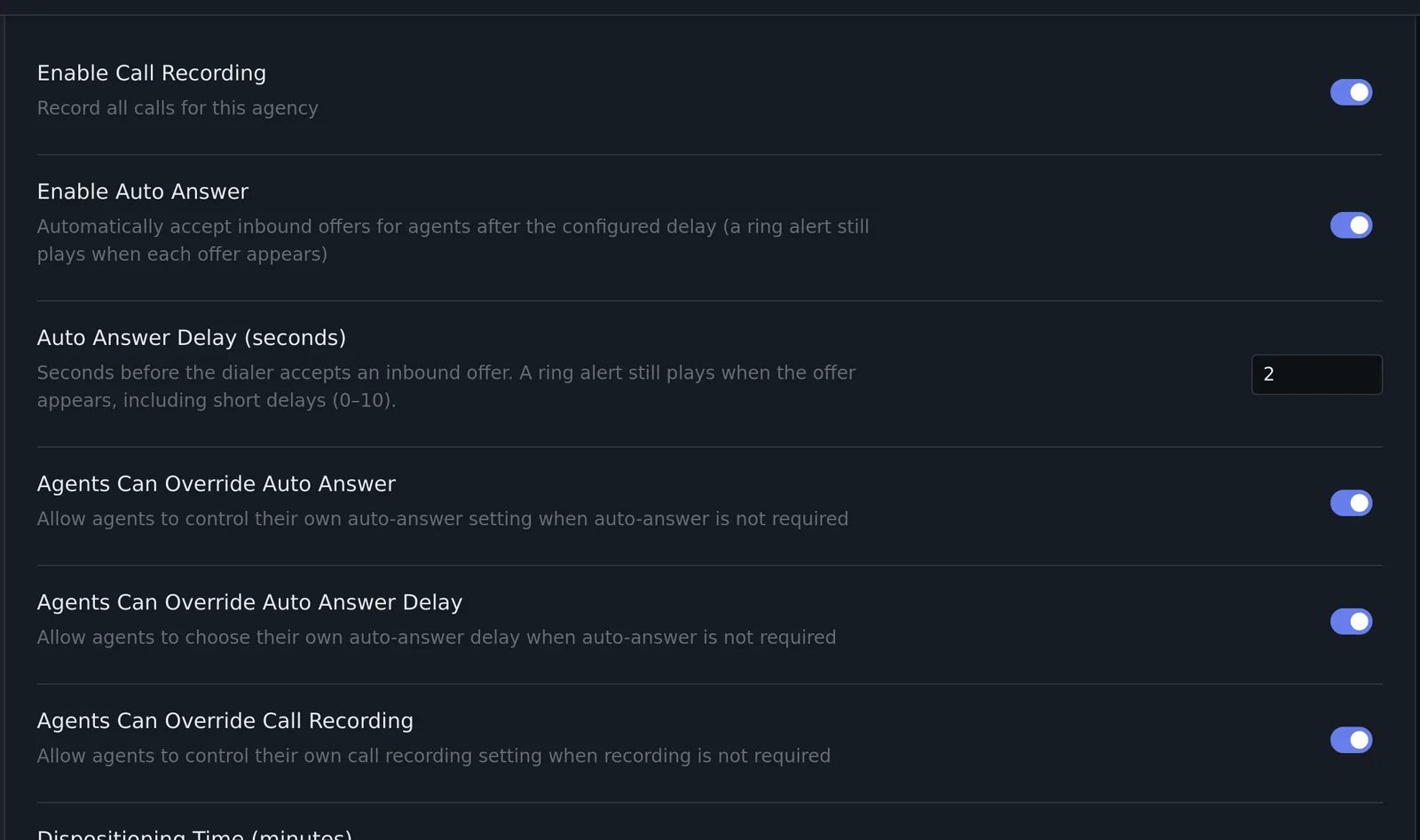
Agency Settings > Call Settings > Enable Call Recording records all calls for the agency. Agents Can Override Call Recording decides whether agents may change recording for themselves.
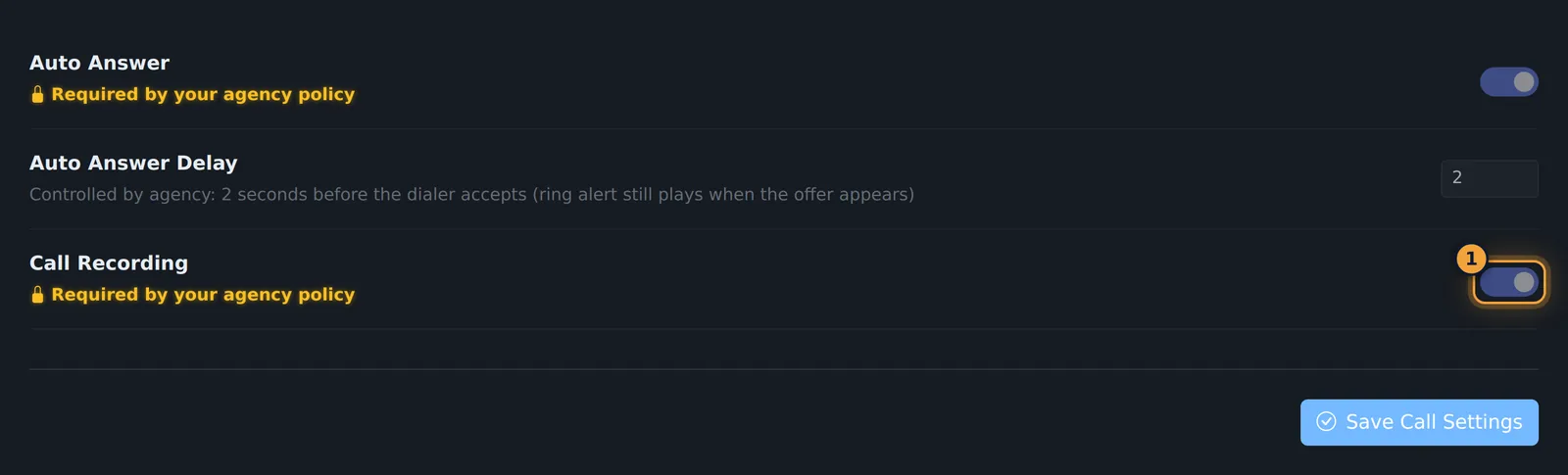
When agents may not override it, the Call Recording switch in their own Settings > Call Settings is locked and says "Required by your agency policy".
Recordings feed transcription and compliance analysis. If your calls need a recording disclosure, add a compliance question such as "Did the agent advise that the call is recorded?" so each analysed call is checked. See Managing Compliance Questions.
Hiding callers' numbers from agents
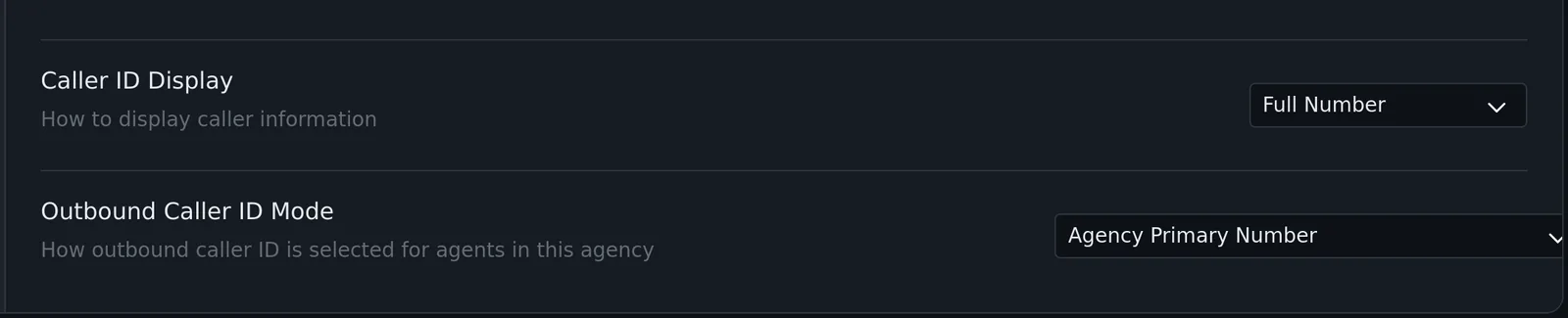
Agency Settings > Call Settings > Caller ID Display sets how agents see the caller's number: Full Number, Partial (Last 4 digits) or Hidden.
Sign-in sessions
Two settings log people out when they stop working:
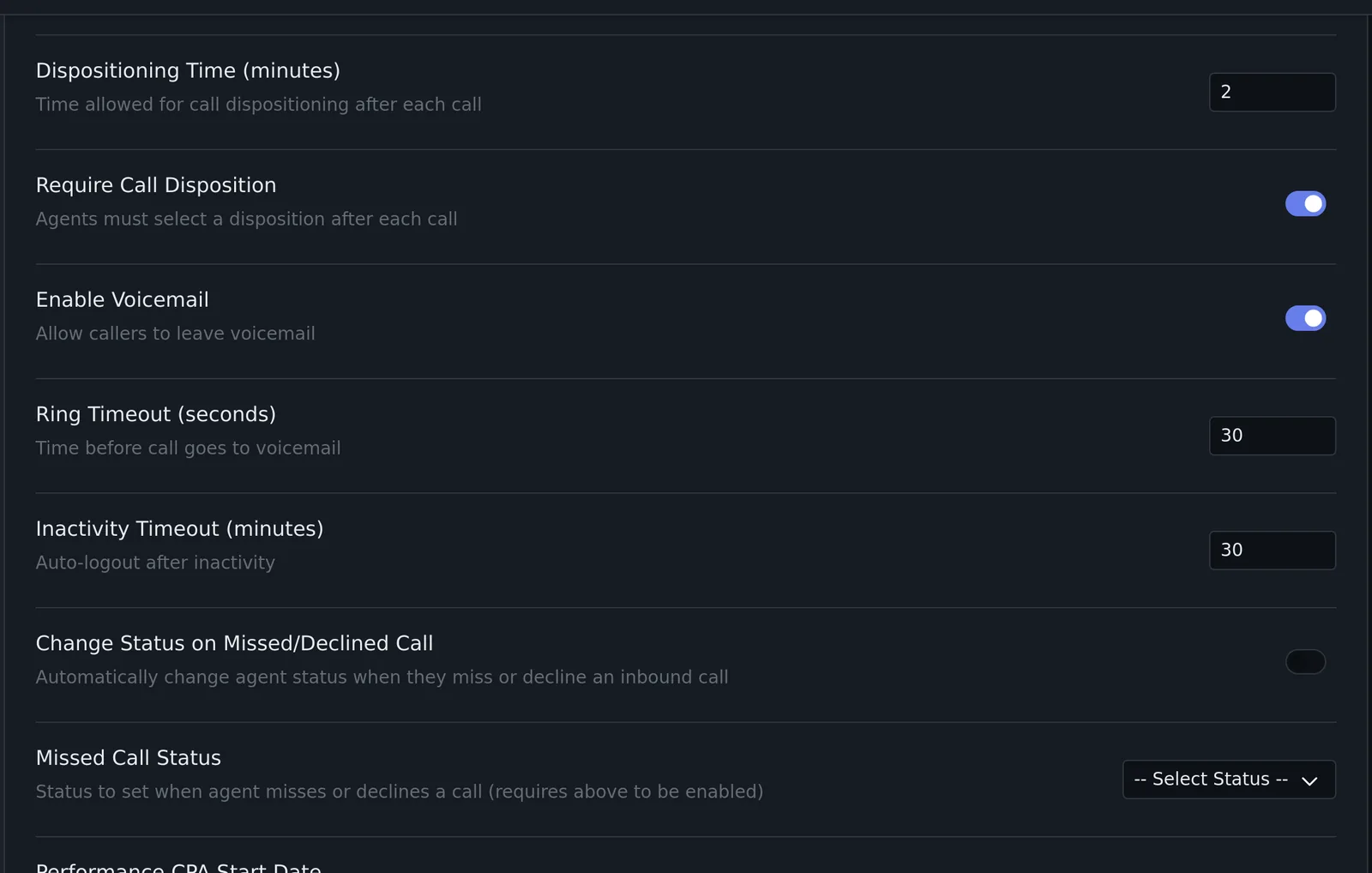
- Agency Settings > Call Settings > Inactivity Timeout (minutes): auto-logout after inactivity, for everyone in the agency.
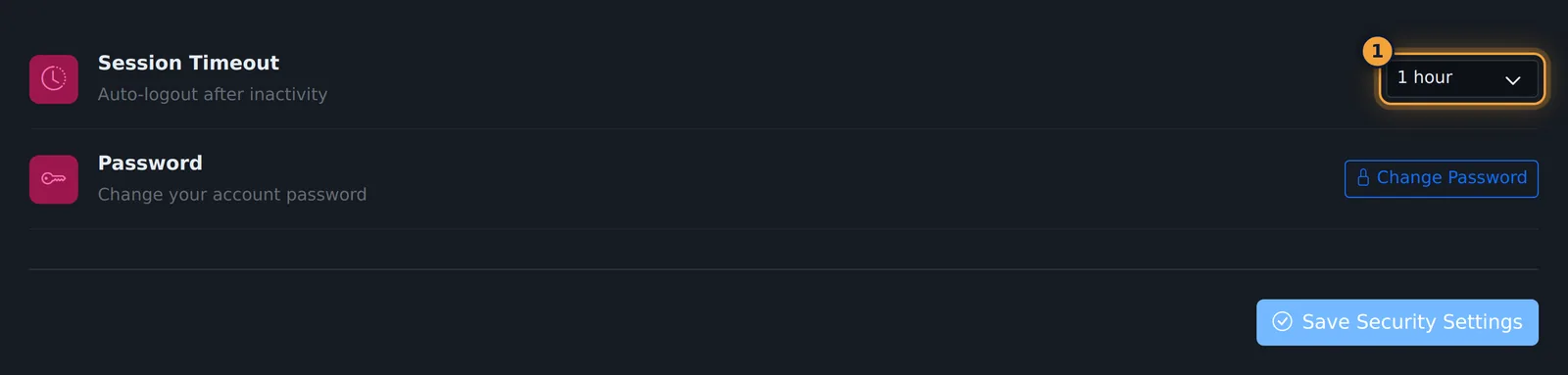
- Each user's Settings > Security > Session Timeout: 30 minutes, 1 hour (default), 4 hours or 8 hours. Users change their password there too.
API keys
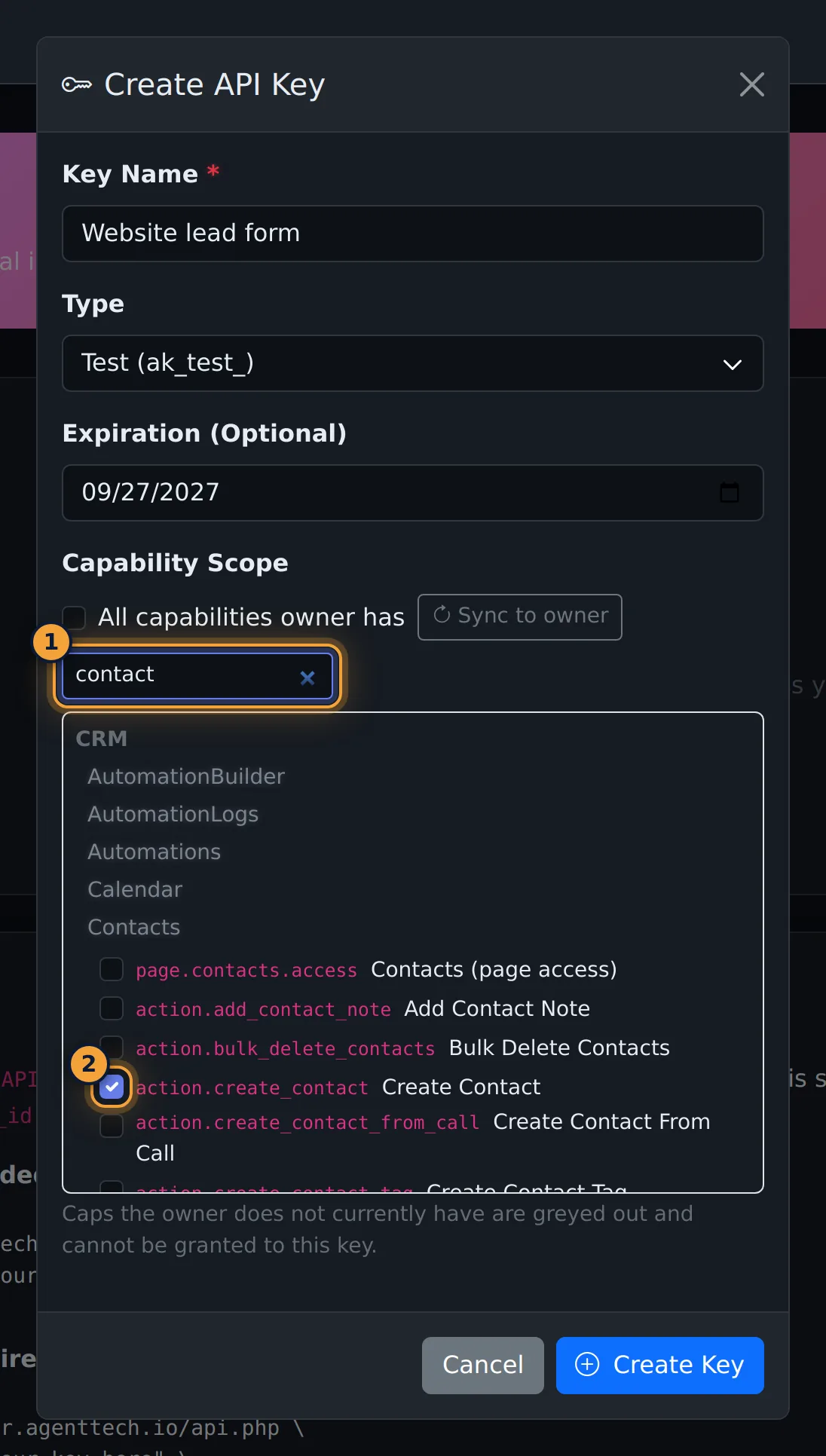
An API key can do at most what the person who created it can do. Keys can be limited to specific capabilities, given an expiry date, switched off, regenerated or deleted; read requests are limited to your agency's data. The key is shown once, when it is created. See API Keys.
Blocking numbers
Numbers that must not be called, or must not reach you, go on Suppressions. See Suppressions.
AgentTech's security measures
The Security page states the following. To set one up for your agency or ask how it applies to you, contact support.
- Authentication: "Multi-factor authentication, single sign-on for agencies, session controls, and IP allow-lists for supervisor tools."
- Audit trail: "Every login, recording playback, export, and configuration change is logged with who, what, and when." Access to recordings is "role-based, scoped to the agency hierarchy, and every playback and download is written to the audit trail."
- Data residency and retention: "U.S. data centers, cross-region replication, and retention windows you set per data type." Recordings, transcripts and CRM data are "encrypted at rest and replicated across regions. Customers can set retention periods per data type."
- Encryption: "TLS 1.2+ in transit and AES-256 at rest for recordings, transcripts, and CRM data."
- Health information: a Business Associate Agreement is available, and "PHI redaction in transcripts on request".
- Payment and identity data: "Card data handled by a PCI DSS Level 1 processor; never stored on our servers", and "Medicare numbers and SSNs masked in the UI and exports".
To request AgentTech's security documentation (SOC 2 report, HIPAA documentation or a BAA), use the request link on the Security page or contact support. To report a security issue, email security@agenttech.io.
Common problems
- An agent can hear a call they shouldn't: agents only see their own calls. Check the user's role on Managing Agents.
- Agents can turn recording off: turn off Agents Can Override Call Recording.
- Agents see full caller numbers: set Caller ID Display to Partial or Hidden.
Related articles
Was this article helpful?
Can't find what you are looking for? Our support team can help.
Submit a support ticket