Transcript
AgentTech charges your agency's usage to a prepaid wallet. Here is where to see the balance, what is charged, every transaction, and how per-agent wallets work.
Your balance shows in the top bar of every page, and under Agency Settings, Billing and Wallet Settings, as Current Wallet Balance.
To top up, select Add Funds, or set up auto-recharge. The next guide shows both.
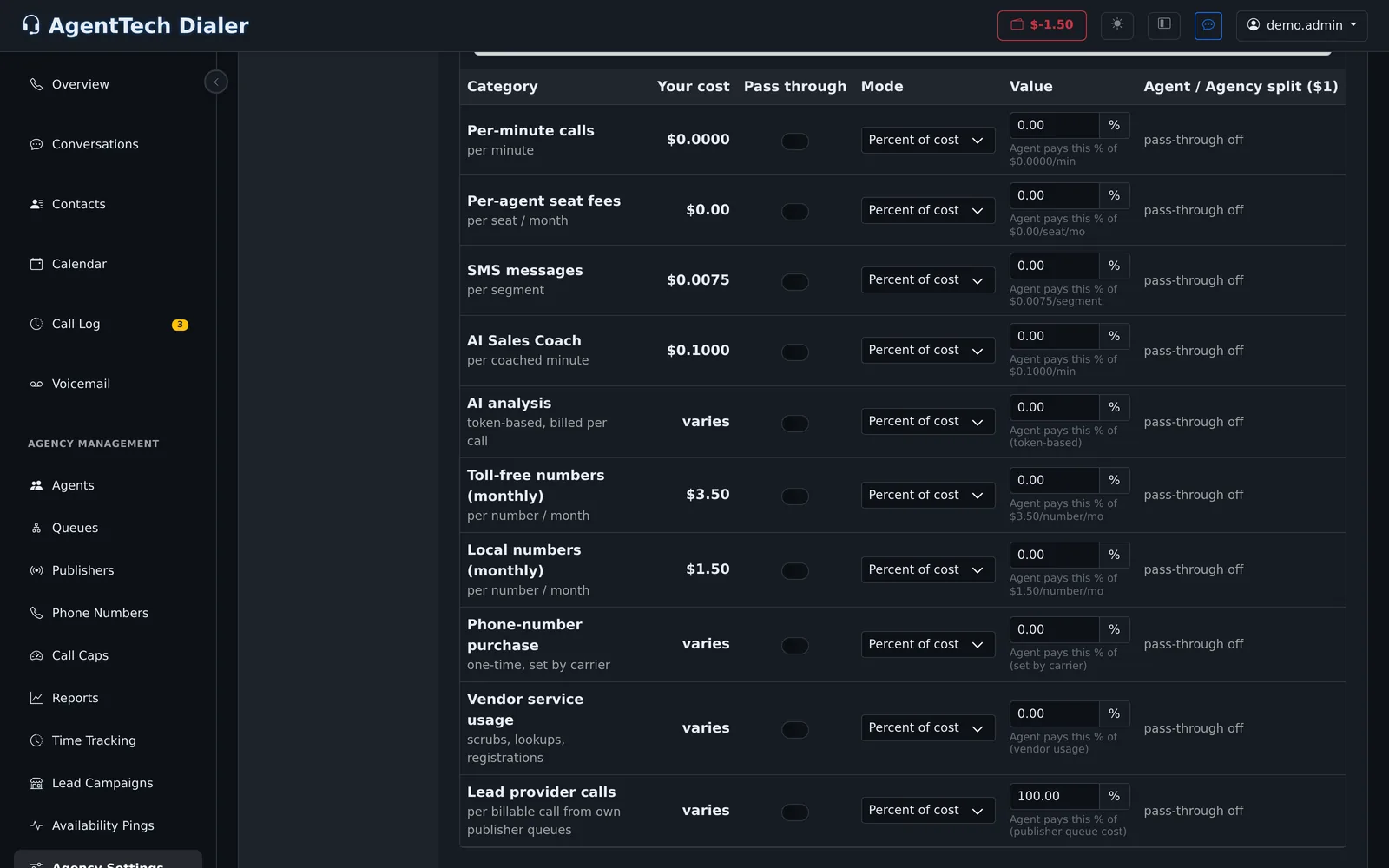
Agent Wallets lists each cost category with your agency's cost per unit: calls, seats, texts, AI features, numbers, and vendor checks.
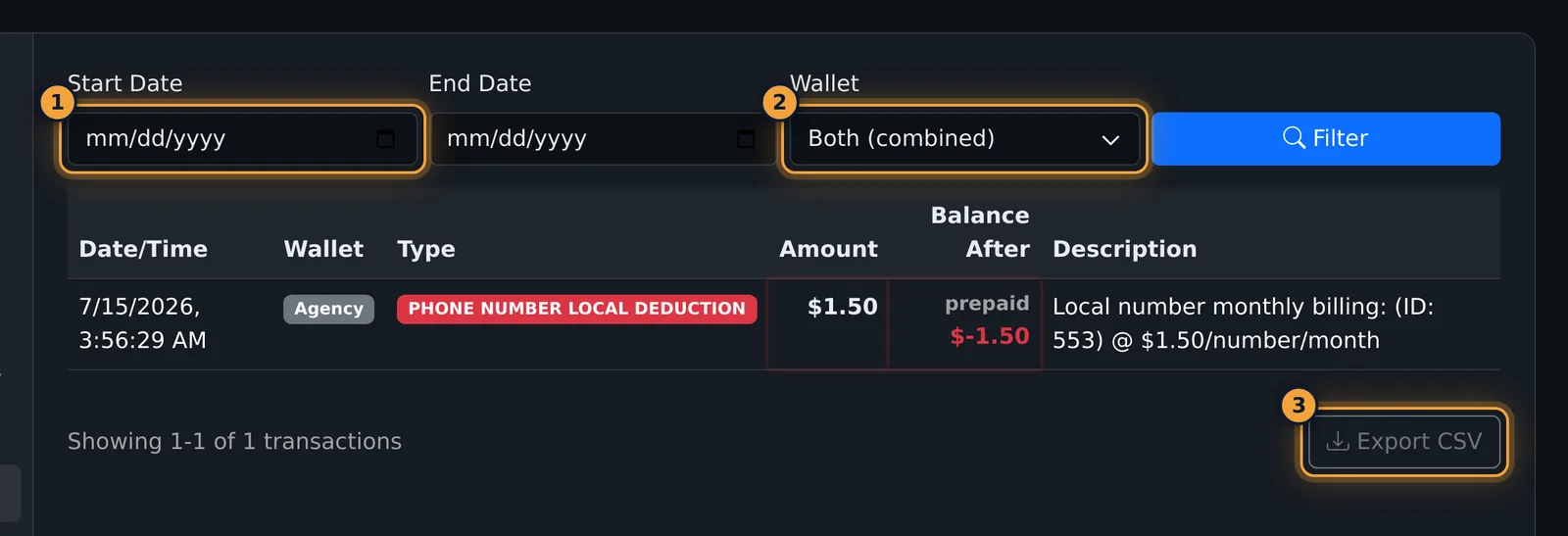
Transaction History lists every charge and top-up, newest first, with the balance after each.
Set the dates and the wallet to filter the list, or export it as a CSV file.
With per-agent wallets, charges for the categories you choose go to each agent's own wallet. Turn on Enable per-agent wallets, and choose what happens when an agent runs out.
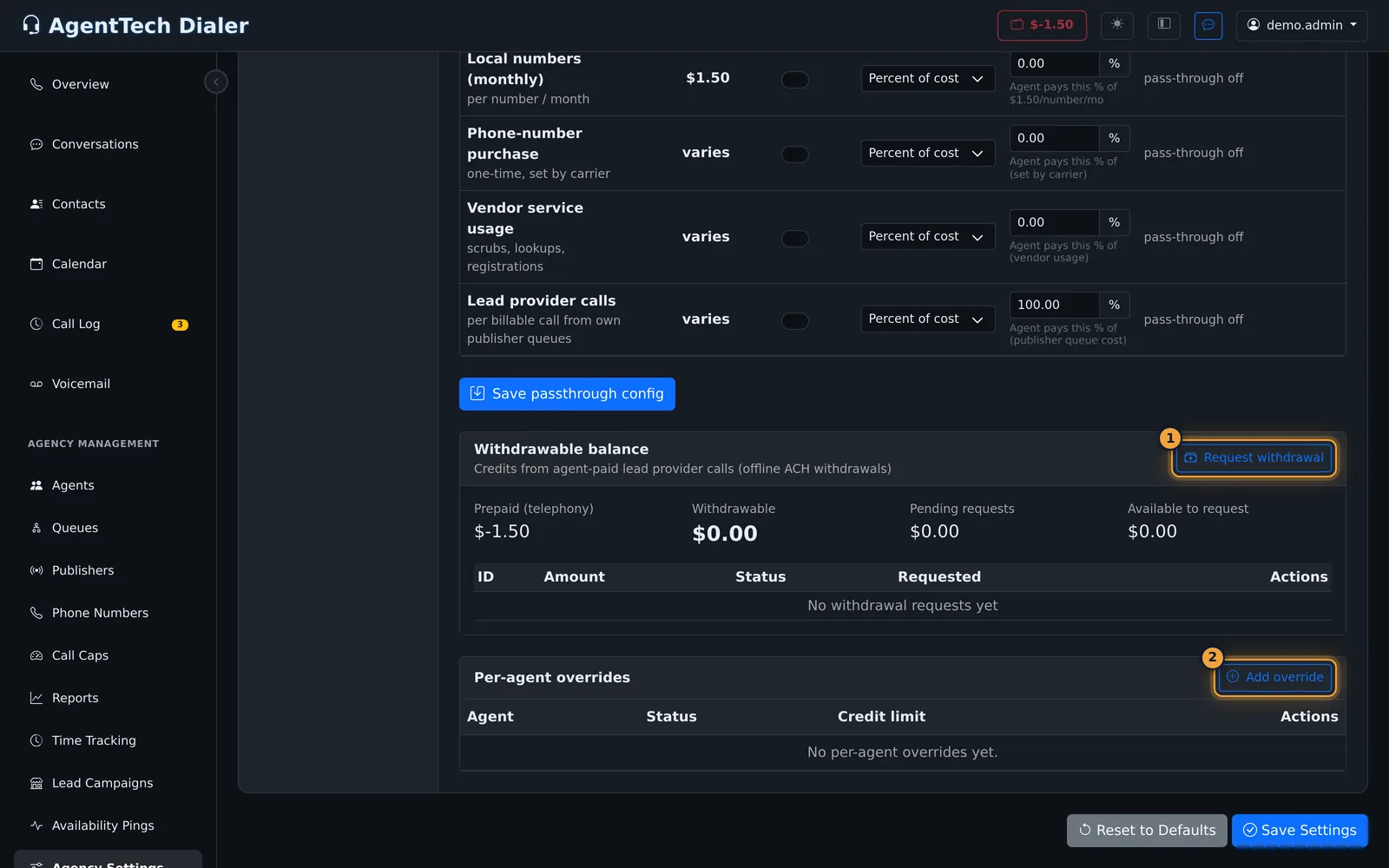
In the matrix, turn on Pass through for each category agents should pay, pick the mode and value, and select Save passthrough config.
Next, see how to add funds and set up auto-recharge.
AgentTech charges your agency's usage to a prepaid wallet. Calls, phone numbers, text messages, AI features and vendor checks are deducted from it; you top it up by card. This article explains the balance, the charges, the transaction history and per-agent wallets.
This article is for agency admins. Billing lives in Agency Management > Agency Settings.
Your balance
The balance shows in the top bar of every page, next to the wallet icon, and on Agency Settings > Billing & Wallet Settings as Current Wallet Balance. A negative balance shows in red.
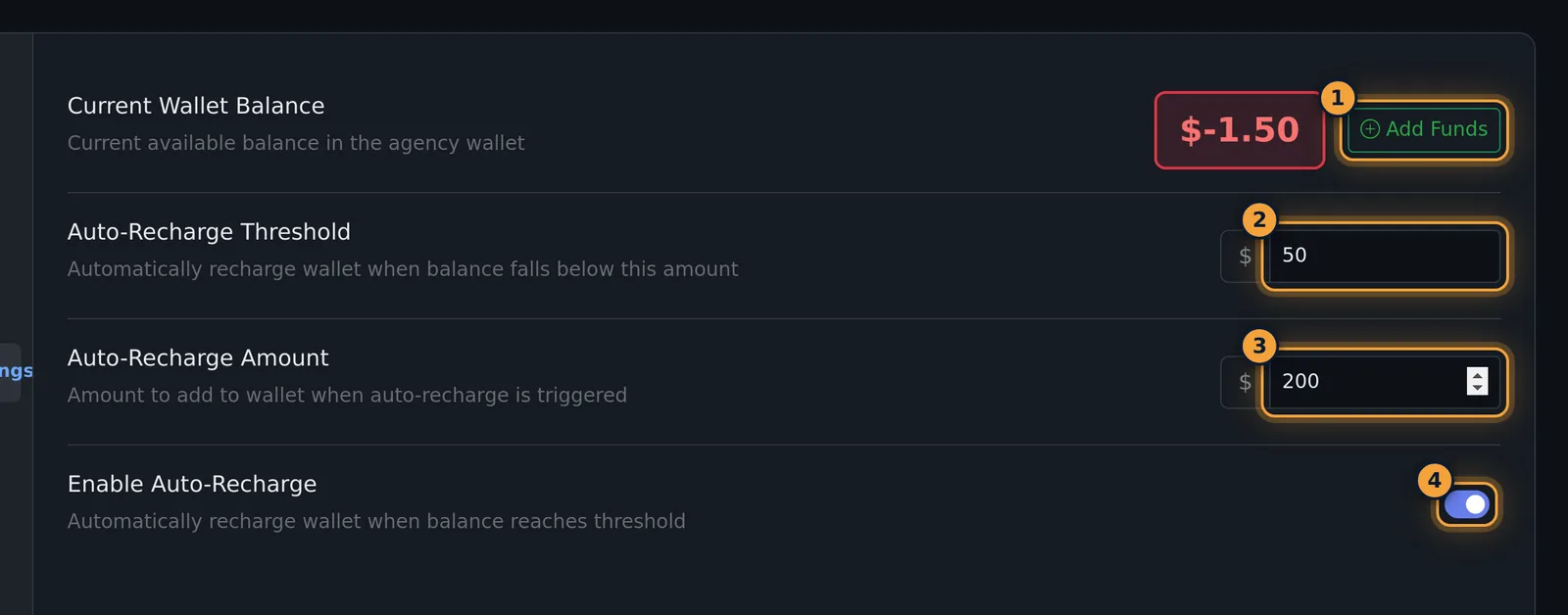
To top up, select Add Funds, or set up auto-recharge. See Adding Funds & Auto-Recharge.
What is charged
Agency Settings > Agent Wallets lists each cost category with your agency's cost per unit ("Your cost"):
| Category | Charged |
|---|---|
| Per-minute calls | Per minute |
| Per-agent seat fees | Per seat per month |
| SMS messages | Per message segment |
| AI Sales Coach | Per coached minute |
| AI analysis | Per call, based on usage |
| Toll-free numbers / Local numbers | Per number per month |
| Phone-number purchase | One-time, set by the carrier |
| Vendor service usage | Per check or registration (scrubs, lookups, registrations) |
| Lead provider calls | Per billable call from your own publisher queues |
Disabled agents kept in the system are billed as archived seats to the agency wallet. The rates in your account are the ones on that page.
Transaction history
Agency Settings > Transaction History lists every charge and top-up, newest first, 15 per page.
- Optionally set a Start Date and End Date.
- Choose the Wallet: Agency, Agent, or Both (combined).
- Select Filter.
- Select Export CSV to download the list (
wallet_transactions_agency_<id>.csv).
| Column | What it shows |
|---|---|
| Date/Time | When the transaction happened. |
| Wallet | Agency or Agent. |
| Type | The kind of charge or top-up, for example PHONE NUMBER LOCAL DEDUCTION. Charges are red, credits green. |
| Amount | The amount of the transaction. |
| Balance After | The wallet balance after it, marked prepaid (agency wallet) or withdrawable. |
| Description | Details, for example "Local number monthly billing: (ID: 553) @ $1.50/number/month". |
In the CSV, charges have a minus sign and a Balance Ledger column says prepaid, agent or withdrawable.
Per-agent wallets
By default every charge is paid from the agency wallet. With per-agent wallets, charges for chosen categories are passed to each agent's own wallet instead.
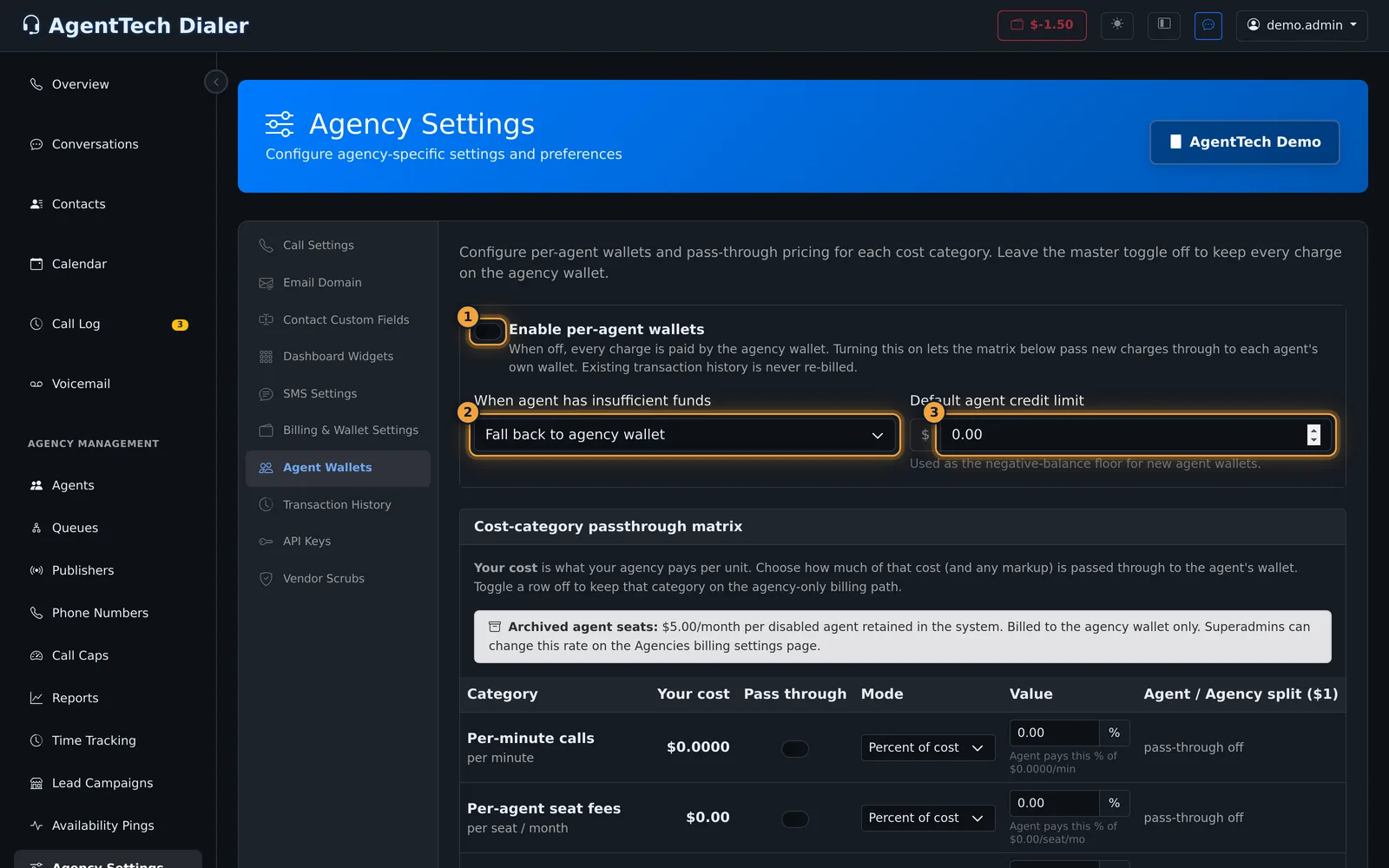
- Open Agency Settings > Agent Wallets and turn on Enable per-agent wallets. Past transactions are never re-billed.
- Choose When agent has insufficient funds: Fall back to agency wallet, Block the action, Allow negative balance (up to credit limit), or Charge anyway (post-hoc collection).
- Set the Default agent credit limit: how far below zero a new agent wallet may go.
- In the matrix, turn on Pass through for each category agents should pay, then pick the Mode and Value:
- Percent of cost: the agent pays that percentage of your cost.
- Cost + markup: the agent pays your cost plus a markup.
- Fixed share (capped at cost): the agent pays a fixed amount, never more than your cost.
- Select Save passthrough config.
The Agent / Agency split column previews who pays what out of each $1.
Exceptions for one agent
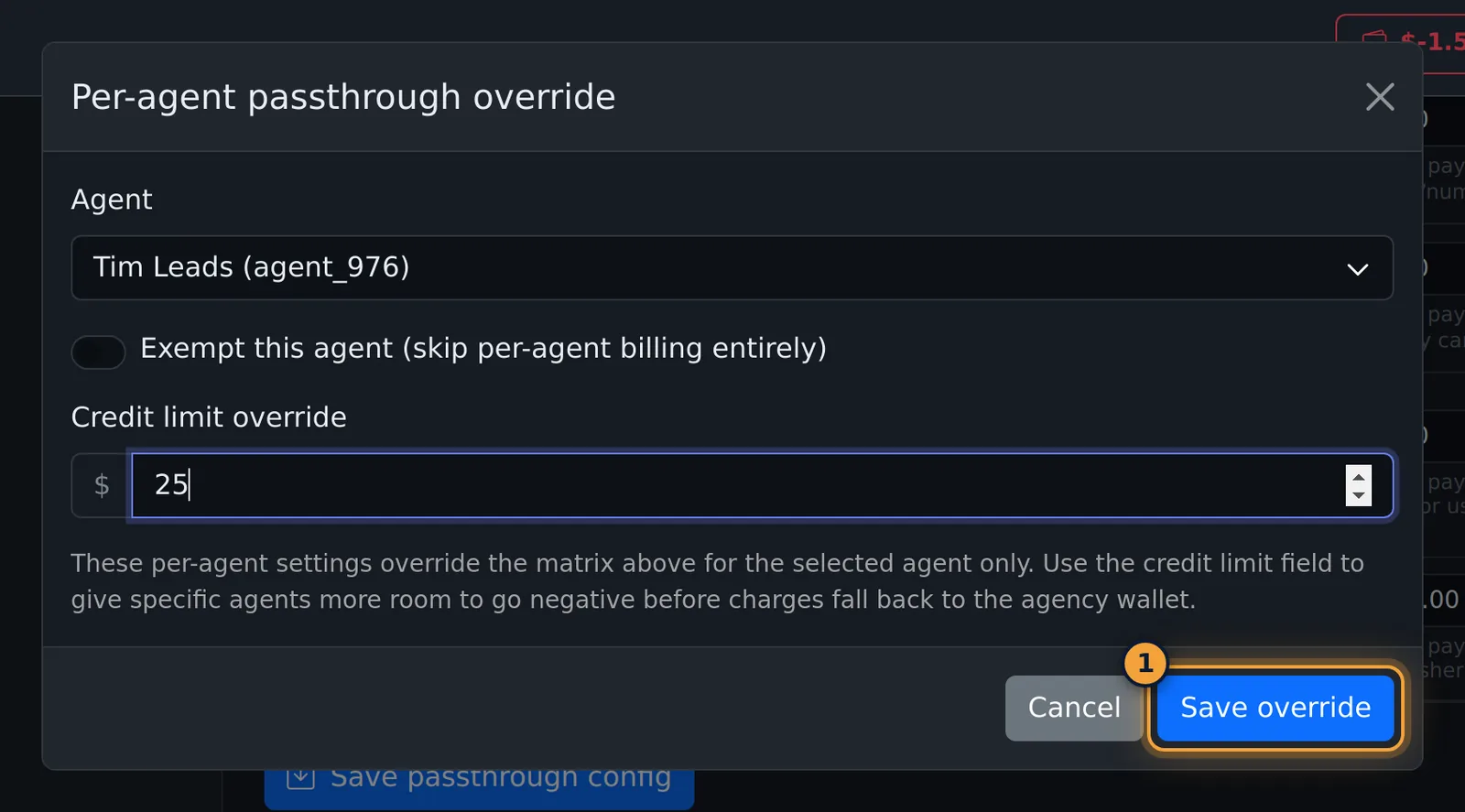
Under Per-agent overrides, select Add override, pick the Agent, and either tick Exempt this agent (skip per-agent billing entirely) or set a Credit limit override. Select Save override.
Withdrawable balance
When agents pay for lead provider calls from your own publisher queues, those credits collect in the Withdrawable balance box (Prepaid, Withdrawable, Pending requests, Available to request). Request withdrawal asks for an amount to be paid out by ACH, outside the platform; requests are listed with their status.
Charging buyers for calls
Charging a publisher or buyer for the calls in a queue is set per queue, on the queue's Billing tab (billable after a number of seconds, cost per call or per minute). See Queue Management.
Common problems
- The balance is negative: the wallet can go below zero. Add funds; see Adding Funds & Auto-Recharge.
- A charge I don't recognise: find it in Transaction History; the Description names the number, call or service.
Related articles
Was this article helpful?
Can't find what you are looking for? Our support team can help.
Submit a support ticket