Transcript
An AI agent is a voice assistant that answers calls, asks your screening questions, and transfers qualified callers to your team. Here is how to set one up.
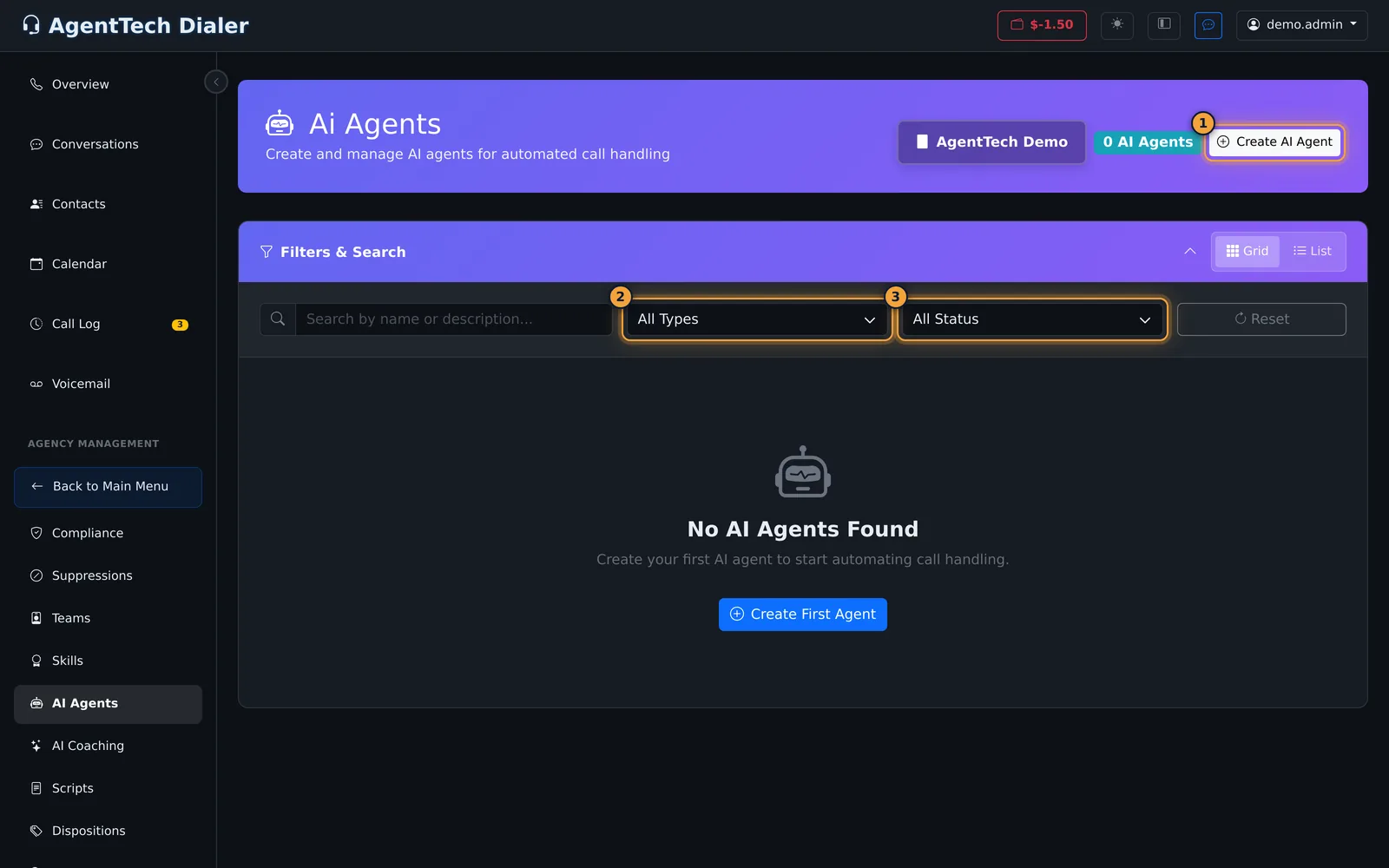
Open Agency Management, then AI Agents, and select Create AI Agent. Enter a name, and pick the Type, here Transfer Agent.
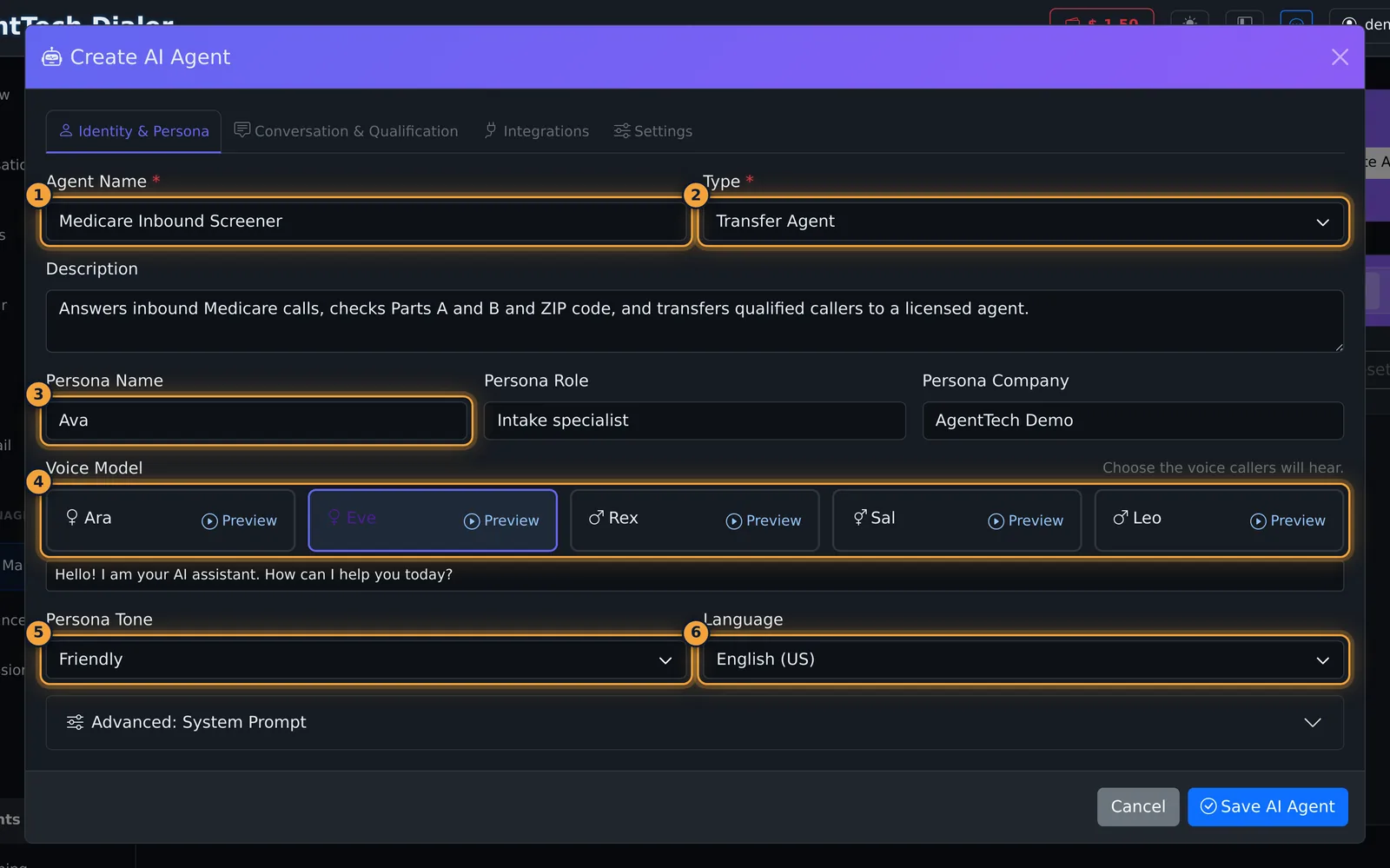
Fill in the persona your callers hear: a name, a role, and your company.
Pick a Voice Model. Preview plays a sample of the voice. Then choose the tone and the language.
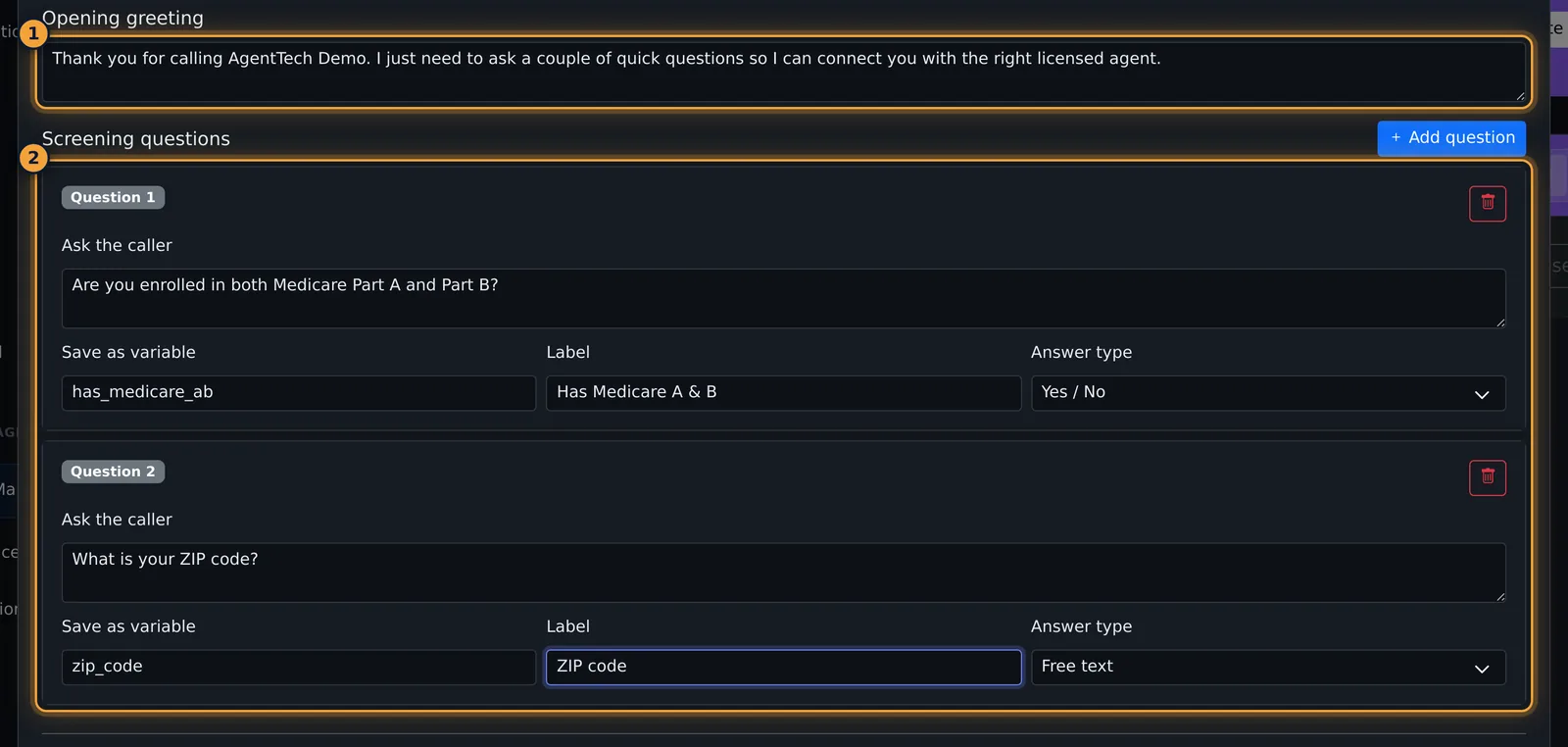
On Conversation and Qualification, write the opening greeting, then select Add question for each screening question.
For each question, fill in what to ask, the variable that saves the answer, a label, and the answer type.
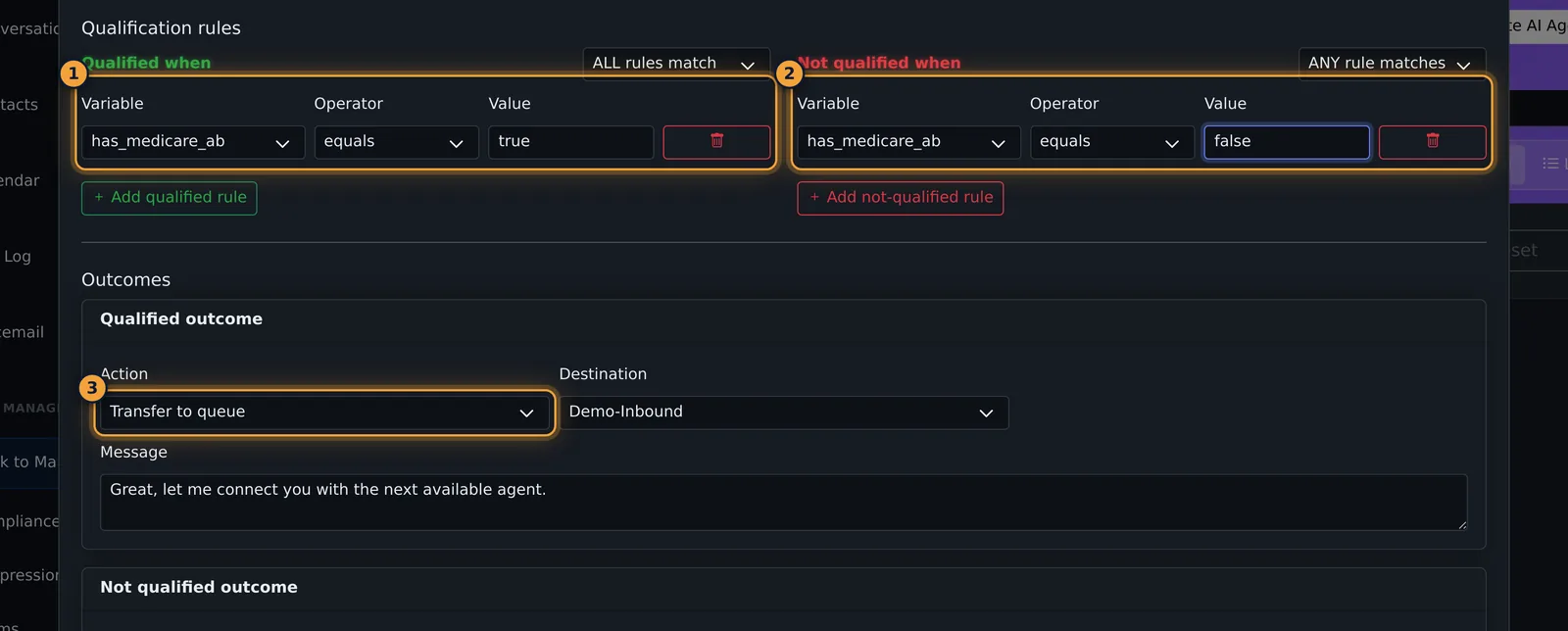
Qualification rules decide the outcome: qualified when the answer is true, not qualified when it is false. Then choose where qualified callers go, such as a queue of licensed agents.
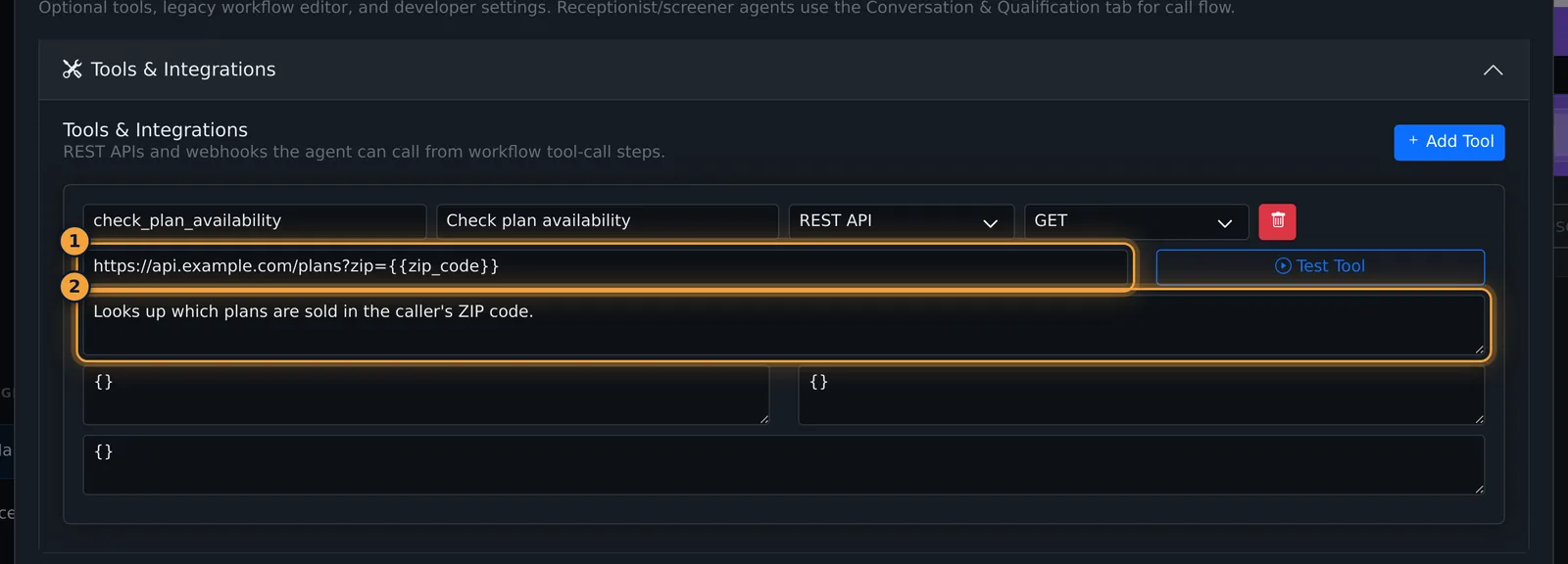
On Integrations, Tools and Integrations lets the agent call your own systems during the call, such as a plan lookup by ZIP code.
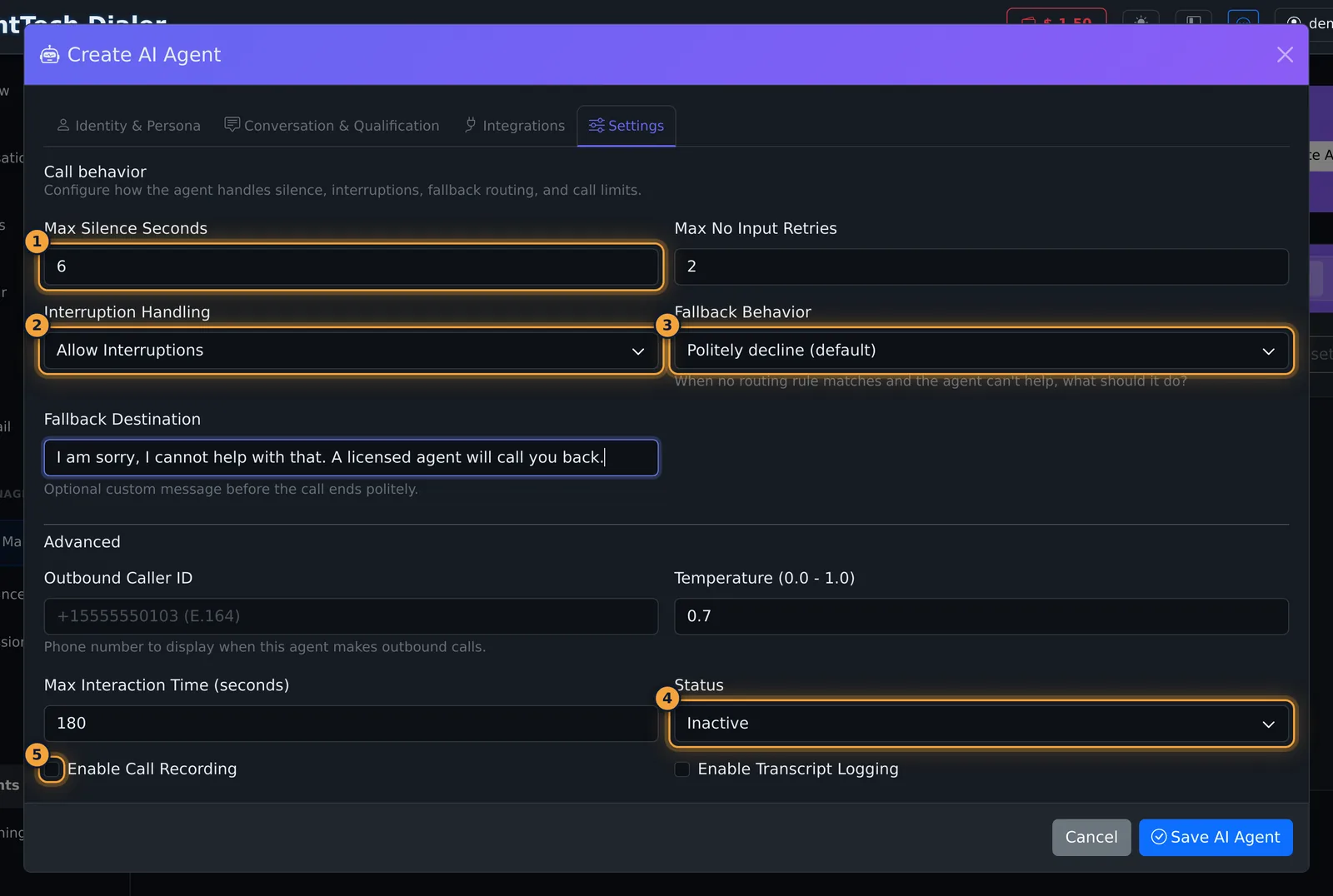
On Settings, set the silence and retry limits, and what happens when the agent can't help. Save it as Inactive while you set it up, and select Save AI Agent.
The card shows the type, the persona and the agent's call stats. To put it on calls, edit a queue and set its routing strategy to AI Agent.
Next, see how the AI Sales Coach helps your human agents during their calls.
An AI agent is a voice assistant that handles calls for you. A screening agent answers an inbound call, asks your questions (for example "Do you have Medicare Part A and Part B?"), and transfers qualified callers to a queue of licensed agents. A training agent plays a prospect so your agents can practise.
This article is for agency admins. Open Agency Management > AI Agents.
Agent types
| Type | Use it for | Tabs |
|---|---|---|
| Receptionist, Transfer Agent, Qualifier | Answering calls, screening callers and transferring or ending the call | Identity & Persona, Conversation & Qualification, Integrations, Settings |
| Custom | Building the call step by step | Identity & Persona, Workflow Builder, Routing, Integrations, Settings |
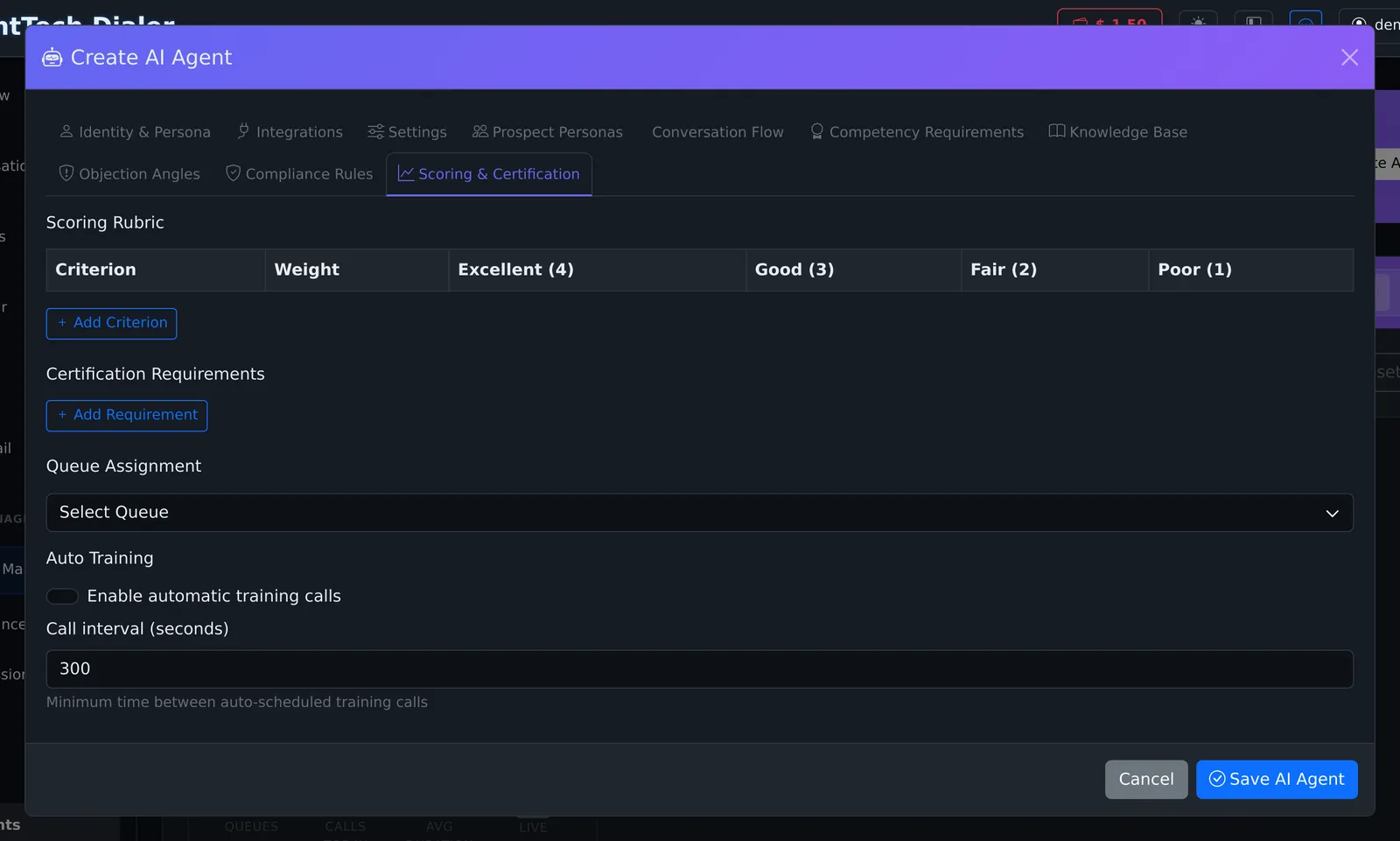
| Training | Role-playing prospects for your human agents | Identity & Persona, Integrations, Settings, Prospect Personas, Conversation Flow, Competency Requirements, Knowledge Base, Objection Angles, Compliance Rules, Scoring & Certification |
Create a screening agent
Select Create AI Agent. If AgentTech has set up templates for your agency, you first choose a template or Start from Scratch; otherwise the editor opens straight away.
Identity & Persona
- Enter the Agent Name and pick the Type, for example Transfer Agent.
- Add a Description for your team.
- Fill in the persona the caller hears: Persona Name (for example Ava), Persona Role and Persona Company.
- Pick a Voice Model (Ara, Eve, Rex, Sal or Leo). Preview plays a sample of the voice; each preview is a paid AI request.
- Choose the Persona Tone (Professional, Friendly, Casual, Formal, Empathetic, Enthusiastic or Hostile) and the Language (English (US), English (UK), Spanish, French or German).
- Advanced: System Prompt is optional extra instructions for the agent.
Conversation & Qualification
- Write the Opening greeting.
- Select Add question for each screening question. For each one, fill in what to Ask the caller, the variable to Save as (for example
has_medicare_ab), a Label and the Answer type (Yes / No, Free text, Number or Selection).
- Under Qualification rules, add the rules that decide the outcome. Each rule tests a saved variable with an operator (equals, does not equal, contains, is set, is empty) and a value. Choose whether all or any rules must match.
- Qualified when: for example
has_medicare_abequalstrue. - Not qualified when: for example
has_medicare_abequalsfalse.
- Qualified when: for example
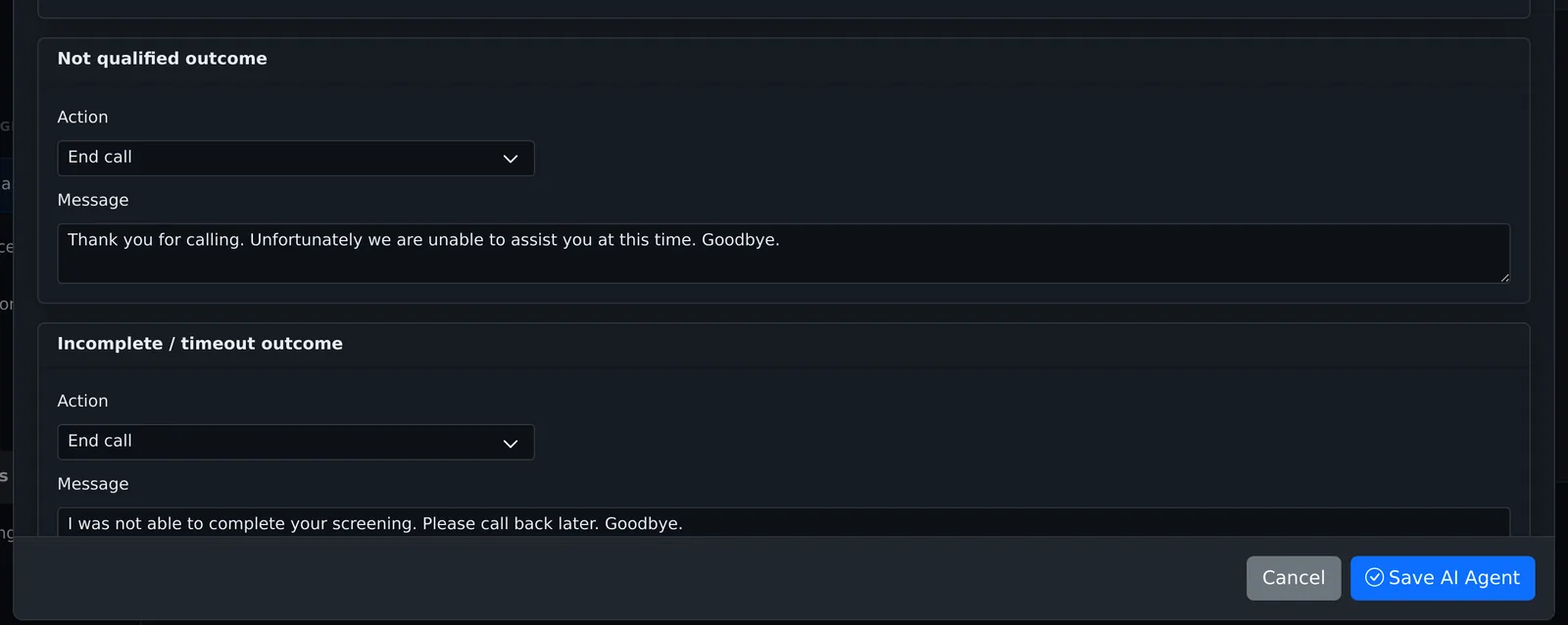
- Set the three Outcomes. Each one can Transfer to queue, Transfer to phone (number or SIP address), End call or send to Voicemail, with a message the agent says first.
- Qualified outcome: usually Transfer to queue, with "Great, let me connect you with the next available agent."
- Not qualified outcome: usually End call, with a polite decline.
- Incomplete / timeout outcome: for callers who stop answering.
Integrations
Tools & Integrations lets the agent call a REST API or webhook during the call: a tool name, display name, type, method, endpoint URL, a description for the AI, headers, authentication and a response mapping. Test Tool sends a real request to the endpoint.
Settings
| Setting | What it does |
|---|---|
| Max Silence Seconds | How long the caller can be silent (1-30, default 5). |
| Max No Input Retries | How often the agent re-asks before giving up (0-10, default 3). |
| Interruption Handling | Allow Interruptions, Ignore Interruptions or Pause and Resume. |
| Fallback Behavior | What happens when no rule matches: Politely decline, Transfer to queue, Send to voicemail or Hang up immediately, with a destination or decline message. |
| Outbound Caller ID | The number shown on calls the agent makes, in +15551234567 format. |
| Temperature | 0-1, default 0.7. Lower is more predictable. |
| Max Interaction Time | Call length limit in seconds (30-600, default 180). |
| Status | Active or Inactive. Save as Inactive while you set it up. |
| Enable Call Recording / Enable Transcript Logging | Record the agent's calls and keep their transcripts. |
Select Save AI Agent. The form tells you if something is missing, for example "Qualified outcome requires a destination." or "Each screening variable needs a name."
Put the agent on calls
An AI agent answers calls through a queue. Edit the queue, set its routing strategy to AI Agent and pick the agent. See Queue Management.
After saving
The card shows the type, description and persona, and for call agents the number of queues, calls today, average call length and live calls.
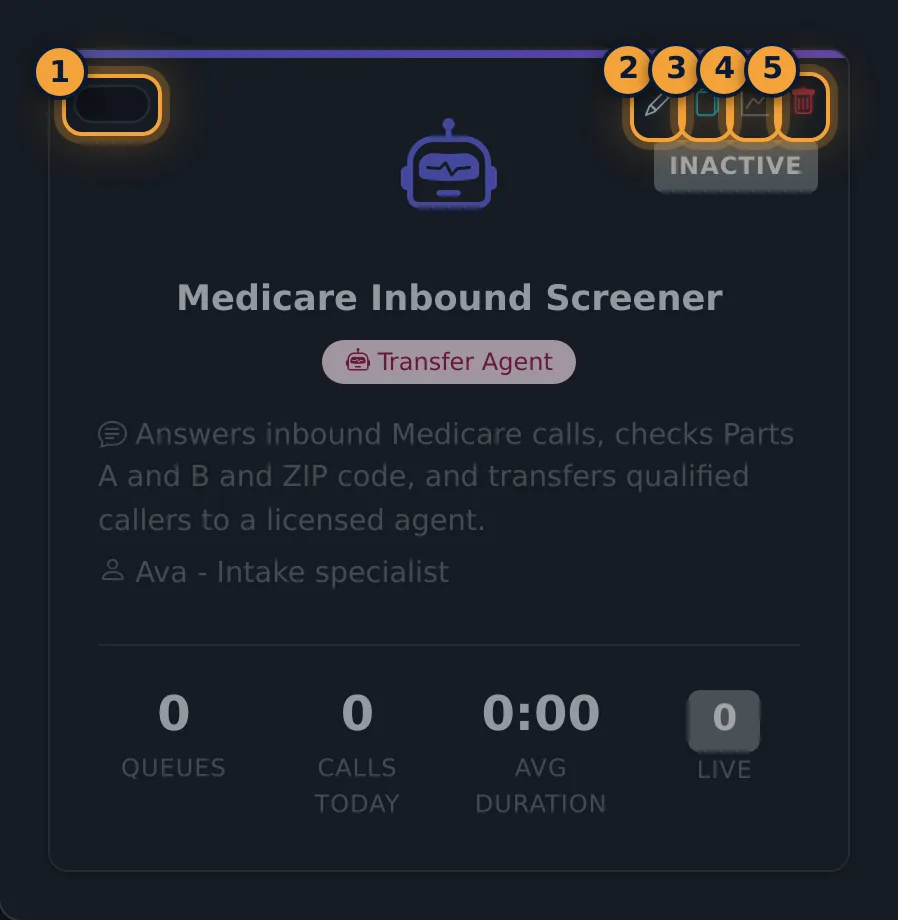
- Switch: turns the agent on or off.
- Edit (or a click on the card): reopens every tab; save with Save AI Agent.
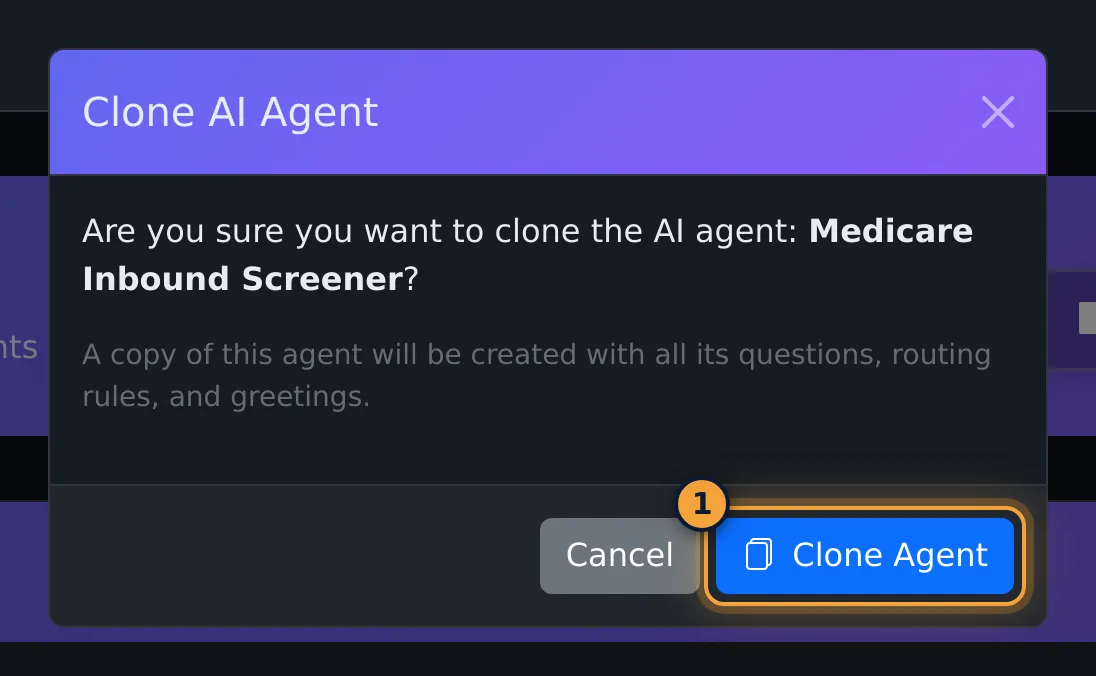
- Clone: after a confirmation, copies the whole setup into "<name> (Copy)", with the same status.
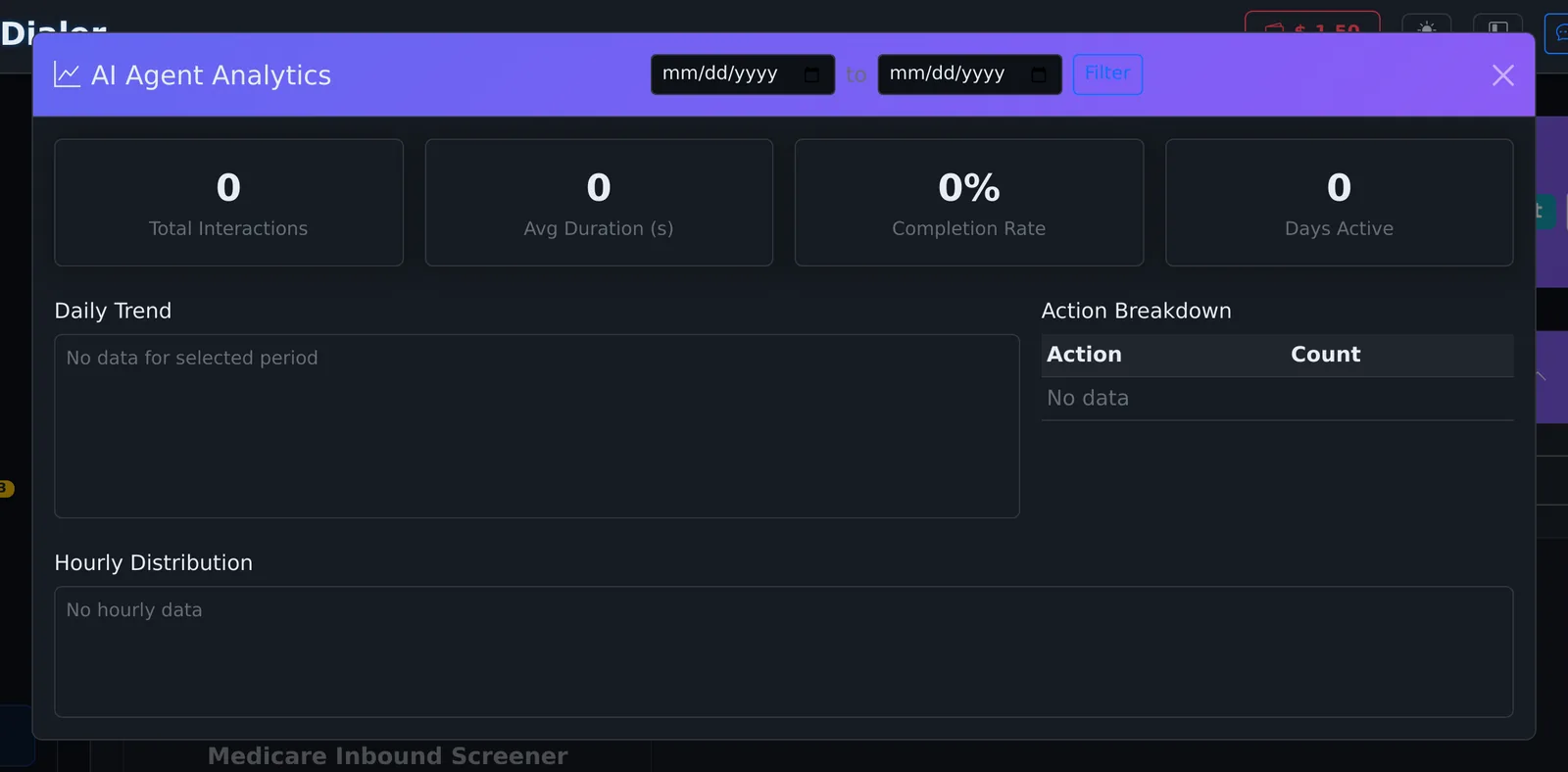
- Stats: opens AI Agent Analytics for a date range: Total Interactions, Avg Duration, Completion Rate, Days Active, a daily trend, an action breakdown and an hourly distribution.
- Delete: asks for confirmation.
Custom agents
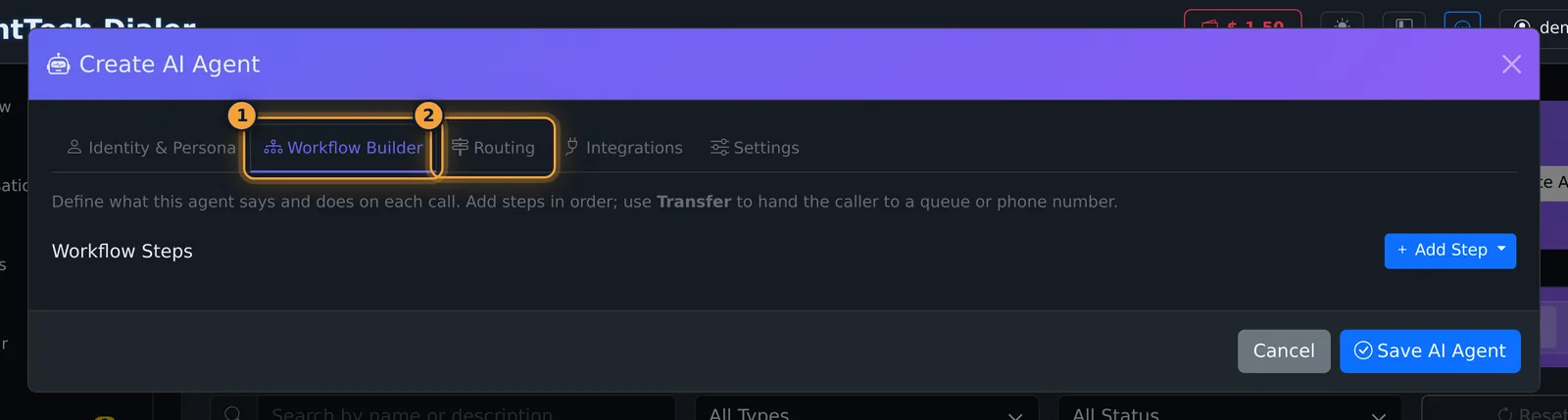
A Custom agent has a Workflow Builder instead of Conversation & Qualification. Add Step adds steps in order: Greeting, Message, Play Audio, Collect Input, Condition, Set Variable, Tool Call, Transfer, End Call, Wait and Go To. The Routing tab sets where the call goes on success, failure, timeout or error.
Training agents
A Training agent plays a prospect so your human agents can practise. Its extra tabs set the Prospect Personas, the Conversation Flow, Competency Requirements, a Knowledge Base, Objection Angles and Compliance Rules.
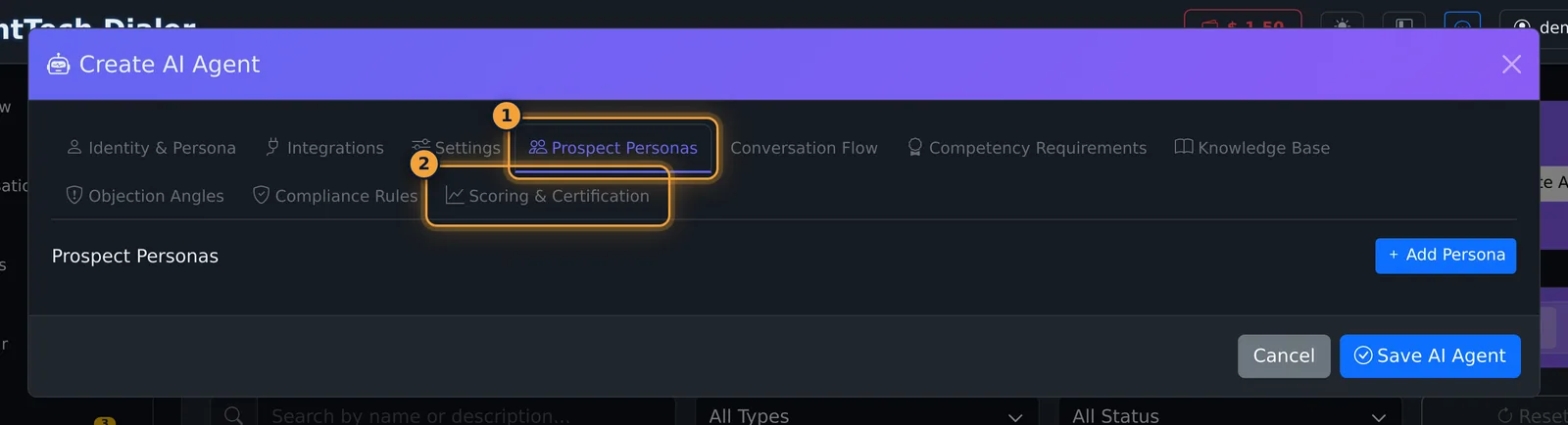
Scoring & Certification holds the scoring rubric (each criterion with a weight and what Excellent, Good, Fair and Poor mean), the certification requirements, the queue it trains for, and optional automatic training calls with a minimum interval.
Common problems
- "Qualified outcome requires a destination.": pick the queue or phone number for the Qualified outcome.
- The agent takes no calls: check it is active and that a queue uses the AI Agent routing strategy with this agent.
Related articles
Was this article helpful?
Can't find what you are looking for? Our support team can help.
Submit a support ticket