A number pool is a set of tracking numbers for your website. When someone visits, a small script swaps the phone number on your page for one of the pool's numbers and keeps it for that visitor. When they call, AgentTech Dialer knows which page, ad source and campaign they came from. This is often called dynamic number insertion (DNI).
This article is for agency admins. Open Phone Numbers and select the Number Pools tab.
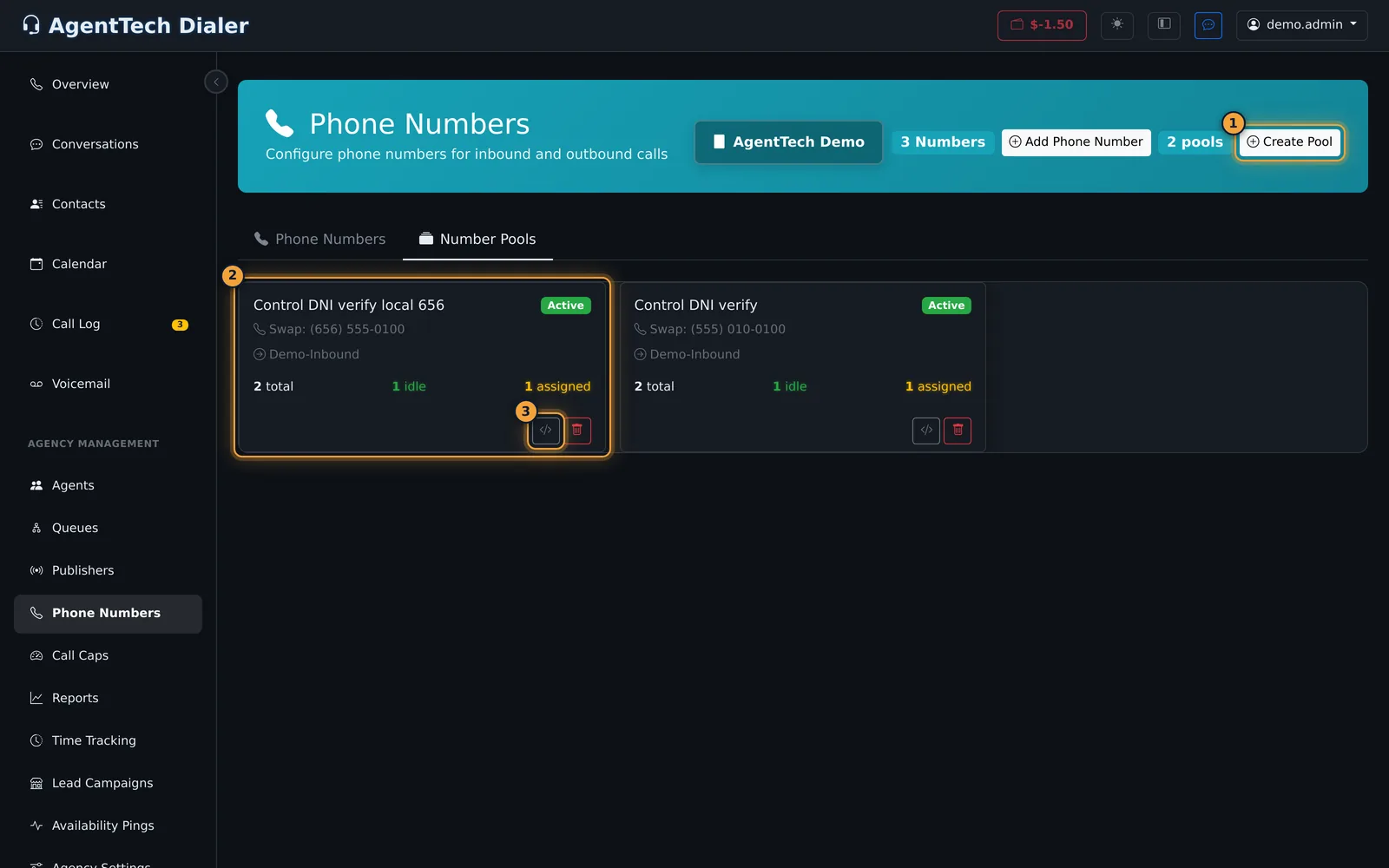
Each pool card shows:
- the pool name and Active or Paused
- Swap: the number on your website that the pool replaces
- where the pool's calls go
- how many numbers it has in total, how many are idle (free to hand out) and how many are assigned to a visitor right now
- Embed Code and delete buttons
Click a card to open the pool.
Create a pool
- Select Create Pool.
- Fill in the form (see the table below).
- Select Create Pool & Provision Numbers. The initial numbers are bought straight away.
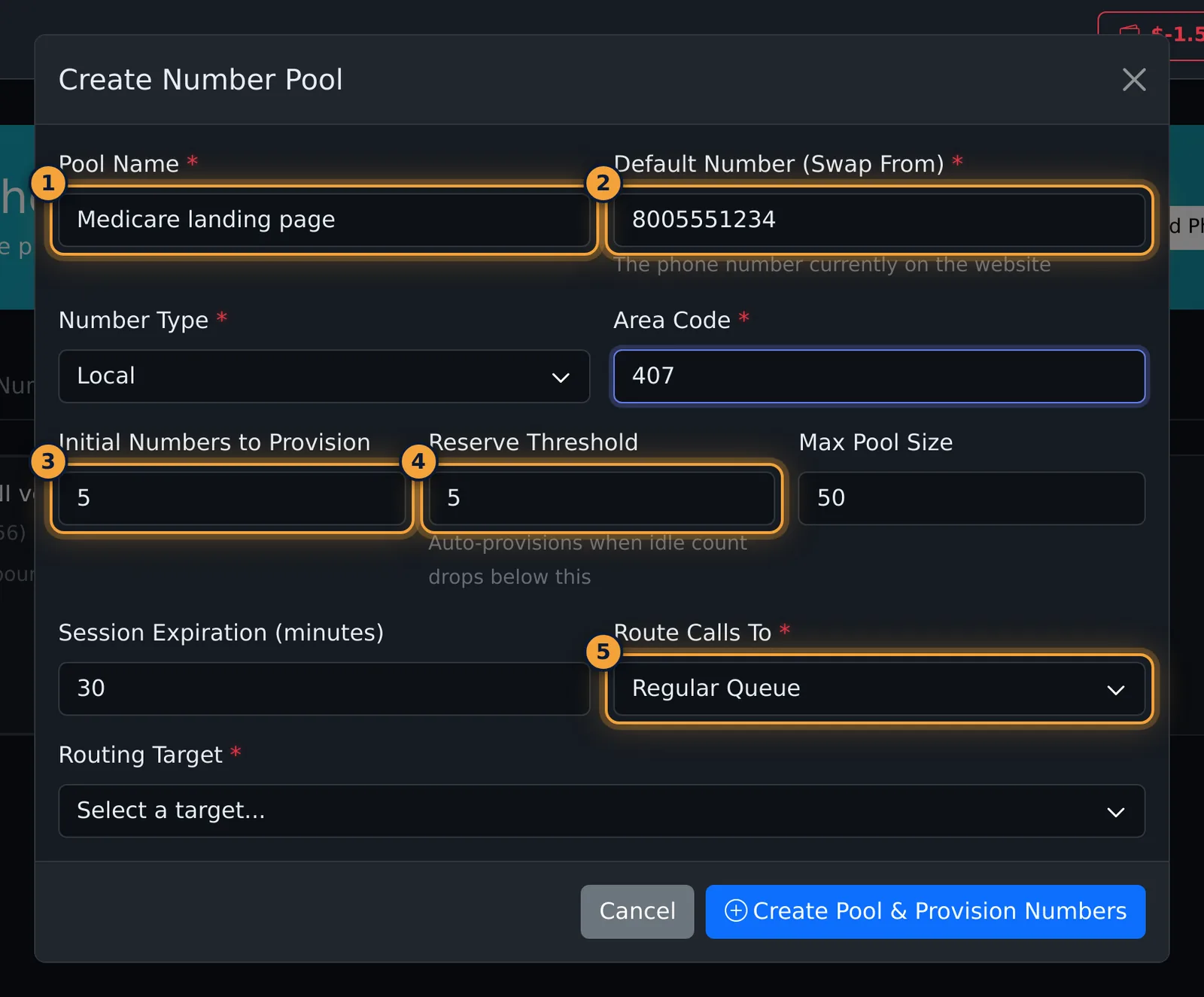
| Field | What it does |
|---|---|
| Pool Name | Required. |
| Default Number (Swap From) | Required. The phone number currently on your website. The script looks for this number on your pages. |
| Number Type | Local or Toll-Free. |
| Area Code or Toll-Free Prefix | Required. The area code for local numbers, or 800, 888, 877, 866, 855, 844 or 833 for toll-free. |
| Initial Numbers to Provision | How many numbers to buy now. Default 5. |
| Reserve Threshold | When the number of idle numbers drops below this, the pool buys more on its own. Default 5. |
| Max Pool Size | The most numbers the pool can hold. Default 50. |
| Session Expiration (minutes) | How long a visitor keeps their tracking number. Default 30. |
| Route Calls To, Routing Target | Required. Send calls to a Publisher Queue, a Regular Queue or a Campaign, then pick which one. |
How many numbers you need depends on your traffic: each visitor holds a number until their session expires, so you need enough numbers for everyone on your site at the same time.
Install the embed code
- On the pool's card, select the Embed Code button, or open the pool and select Get Embed Code.
- Select Copy next to the code.
- Paste it into your website's HTML just before the closing
</body>tag, on every page that shows your phone number.
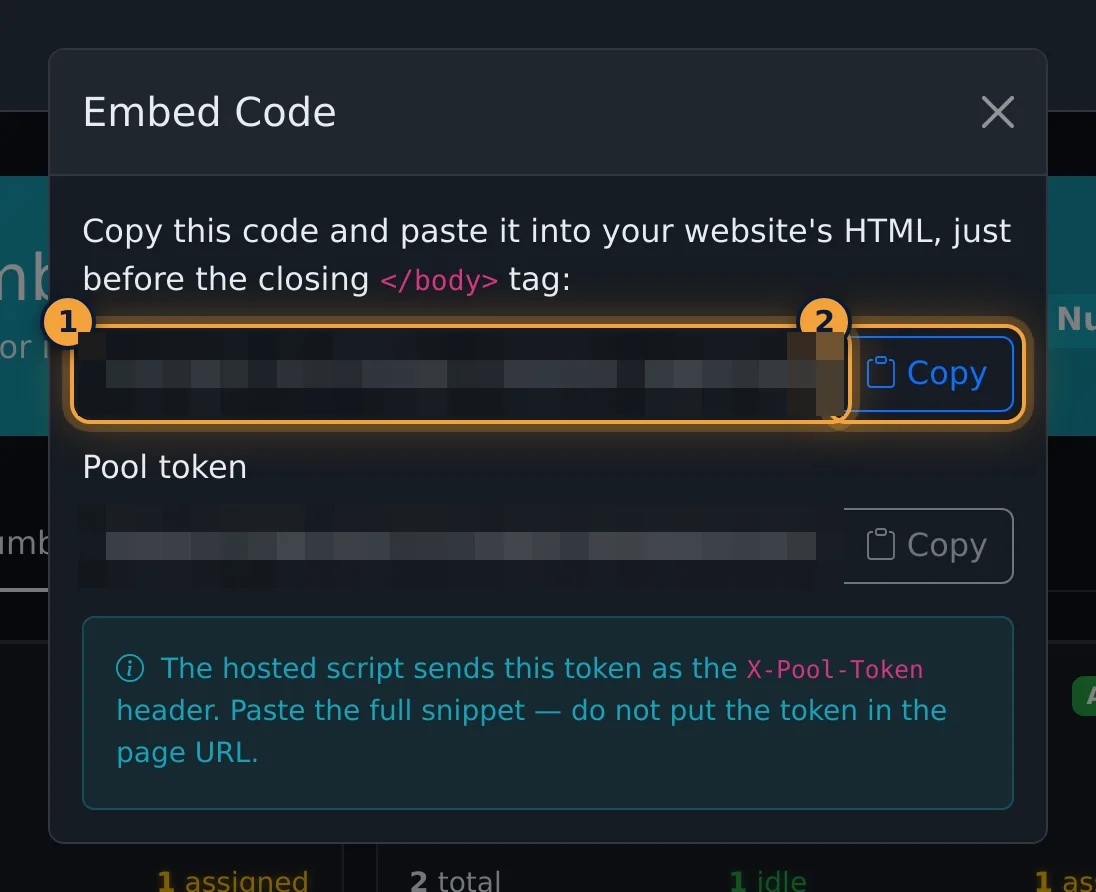
The code is one script tag. It looks like this, with your own pool number and token:
<script src="https://dialer.agenttech.io/js/agenttech.js?v=2.1.1&poolid=123" data-pool-id="123" data-pool-token="YOUR-POOL-TOKEN" async></script>How the number swap works
- The script finds your default number on the page, however it is written, for example
(407) 555-0100,407-555-0100or+1 407 555 0100, and replaces it with a tracking number. It also updatestel:links, so tap-to-call on phones dials the tracking number. - The visitor keeps the same number as they move between pages and on return visits until the session expires.
- The script records the page address, the referring site, UTM parameters (
utm_source,utm_medium,utm_campaign,utm_term,utm_content) and the device type. It adds asession_idto the page address. - If the script can't get a tracking number, the page keeps showing your default number.
See the numbers and visitors
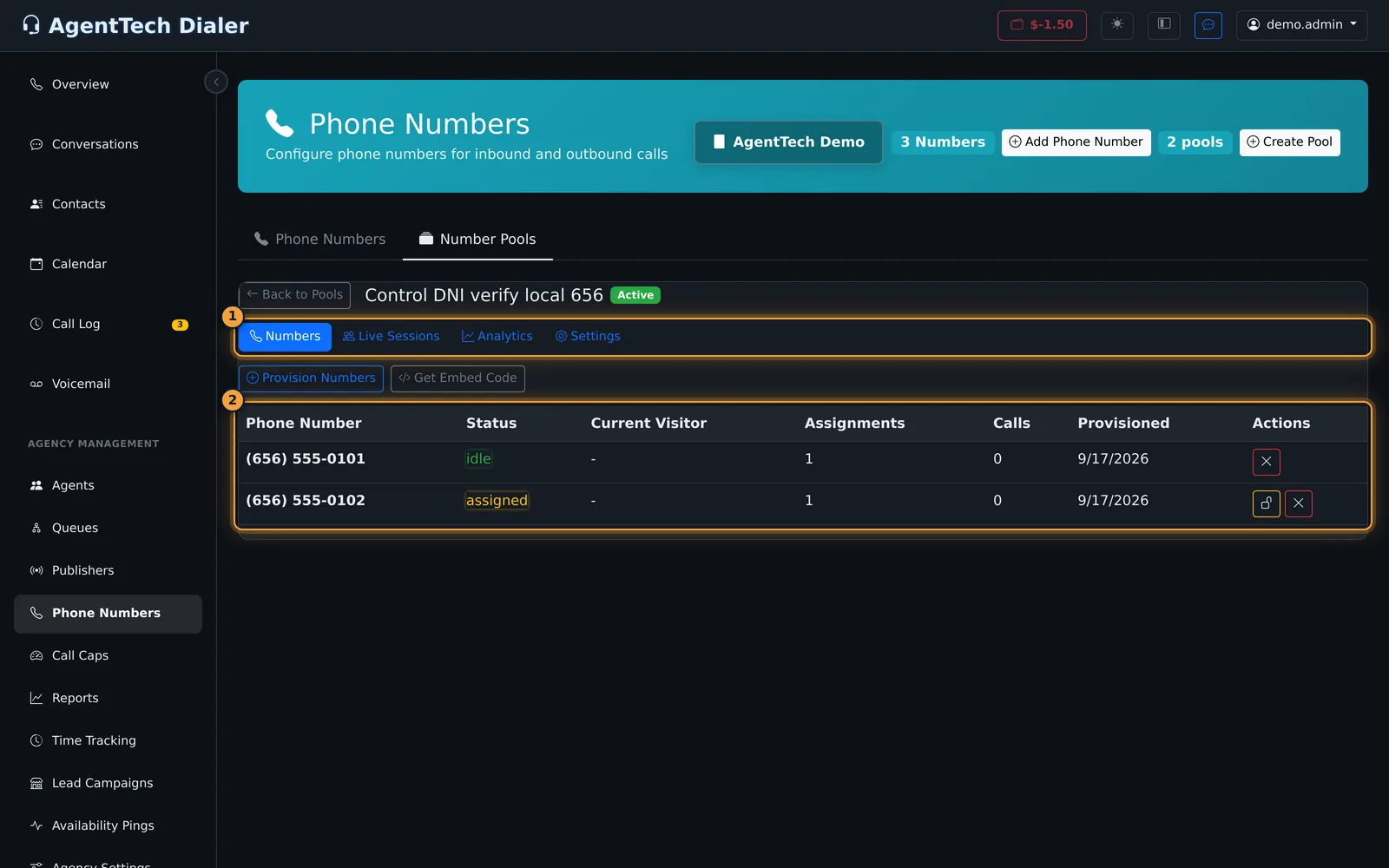
Open a pool to see its tabs.
Numbers lists each tracking number with its status (idle or assigned), the current visitor's page, how many times it was handed out, calls and when it was bought. The unlock button frees an assigned number; the x removes a number from the pool after a confirmation. Provision Numbers buys more numbers at once.
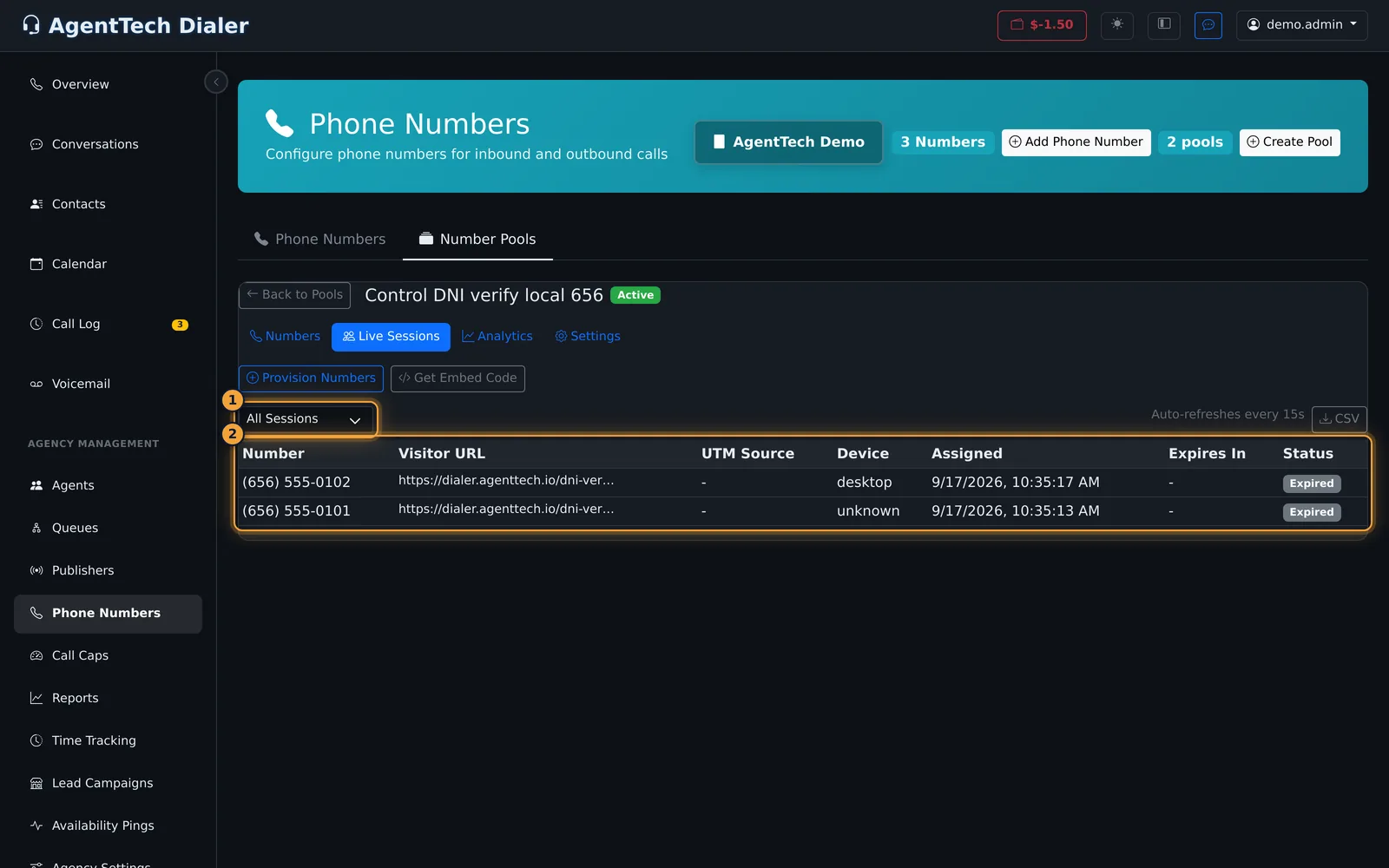
Live Sessions lists visits that got a tracking number: the number, the visitor's page, UTM source, device, when it was assigned, the time left and the status (Active, Called or Expired). Filter by Active Sessions, All Sessions, With Calls or Expired. The list refreshes every 15 seconds, and CSV downloads it.
Read the analytics
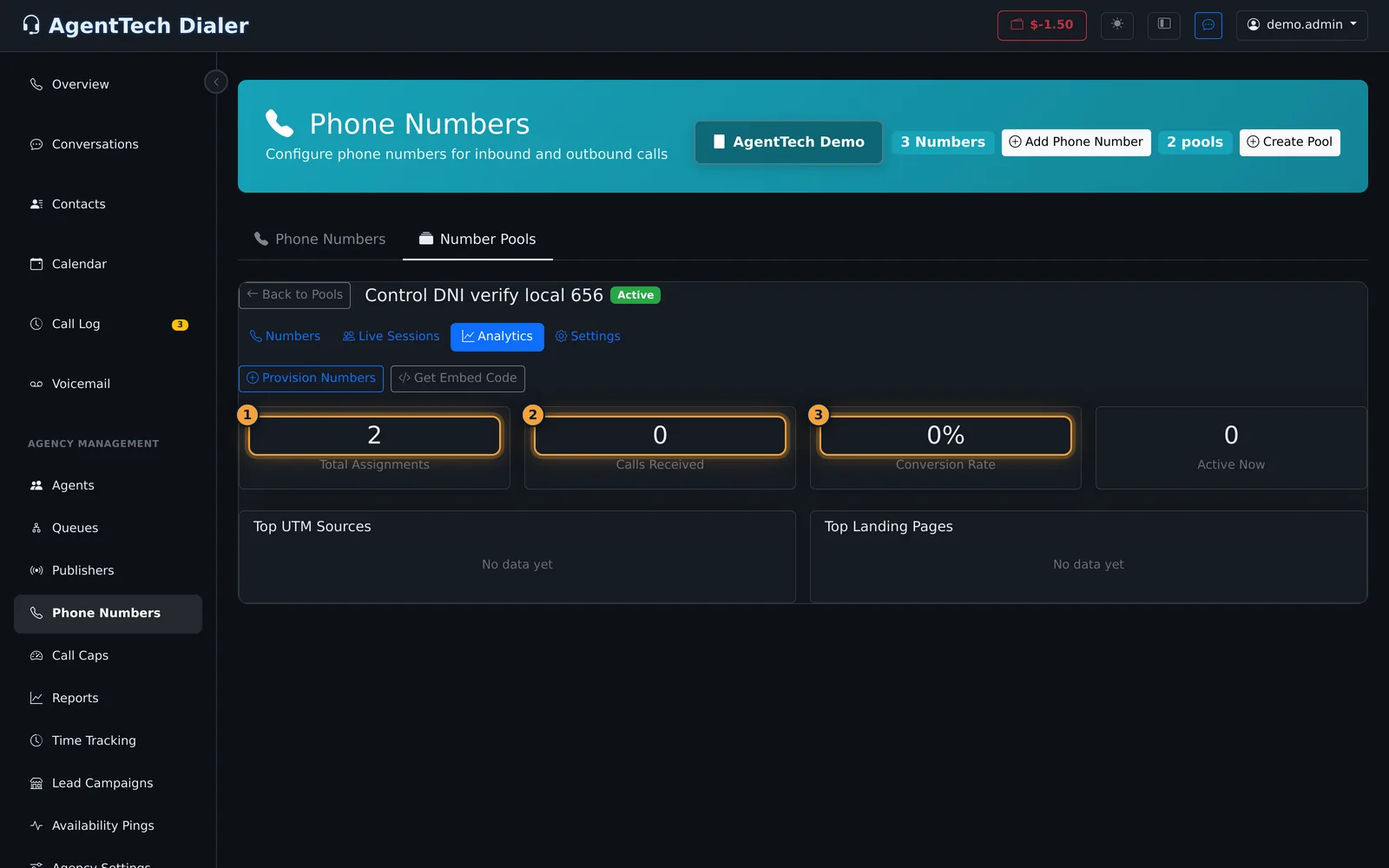
The Analytics tab covers the last 30 days:
- Total Assignments: how many times a visitor was given a number
- Calls Received: calls to the pool's numbers
- Conversion Rate: calls as a share of assignments
- Active Now: visitors holding a number right now
- Top UTM Sources and Top Landing Pages: visits and calls for each source and page
Change a pool's settings
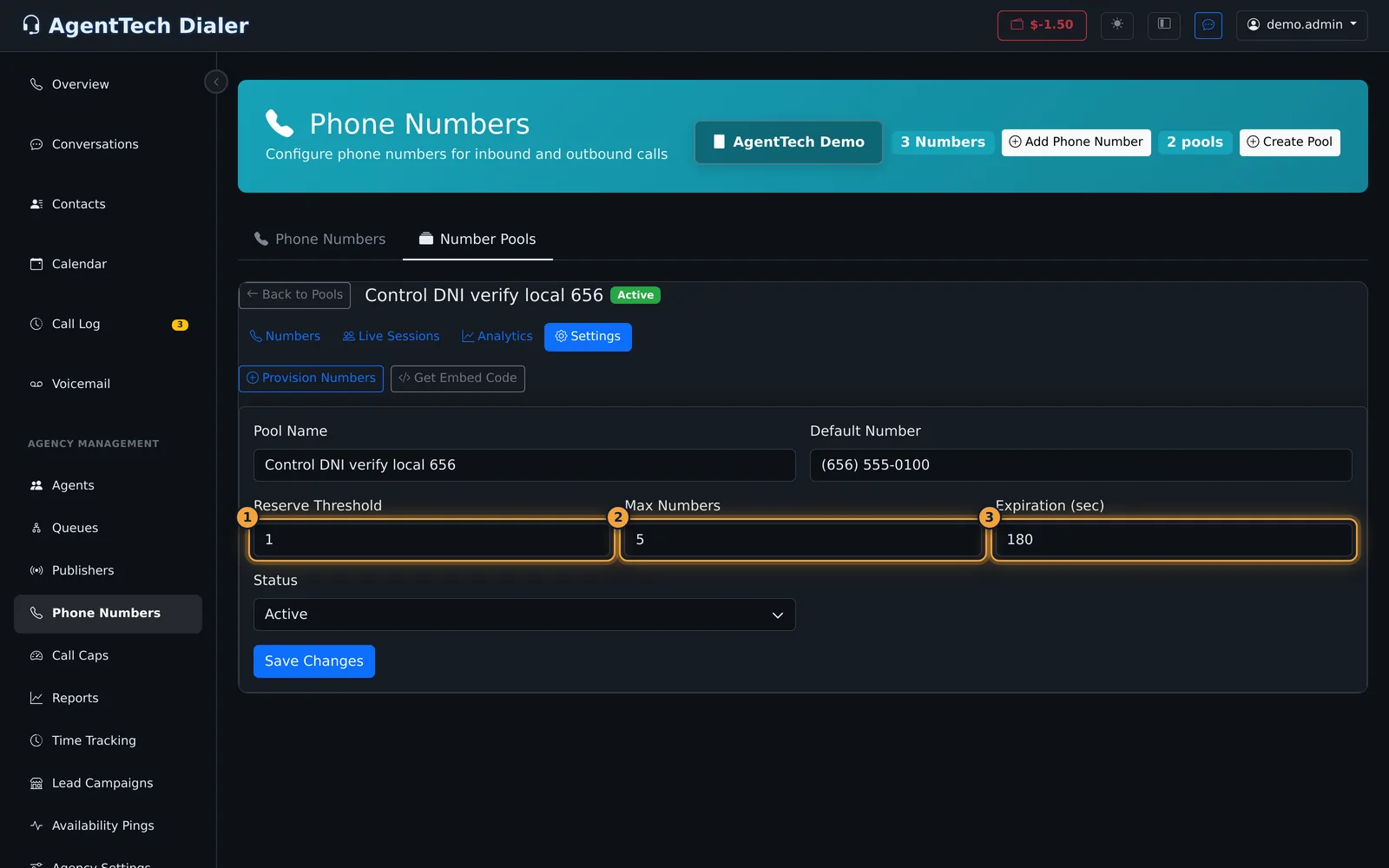
On the Settings tab you can change the Pool Name, Default Number, Reserve Threshold, Max Numbers, Expiration (sec) and Status (Active or Paused), then select Save Changes.
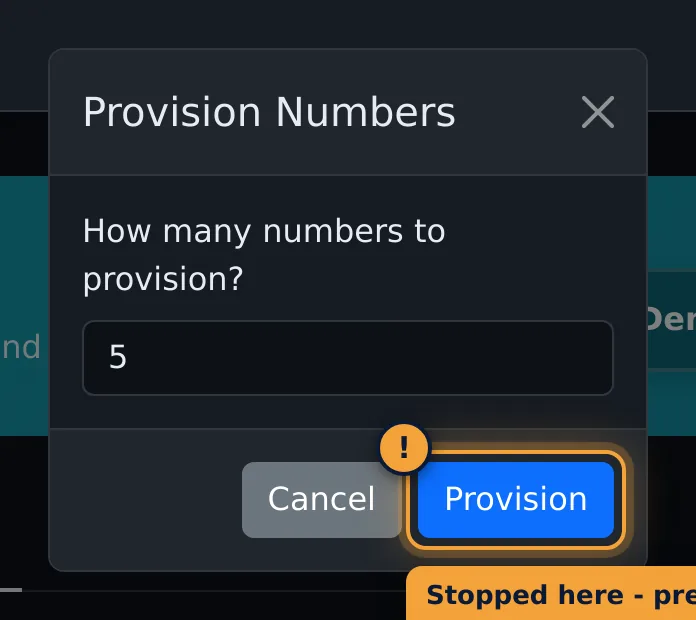
To add numbers yourself, select Provision Numbers, enter how many, and select Provision. They are bought at once.
Delete a pool
Select the bin on the pool's card and confirm. Deleting removes all the pool's numbers and its session data.
Common problems
- My website still shows the old number. Check that the embed code is on that page, before
</body>, and that the number on the page matches the pool's Default Number. - The pool keeps buying numbers. The reserve threshold is higher than the number of idle numbers. Lower it on Settings. A shorter session expiration also frees numbers sooner.
- Calls don't reach anyone. Check the pool's routing target, then the queue's agents and hours (Queue Management).
Related articles
Was this article helpful?
Can't find what you are looking for? Our support team can help.
Submit a support ticket