An external queue is a partner call center outside AgentTech Dialer. Before sending a call, the platform asks the partner's webhook whether it can take the call; if the answer meets your conditions, the call goes to the partner's SIP address. External queues are used as children of a global queue.
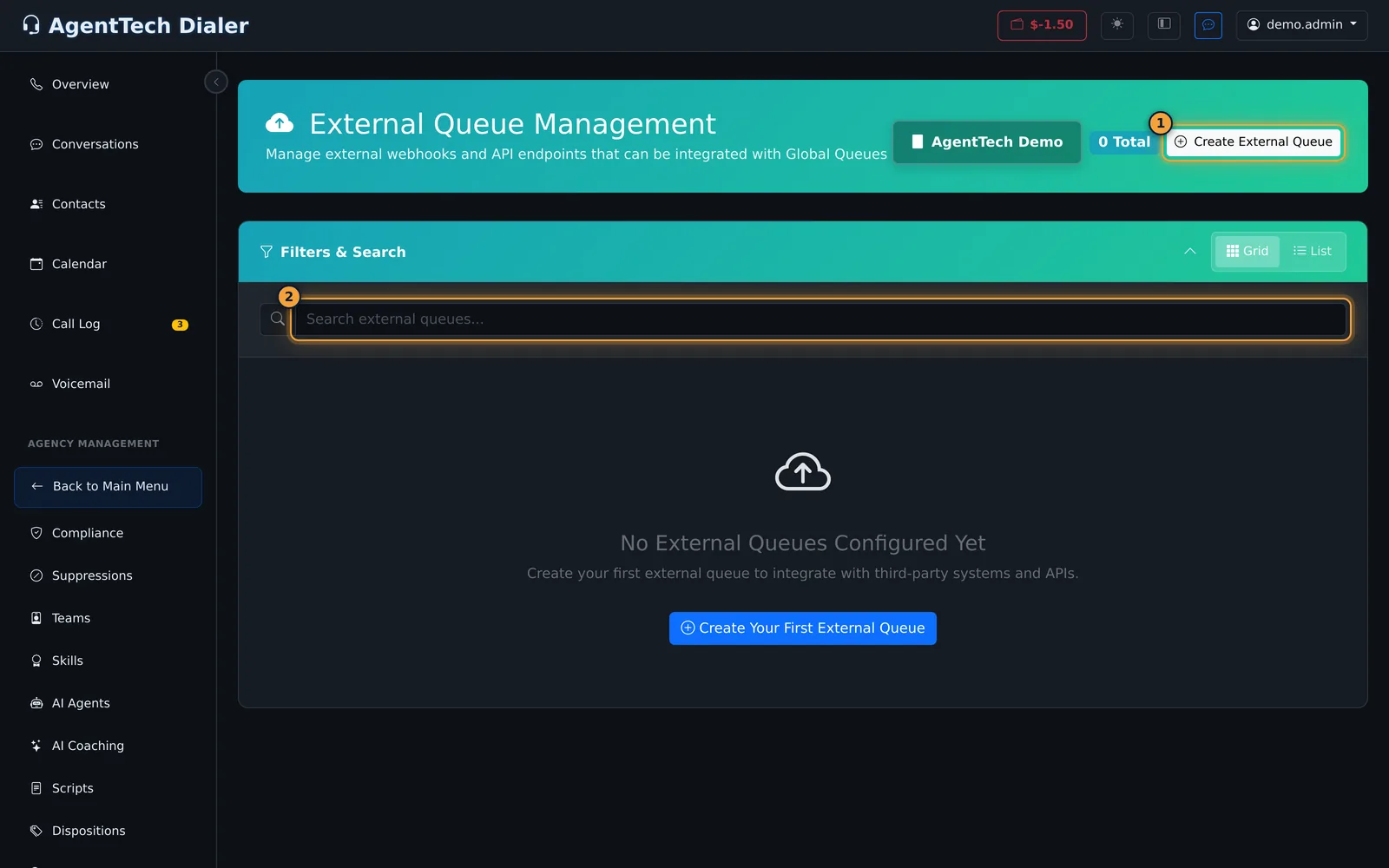
This article is for agency admins. Open Agency Management > External Queues.
What you need from the partner
- A SIP address that accepts calls, for example
sip:intake@partner.example.com. - A webhook URL that returns JSON describing their availability, for example the number of available agents.
- Any digits their phone system needs when a call connects (IVR bypass).
Create an external queue
- Select Create External Queue.
- Enter a Queue Name and a Timeout (seconds): how long to wait for the webhook (1 to 30, default 5).
- Optionally switch on Call Rescue and set a Rescue Threshold: calls shorter than this many seconds are rerouted, for when the partner hangs up too quickly.
- Enter the partner's SIP Address and any IVR Bypass Digits.
- Add a Description. Queue Scope is your agency.
- Enter the Webhook URL (see Webhook variables).
- Set up at least one availability condition (see below).
- Leave External queue is active ticked and select Create External Queue.
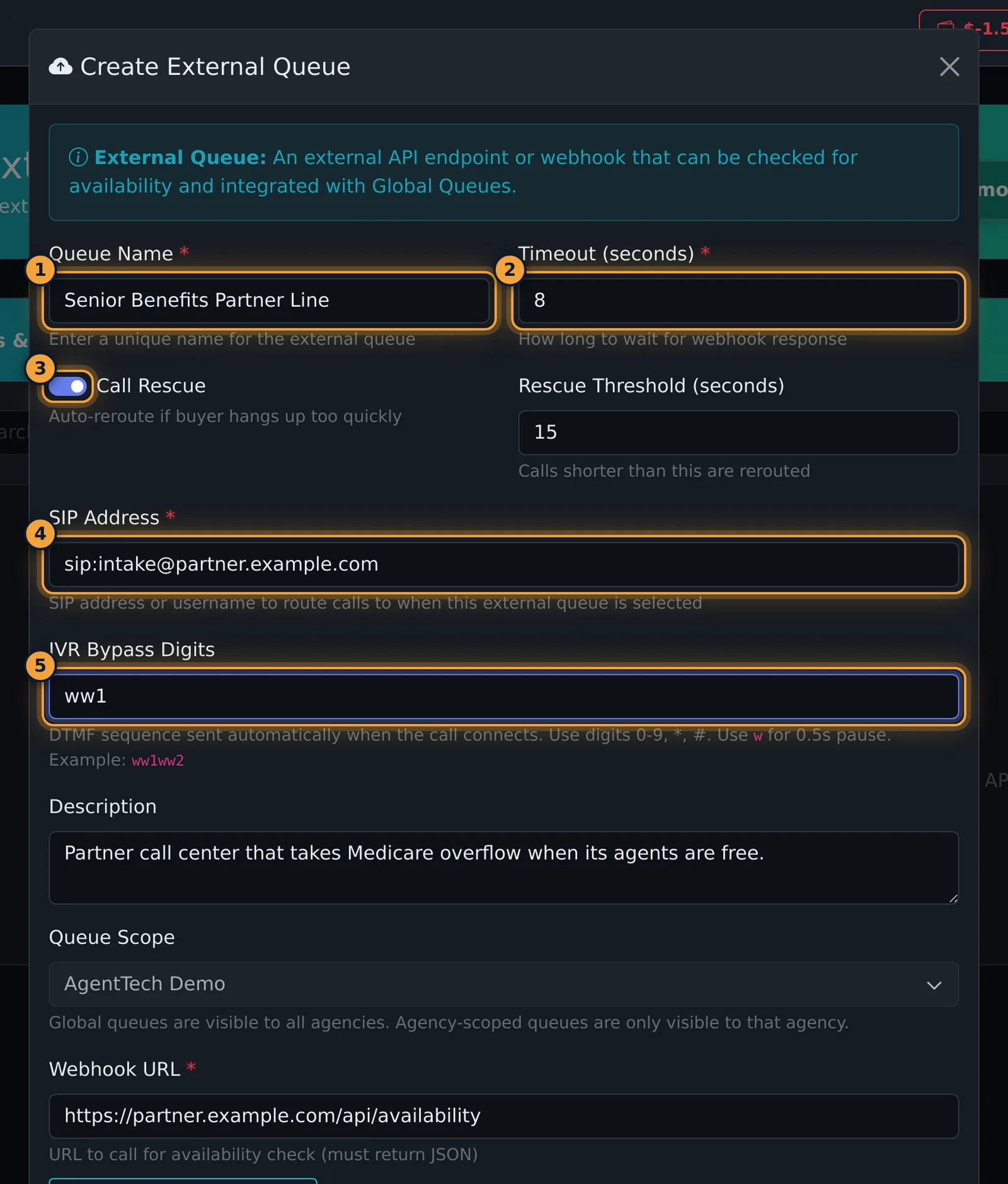
| Field | What it does |
|---|---|
| Timeout (seconds) | Required. How long to wait for the webhook's answer. |
| Call Rescue, Rescue Threshold | Reroute calls that end within the threshold (1 to 120 seconds, default 10). |
| SIP Address | Required. Where the call is sent, in the form name@host. |
| IVR Bypass Digits | Tones sent when the call connects: 0-9, *, #, and w for a half-second pause, for example ww1ww2. |
| Queue Scope | Agency-scoped queues are visible only to your agency. |
| Webhook URL | Required. Must return JSON. |
Availability conditions
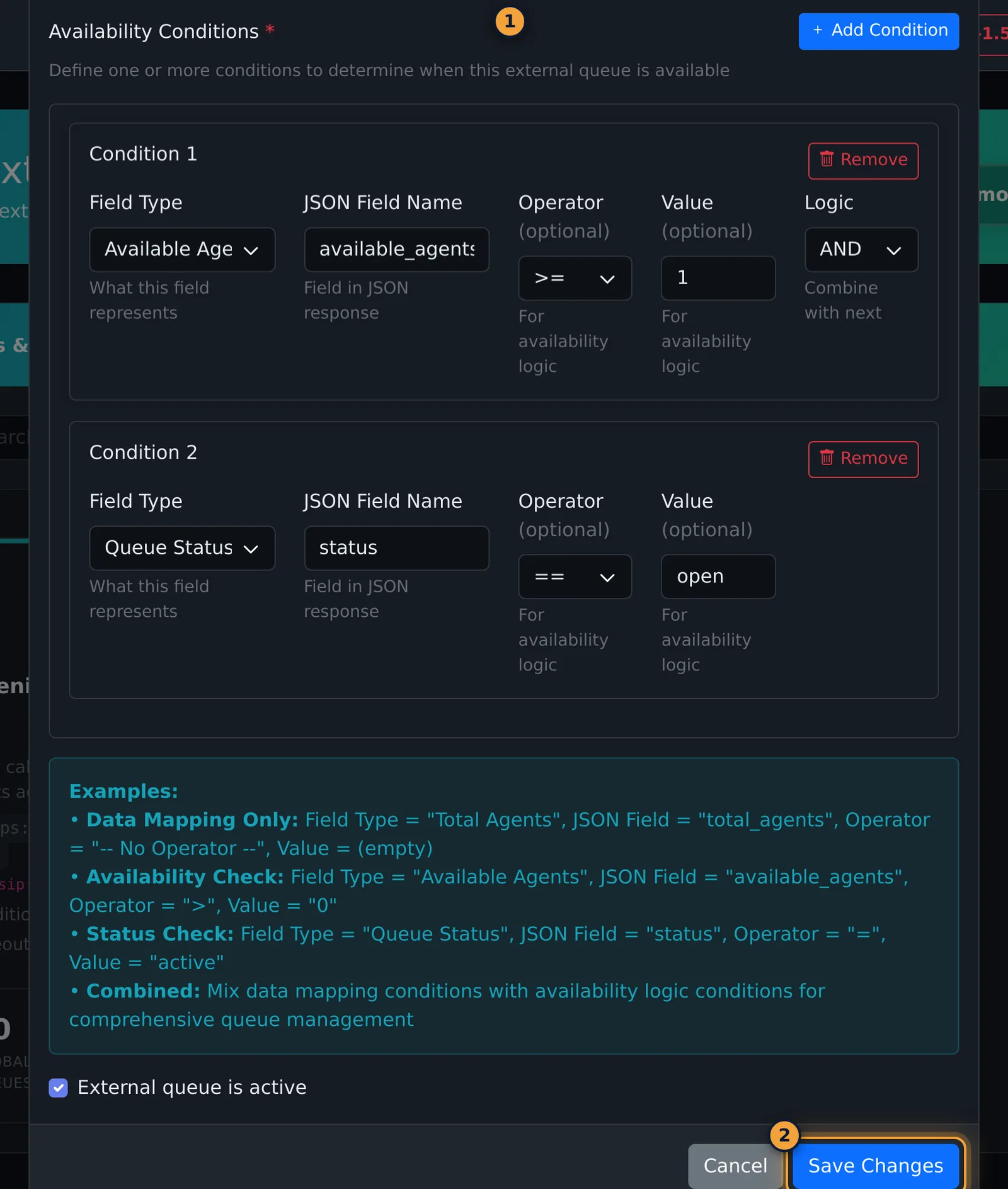
Each condition reads one field from the webhook's JSON reply. One condition is added for you; Add Condition adds more and Remove deletes one.
| Part | What it does |
|---|---|
| Field Type | What the field means: Total Agents, Available Agents, Unavailable Agents, Queue Status or Custom. |
| JSON Field Name | Required. The field name in the reply, for example available_agents. |
| Operator, Value | Optional. For an availability check, for example >= 1. Fill in both or neither. |
| Logic | AND or OR, combining this condition with the next one. |
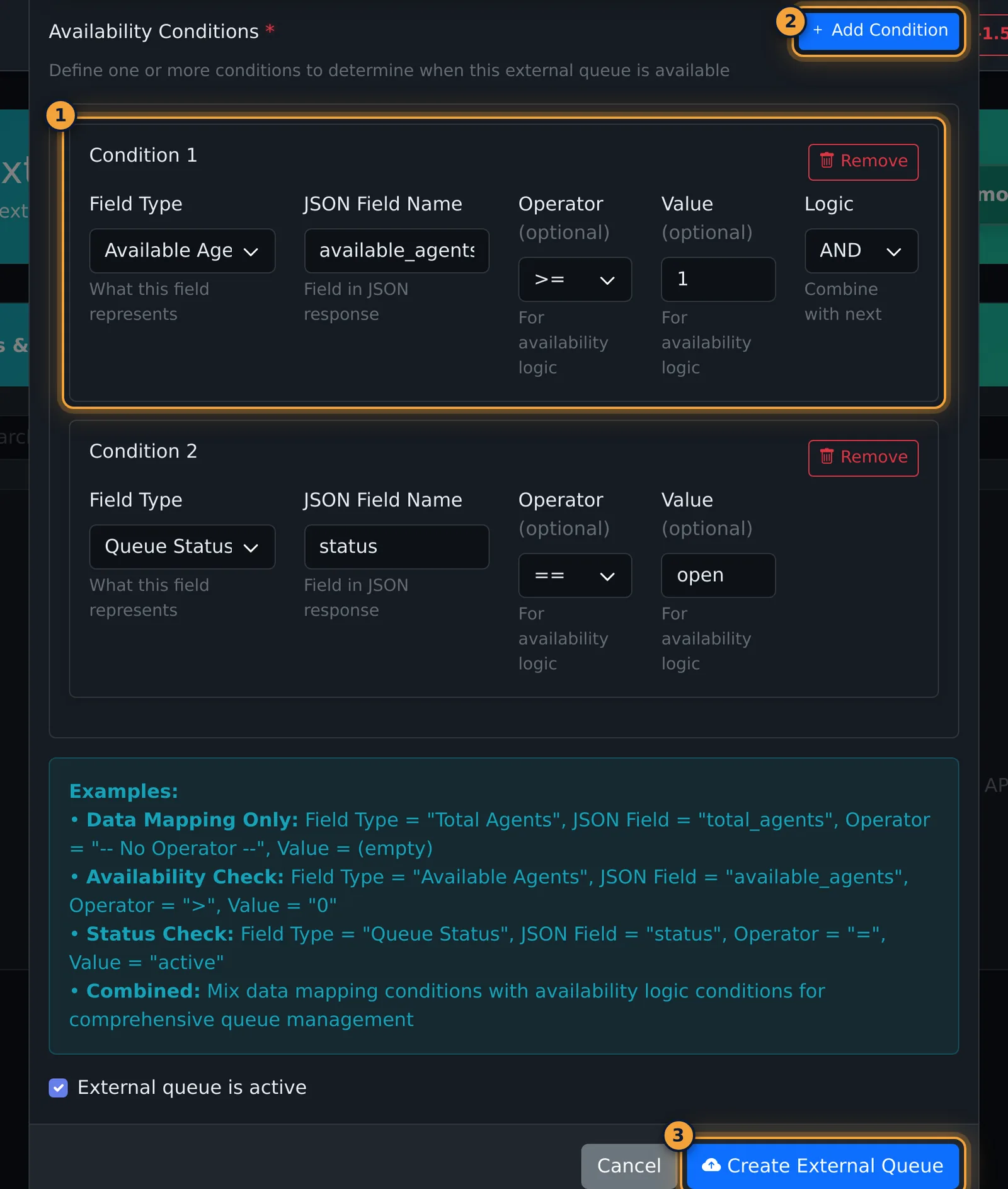
A condition with no operator and no value only maps the field, for example to show the partner's total agents.
Webhook variables
Put these in the webhook URL to send call details to the partner. Available Custom Variables under the URL lists them.
| Variable | Value |
|---|---|
{caller_id} | The caller's phone number |
{caller_state} | The caller's state, from the area code |
{caller_city} | The caller's city, from the area code |
{call_time} | When the call came in |
{queue_id} | The queue making the request |
{agency_id} | Your agency |
For example: https://api.example.com/availability?phone={caller_id}&state={caller_state}
After saving
The page reloads and shows the external queue with its scope, webhook, SIP address, first condition and timeout. Global Queues counts how many global queues use it.
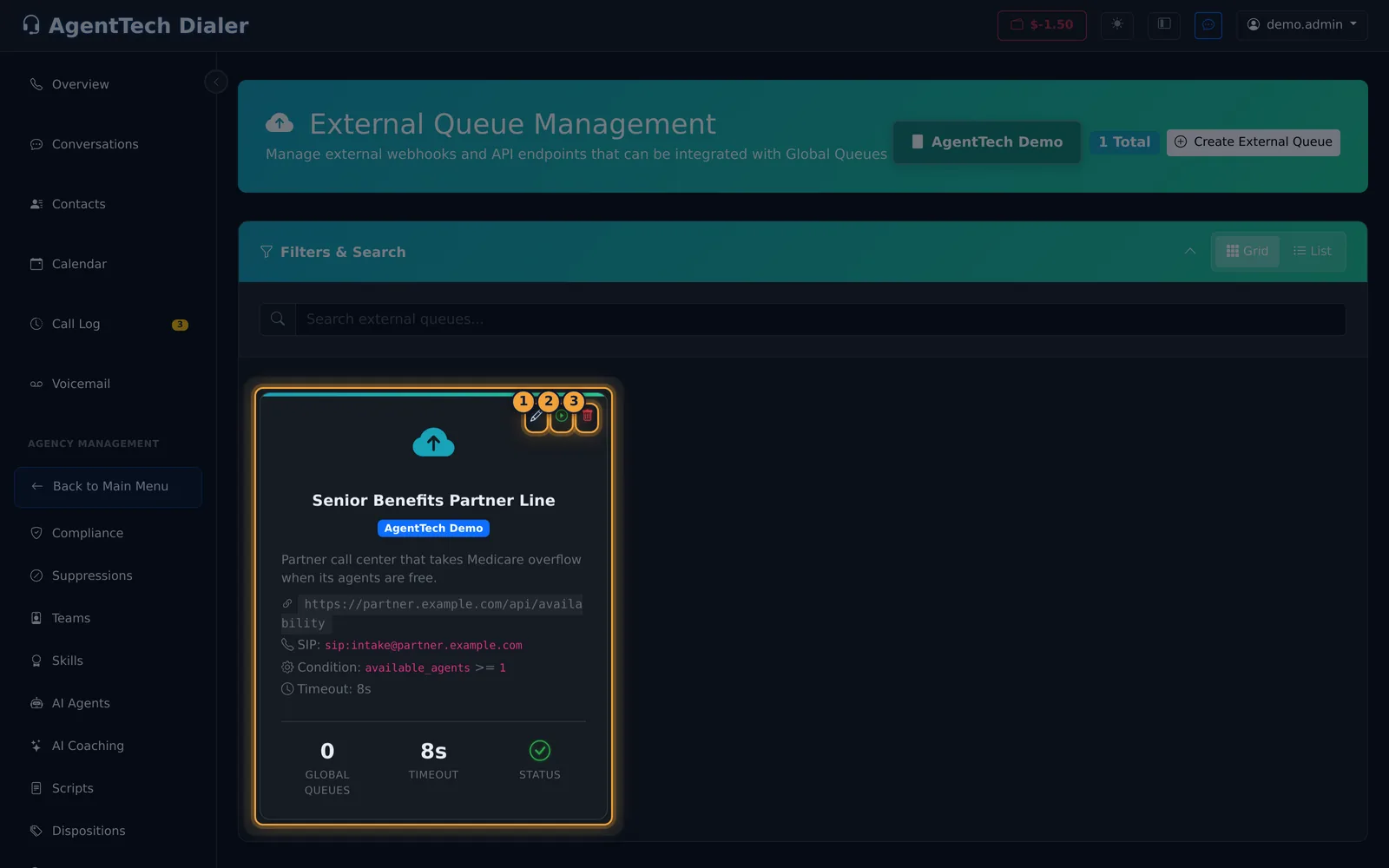
- Test Webhook calls the webhook straight away and shows the result: available or not, response time, status code, each condition's value and result, and the raw reply.
- Add the external queue to a global queue on its External Queues tab (Global Queues).
Edit or delete
Click the card or the pencil to open Edit External Queue. The saved conditions are loaded; change what you need and select Save Changes.
The bin deletes the external queue after a confirmation. It is also removed from every global queue.
Common problems
- "If you specify an operator, you must also provide a value." Give the condition a value, or set the operator back to "-- No Operator --".
- The form won't submit. A condition has no JSON Field Name, or the SIP address isn't in the form name@host.
- The partner never gets calls. Use Test Webhook to see whether the conditions come out as available, and check the external queue is added to an active global queue.
Related articles
Was this article helpful?
Can't find what you are looking for? Our support team can help.
Submit a support ticket