A global queue sits in front of other queues. Calls sent to it are passed to its child queues (your own queues) and external queues (partner call centers), tried in priority order. Use one when a campaign should be shared between several teams or partners, for example a Medicare Overflow Pool that feeds your Spanish line first and a partner second.
This article is for agency admins. Open Agency Management > Global Queues.
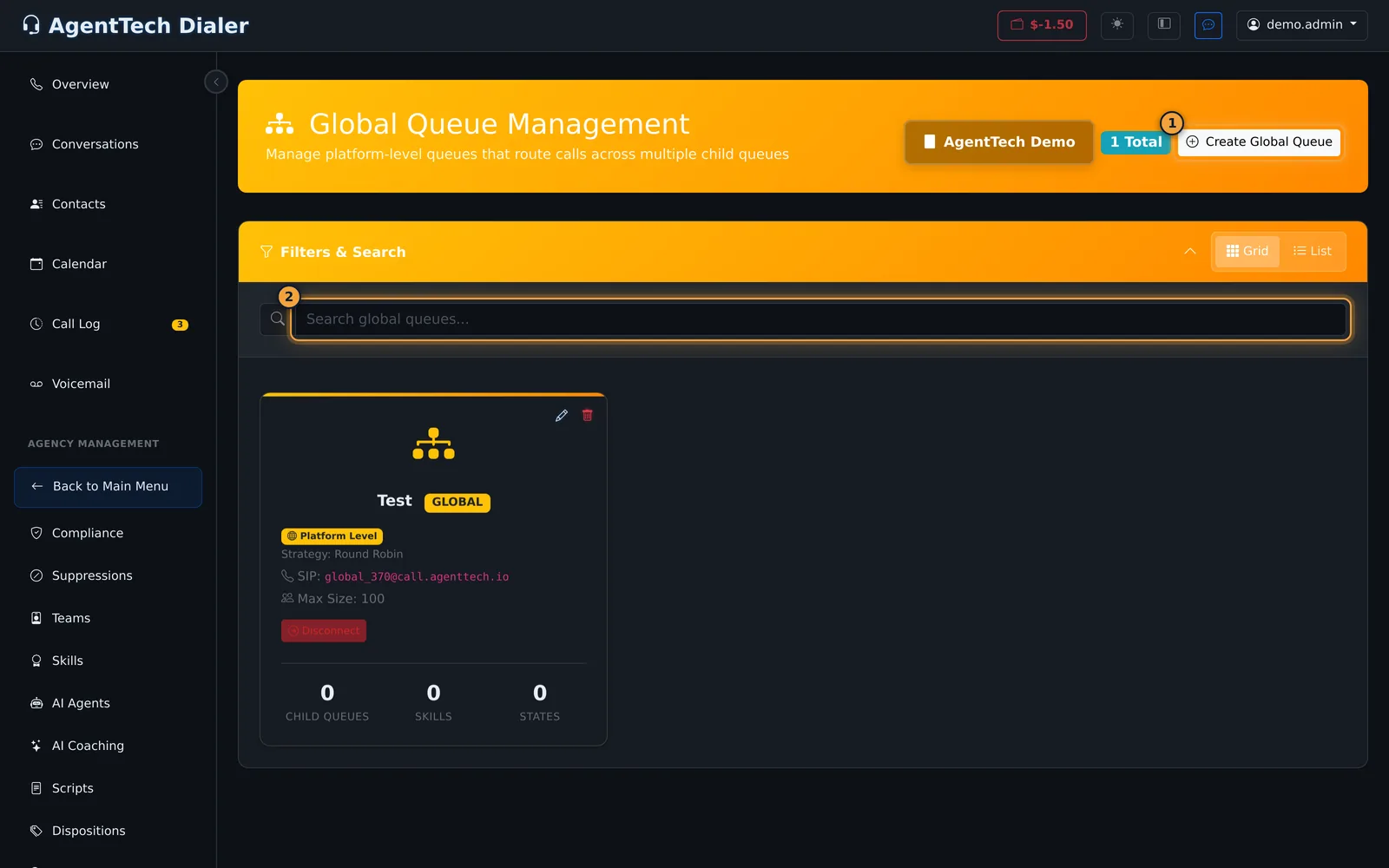
Create a global queue
- Select Create Global Queue.
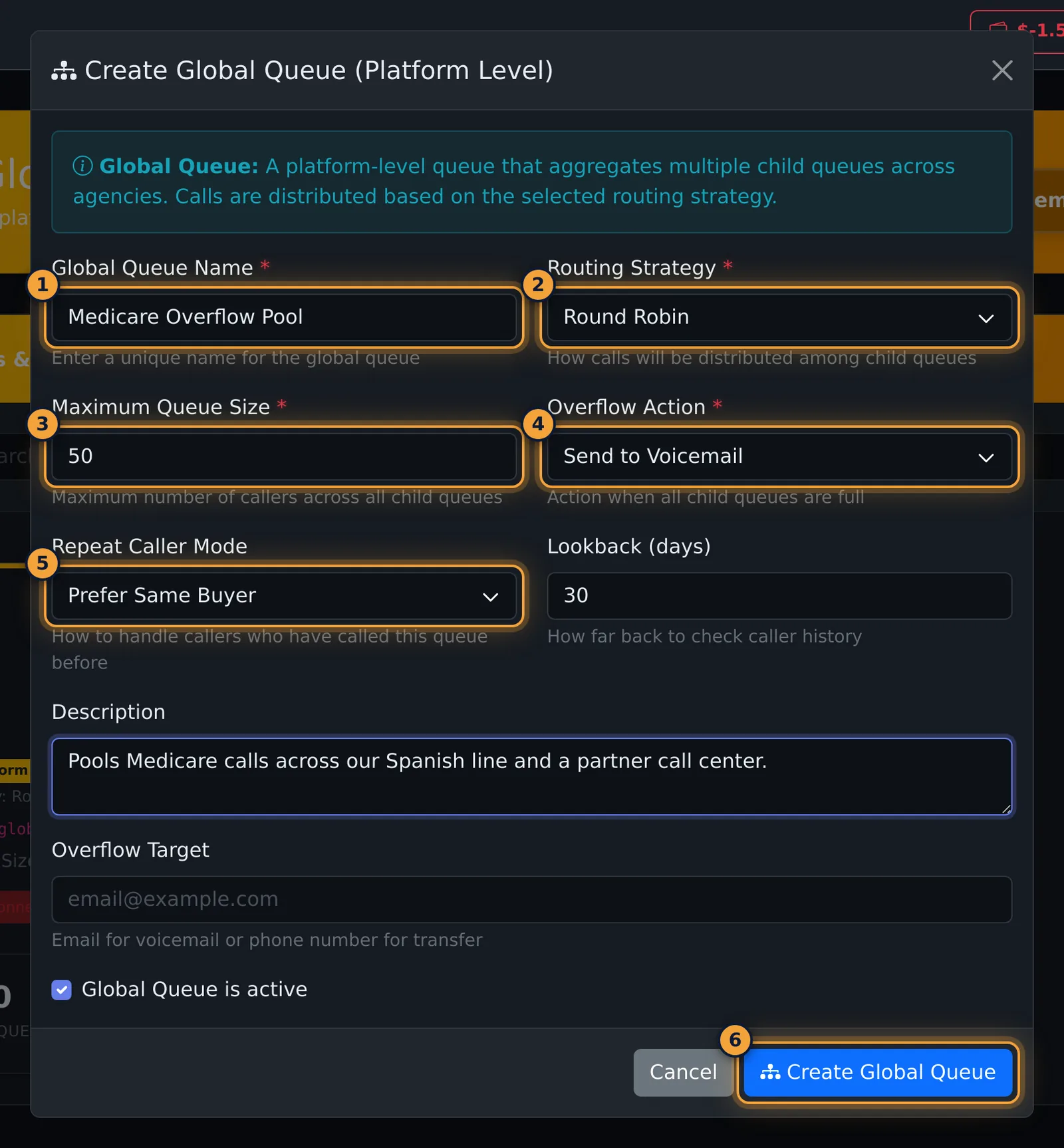
- Enter a Global Queue Name.
- Leave Routing Strategy on Round Robin (see the warning below).
- Set Maximum Queue Size, the most callers waiting across all child queues (1 to 999, default 100).
- Choose the Overflow Action for when all child queues are full: Send to Voicemail or Disconnect.
- Optionally set Repeat Caller Mode and Lookback (days) (see the table).
- Add a Description, leave Global Queue is active ticked, and select Create Global Queue.
| Field | What it does |
|---|---|
| Routing Strategy | How calls are shared among child queues. |
| Maximum Queue Size | Most callers across all child queues. |
| Overflow Action | What happens when every child queue is full. |
| Overflow Target | Shown for voicemail (an email address) and Transfer to Number (a phone number). |
| Repeat Caller Mode | Disabled, Prefer Same Buyer, Force Same Buyer or Block Repeat Callers: how to treat someone who called this queue before. |
| Lookback (days) | How far back to look for an earlier call (1 to 365, default 30). |
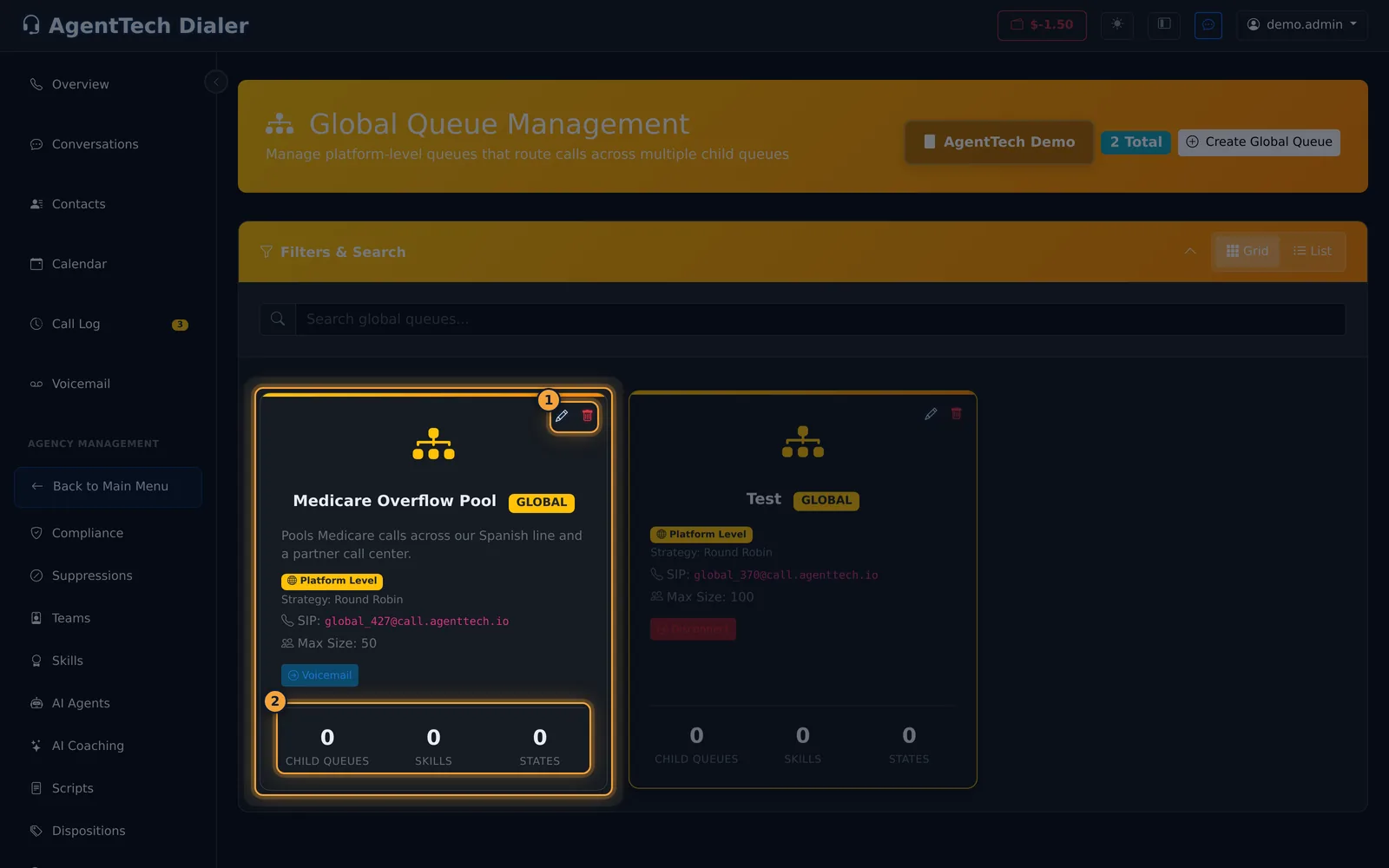
The page reloads and shows the new global queue with its SIP address, for example global_427@call.agenttech.io.
Add child queues and external queues
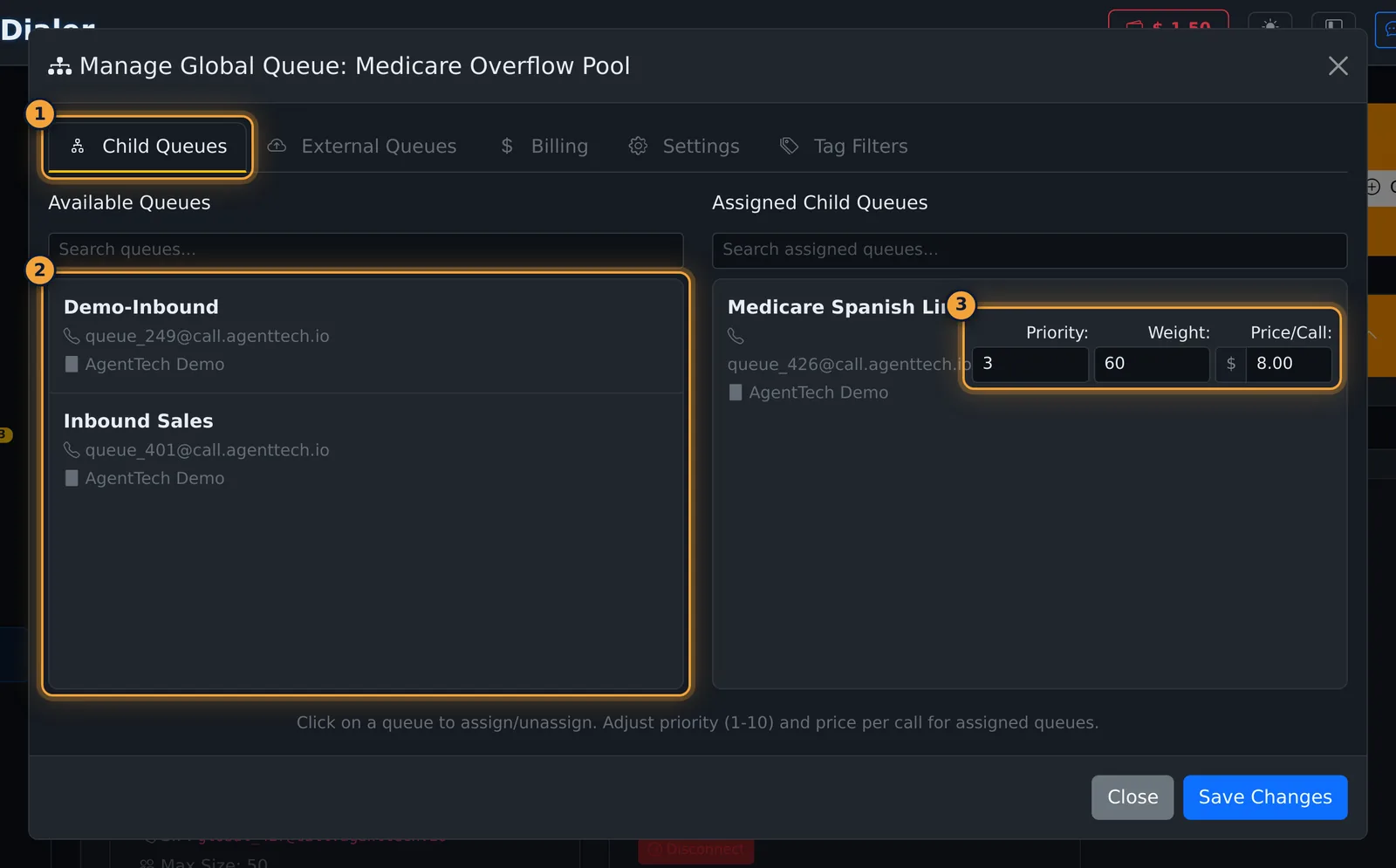
Click the card (or its pencil) to open Manage Global Queue.
- On Child Queues, click each of your queues that should take calls. For each assigned queue set:
- Priority from 1 to 10. Child queues are tried in priority order, 1 first.
- Weight from 1 to 100 (default 100): the share of calls among queues with the same priority.
- Price/Call: what a call to that queue is worth.
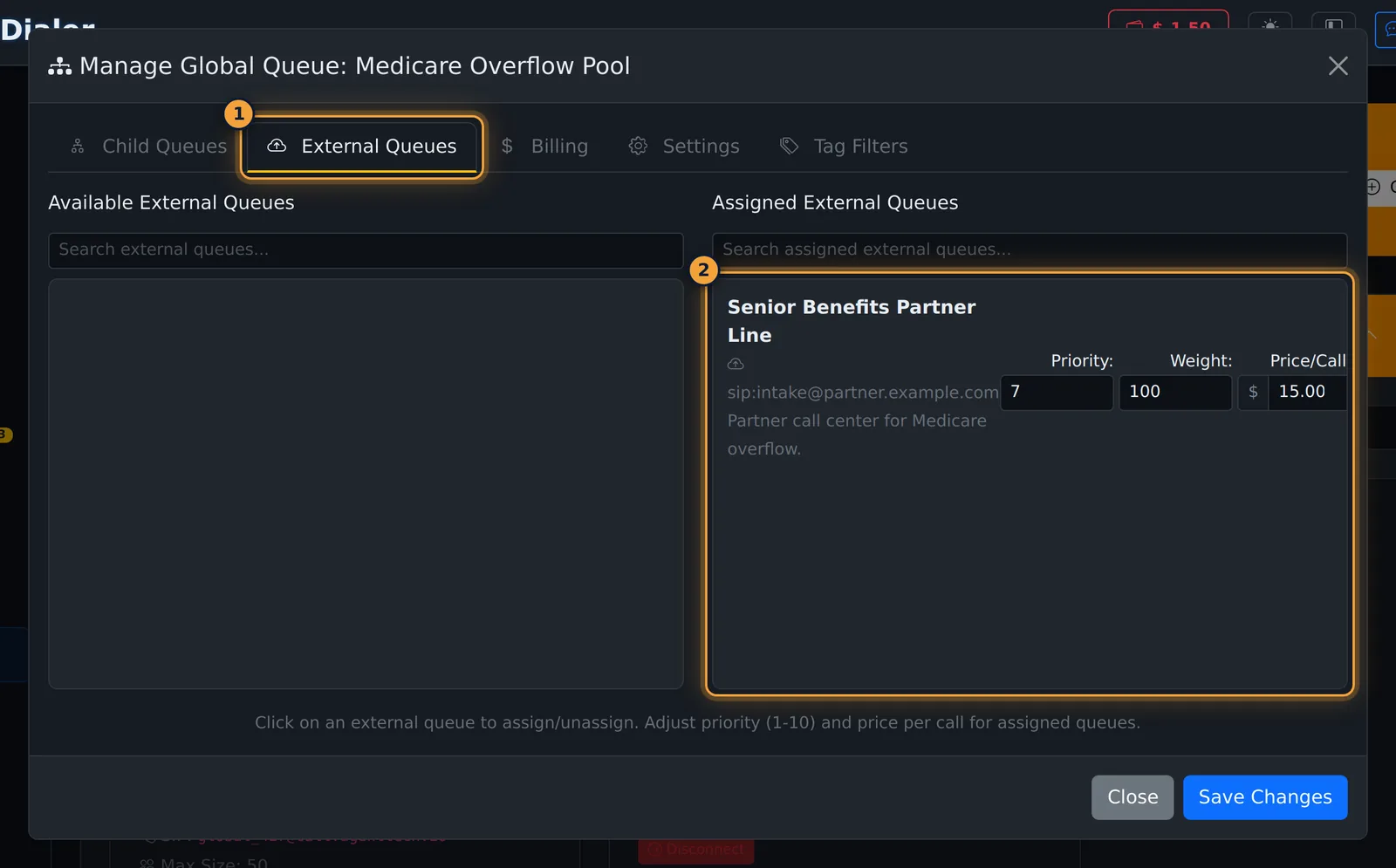
- On External Queues, add partner call centers the same way. External queues are set up on their own page (External Queues).
- Select Save Changes. The page reloads and the card counts the child queues; external queues are included in that count.
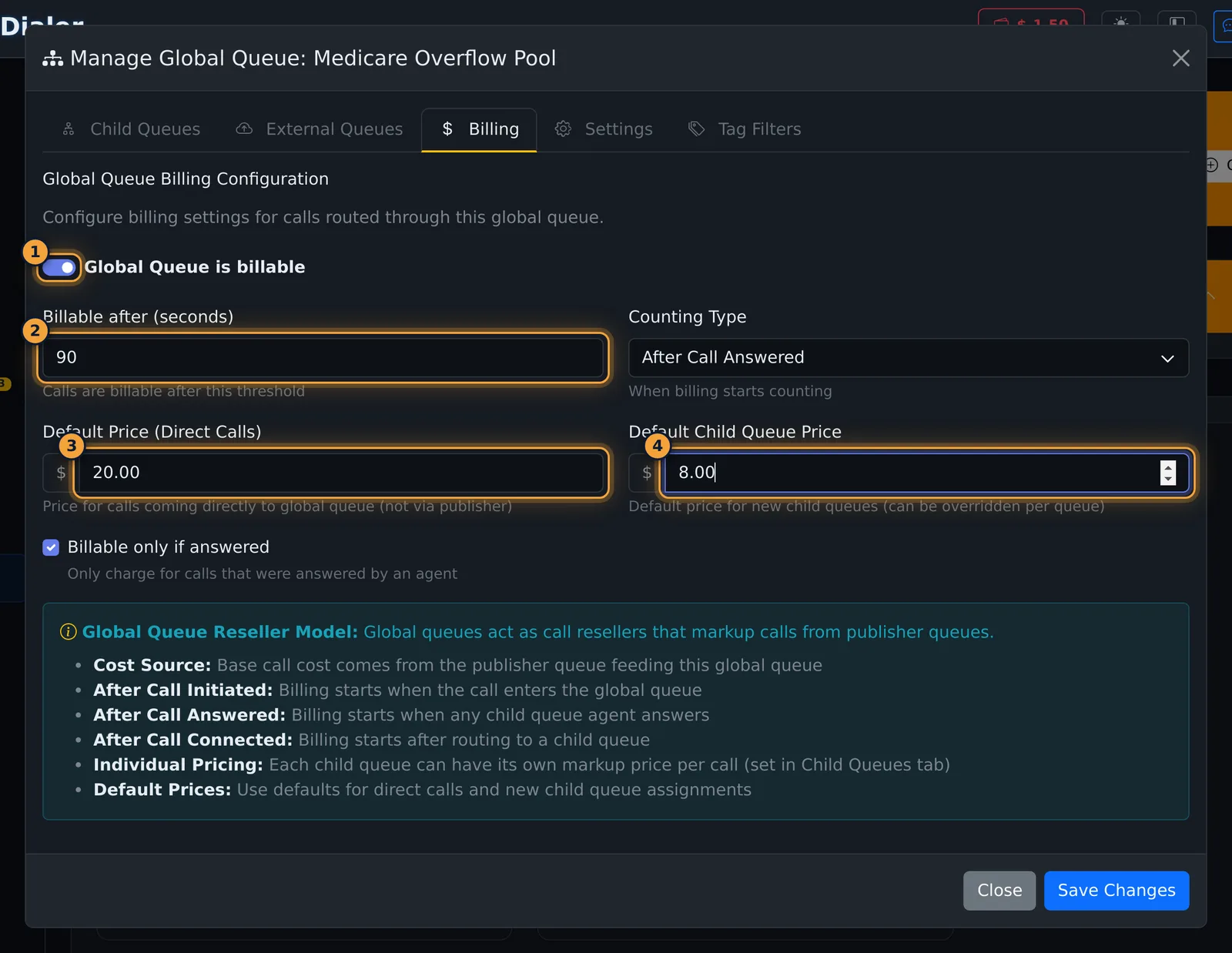
Billing
| Field | What it does |
|---|---|
| Global Queue is billable | Turns billing on for calls through this queue. |
| Billable after (seconds) | A call becomes billable after this long. Default 15. |
| Counting Type | When the clock starts: after the call is initiated, answered (default) or connected. |
| Default Price (Direct Calls) | Price for calls that come straight to the global queue, not through a publisher. |
| Default Child Queue Price | Price filled in for newly added child queues; you can change it per queue. |
| Billable only if answered | Only calls answered by an agent count. On by default. |
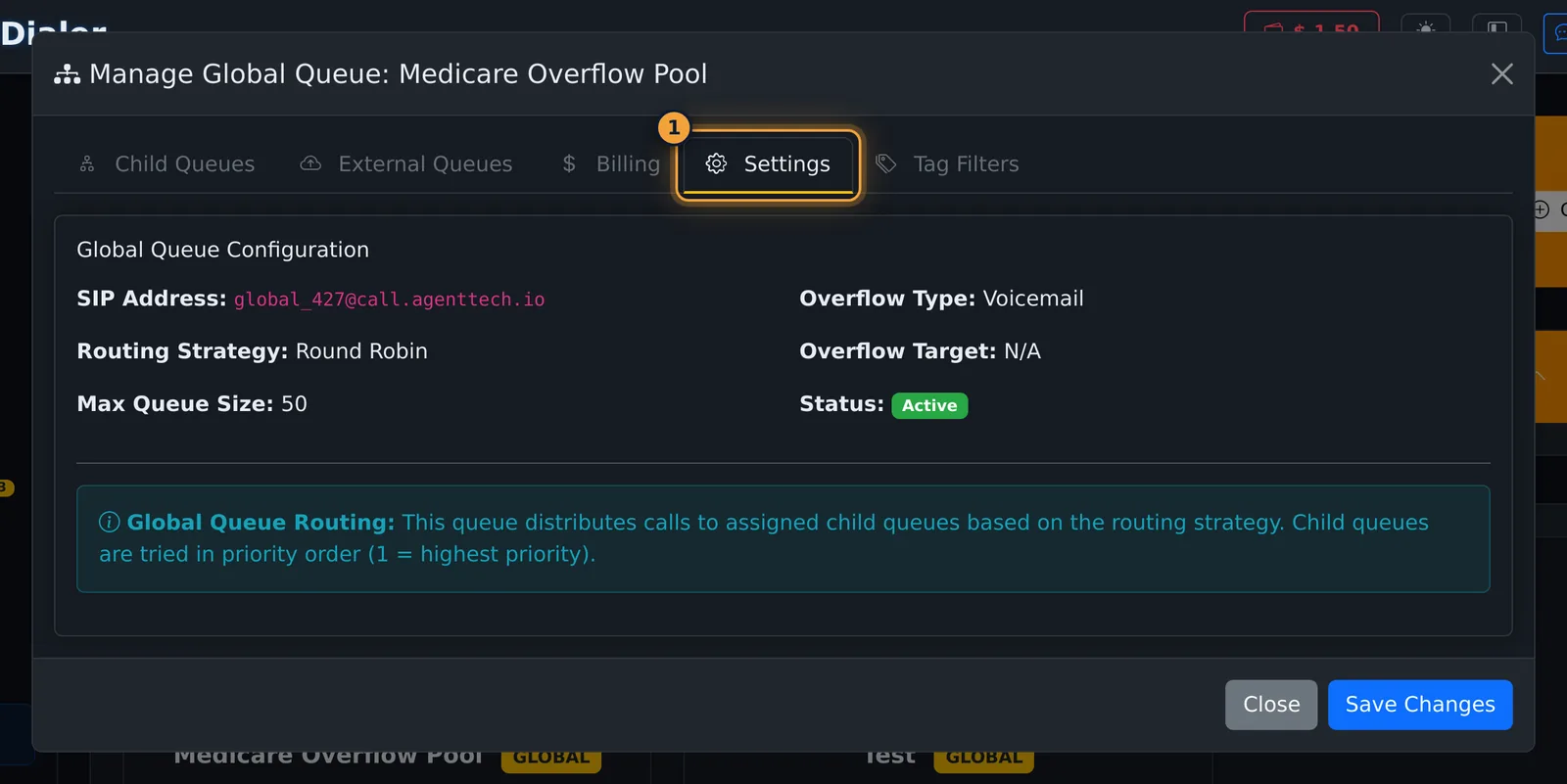
Settings and tag filters
Settings shows the SIP address, routing strategy, maximum size, overflow and status. These can't be changed after the queue is created.
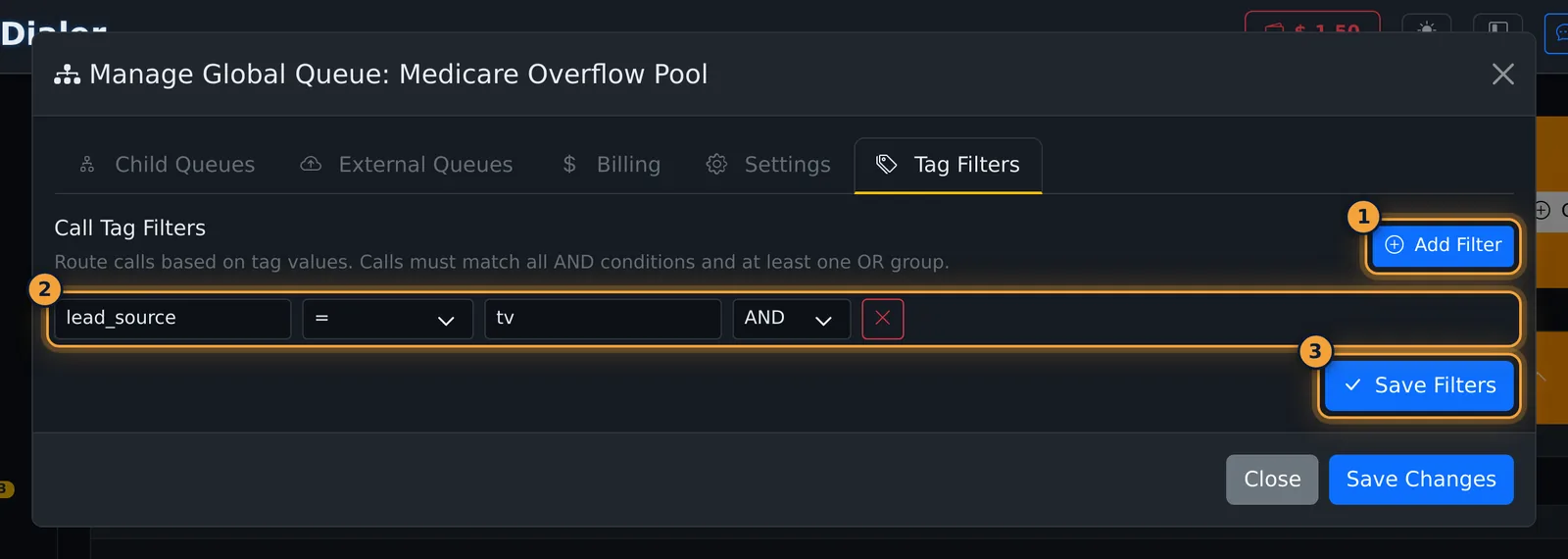
Tag Filters limit the queue to calls whose tags match. Select Add Filter, enter a tag name, an operator (=, !=, IN, NOT IN, EXISTS, NOT EXISTS), a value and AND or OR, then select Save Filters.
Delete a global queue
Select the bin on the card and confirm. This removes all child queue assignments and can't be undone.
Common problems
- The page reloads and no global queue was created. Use Round Robin routing and Voicemail or Disconnect overflow (see the warning above).
- I can't rename the queue or change its routing. Global queues can't be edited after creation. Create a new one with the right settings, move the child queues across, then delete the old one.
- A queue isn't offered as a child. Only your agency's queues are listed. Create it first on the Queues page.
Related articles
Was this article helpful?
Can't find what you are looking for? Our support team can help.
Submit a support ticket